Hi,
on my alta fw, i am stuck and there is definitely a bug.
the 5th vlan i created is vlan 40. this is marked as vlan 5 everywhere and is tagged as 5 and devices see it as 5.
i create a new one after called 41, and then it is now 16.
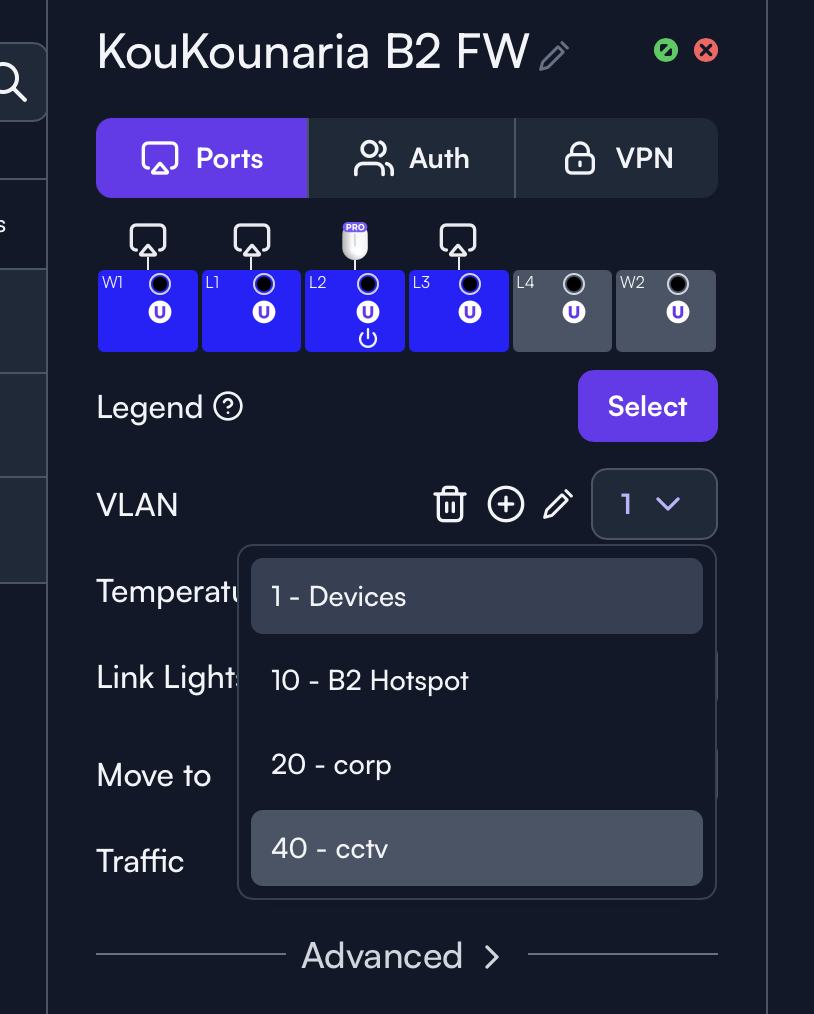
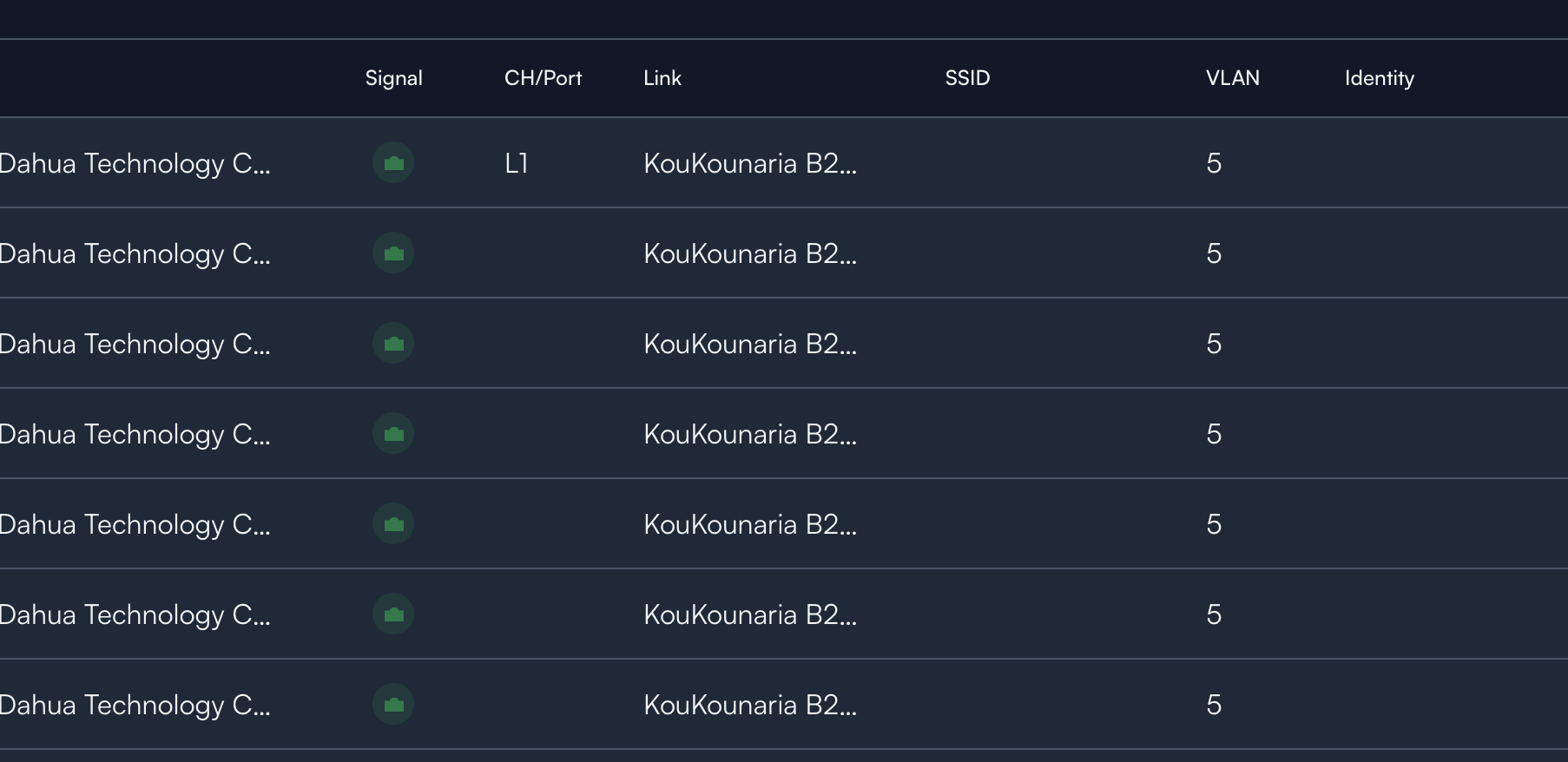
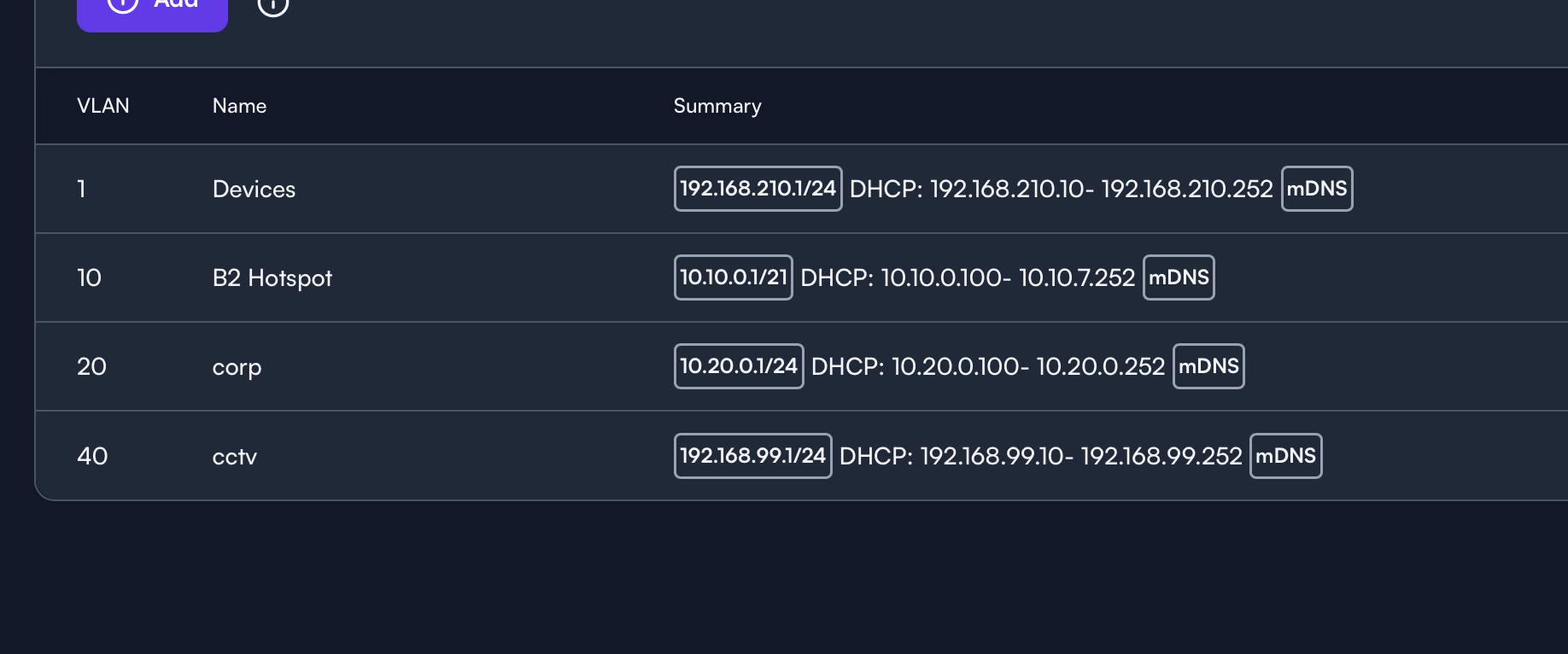
Just out of curiosity, are the devices on those VLANs receiving an IP from the correct subnet? I reported a similar issue to support recently where the VLANs displayed by the controller in the Devices view might be incorrect when third party switches are in the mix. At this particular site the issue is cosmetic, as the VLANs all behave properly otherwise, hence my question 
Also sounds like it’s being worked on if the issue your seeing is the same as the one I reported.
they get an ip on the correct vlan yes, 40, but show up as 5
That definitely sounds like the same behavior I’ve seen at my own site. I see from other post that your also using HPE Instant On switches, which are the same switches as well. Seems to me that how the controller is identifying VLANs to display is particularly hinky with the Instant On switches in the mix. I might flag down @Alta-Matt_v2 to see if he might be kind enough to elaborate, as he’s the one who responded to my support ticket on seeing this behavior 
This issue is ongoing for a while I’m afraid. No sign of a lasting fix despite multiple users reporting it over at least 8 months.
if @Alta-Matt_v2 has time, i can provide full access to both instanton and alta
Hi all,
No need for invitations, we have identified the bug and have been able to reproduce it. This is a low-level bug that occurs much more frequently when third party switches are employed. Unfortunately, we cannot put a timeframe on fixing it yet because it involves a large task of updating a vendor’s complete system. The good news is it’s solely aesthetic and doesn’t impact any functionality that we’re aware of.
We will get it resolved and we appreciate your patience while we work on fixing the display bug.
Alta-Matt,
Given over 2 months have passed since this post, is the any update on this fix?
Thanks