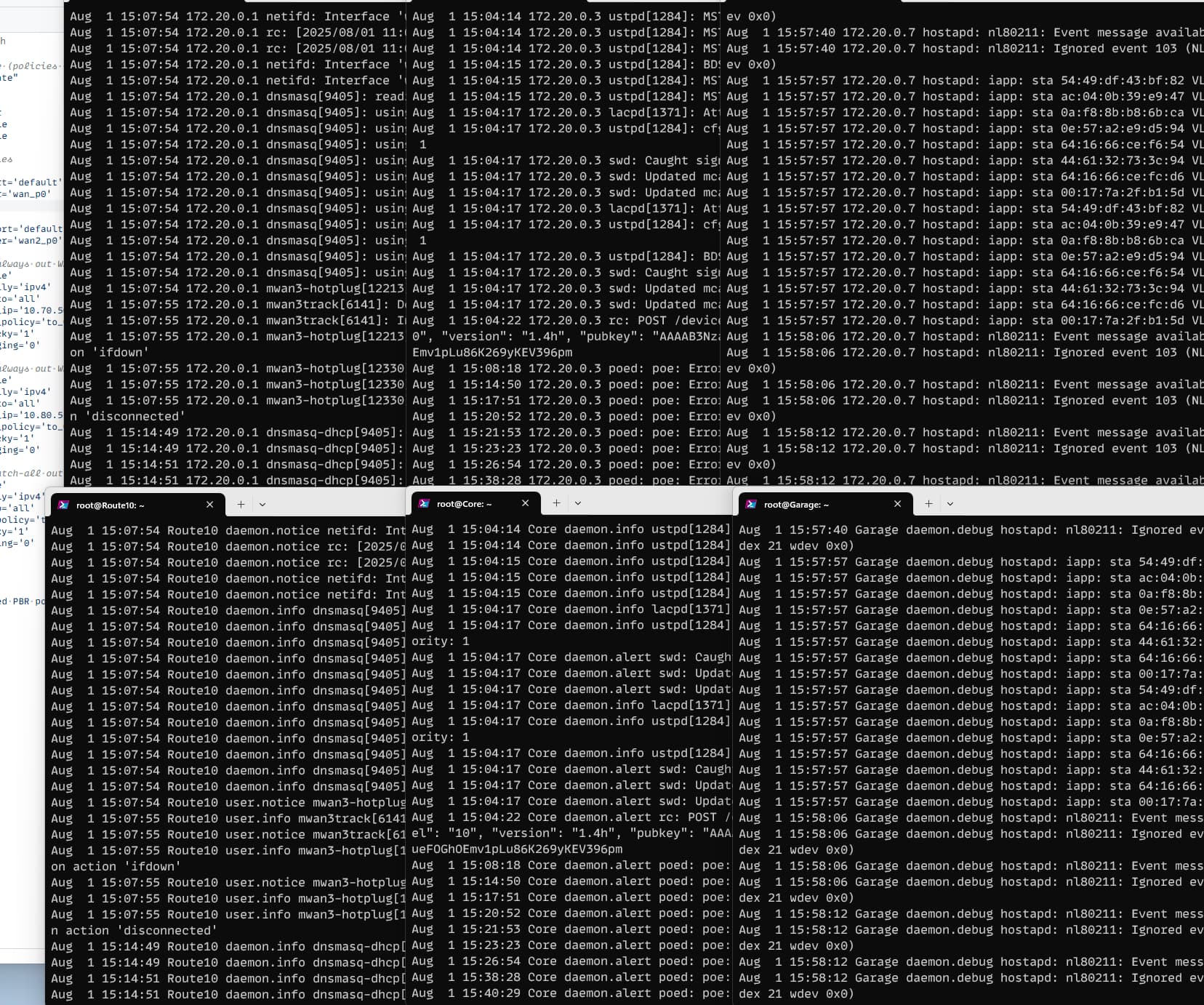
While delving into log outputs I found that the switches and (possibly the AP as well) timestamped entries one hour behind those of the Route10. I believe entries for Route10 show the correct time. I’m at UTC+1 if that might have any impact, even though timestamps showed the correct offset.
Probably only a minor issue, but I got a bit confused at first and who knows if this might have any adverse effects elsewhere in the system.
I can confirm that APs and switches currently log in UTC, whereas Route10 is local. Beyond that, I will have to follow up. Personally I think they should be the same (emphasis on that being a personal comment).
That said, if multiple devices are logging to a syslog collector, they’ll still be in order, just reading the time stamps can be jarring, per se. I’ll circle back.
I’m always confused by timestamps and timezones. But, from what I see, when the clock on the wall here says 4 P.M. local time in CET (Central European Time) timezone, timestamps say for
APs and switches: 15:00+01:00, and
Route10: 16:00+01:00.
so I would say Route10 shows correct local time and correct timezone (offset +1 from UTC) while APs and switches show wrong local time (one hour behind, which happens to correspond to UTC) but correct timezone (offset +1 from UTC).
That’s kind of what I would have thought as well as they (the network devices) would most certainly physically be in the same location (timezone).
@Alta-MikeD, seems like there are inconsistencies still, and I believe things actually got worse.
For example, timestamp 2025-07-26T22:37:11+02:00 occured at wall clock time 00:37. Timestamp indicates 22:37 at CEST (+2 hrs from UTC), so we are 2 hrs behind for Route10. This is consistent for all network devices now.
Unfortunately, this has, if understand it correctly, not fixed the error, but rather introduced an error for Route10 syslog entries (which was actually correct) and the issue for other network devices remain.
If it would be presented as UTC (as stated in the firmware release notes), it should have shown 2025-07-26T22:37:11+00:00 or 2025-07-26T22:37:11Z.
If it was in local time (CEST), it should have been 2025-07-27T00:37:11+02:00.
Syslog time is intentionally supposed to be rendered in UTC, for all log events, both local and remote syslog for all Alta devices. Route10 was an exception up until now, but it has been brought in-line with the rest of our products.
When reviewing my local logs, and remote syslog from Route10, I’m seeing UTC consistently across the board for all log events. I’m just using syslog-ng, and must not have it configured for printed time zones as it just has month day time
IF I understand correctly, time in UTC is rendered (while unexpected, this is intentional), but it says +02:00 which reads incorrect. That said, there is a catch.. syslogd in BusyBox is compliant with rfc3164, which only sends date and time (Mmm dd hh:mm:ss), it does not send timezone info, or year.
Is it possible that your logging service is appending that TZ stamp? As-in the syslog collector receives time in UTC, but just assumes it’s local, and that’s why it prints the way it is. It’s definitely not the expected log output format, so it seems likely that it’s the collector rendering it this way.
Here’s a direct comparison for example, my syslog collector (syslog-ng on Ubuntu 24.04). Syslog-ng on top from my server, device output from respective messages files below. Appears to mostly align with the Mmm dd hh:mm:ss formatting I mentioned earlier, and it’s consistent, only exception being it seems to render d, or maybe it trims the 0 (I’m not sure expectations there). These are from today, I’m in EDT, so UTC-4 but these times are correctly rendered in UTC as expected. Anyway, I mostly just wanted to show the formatting of the time stamp is not getting modified, by default, which is why I’m wondering if this is related to either to the software itself, or just some customized setting in the collector software.
EDIT: oh, it’s Route10, S48, AP6-Pro-Outdoor, left to right respectively