I received my gear this morning. Confused on which to setup first, the route10 or the controller? I need the router to get internet, but I cannot setup the router without the controller.
I have tried to setup the router first but that doesn’t work without a controller. I cannot get the controller to setup without having working internet. I’m at a loss. How is it this difficult am I missing something obvious? This is an extremely frustrating experience.
Communication is a little light here at the moment, but the live support team from the main site is amazing. Perhaps give it a try to call in?
I unfortunately don’t have the local controller so might not have much to add but I was under the impression that in this scenario the Route10 would have to be setup on the cloud controller first, then the local controller setup, then move the Route10 over to the local controller. Which has struck me as a bit clunky, but support may be able to further clarify that.
If they’re not roaming around the forum then they’re usually pretty responsive to being directly reached out to as mentioned by @anon77415413
I am not using a cloud controller, I bought the control device. I do not have an existing network so I have to get the router setup first but there does not seem to be a way to do it.
There’s a way, but I’ll let Alta support speak to it.
The support team still hasn’t responded to my post, even though I see them replying to others—very frustrating. If you know how to set it up but choose not to share, that’s equally frustrating.
Yesterday, I gave up and made the long drive to MicroCenter in Miami, where I picked up a UniFi Cloud Gateway Max, an 8-port switch, and two UniFi Pro 6 APs. When I got home, I plugged in the Max, followed the on-screen steps, and was fully up and running in under 10 minutes. I was honestly surprised at how easy the setup was with the Max.
Today I’m returning the Alta gear to Amazon. In the end, I actually saved $250 on the router, switch, and two access points compared to the Alta equipment. Lesson learned: I won’t be buying prosumer gear from Amazon again.
I’m willing to share how to use them with you, but it’s a pity that I just viewed your post. The support team might not view the post; otherwise, they were sure to support you.
Their CEO taught how to use Controller hardware and Route 10, as shown in their official YouTube videos here:
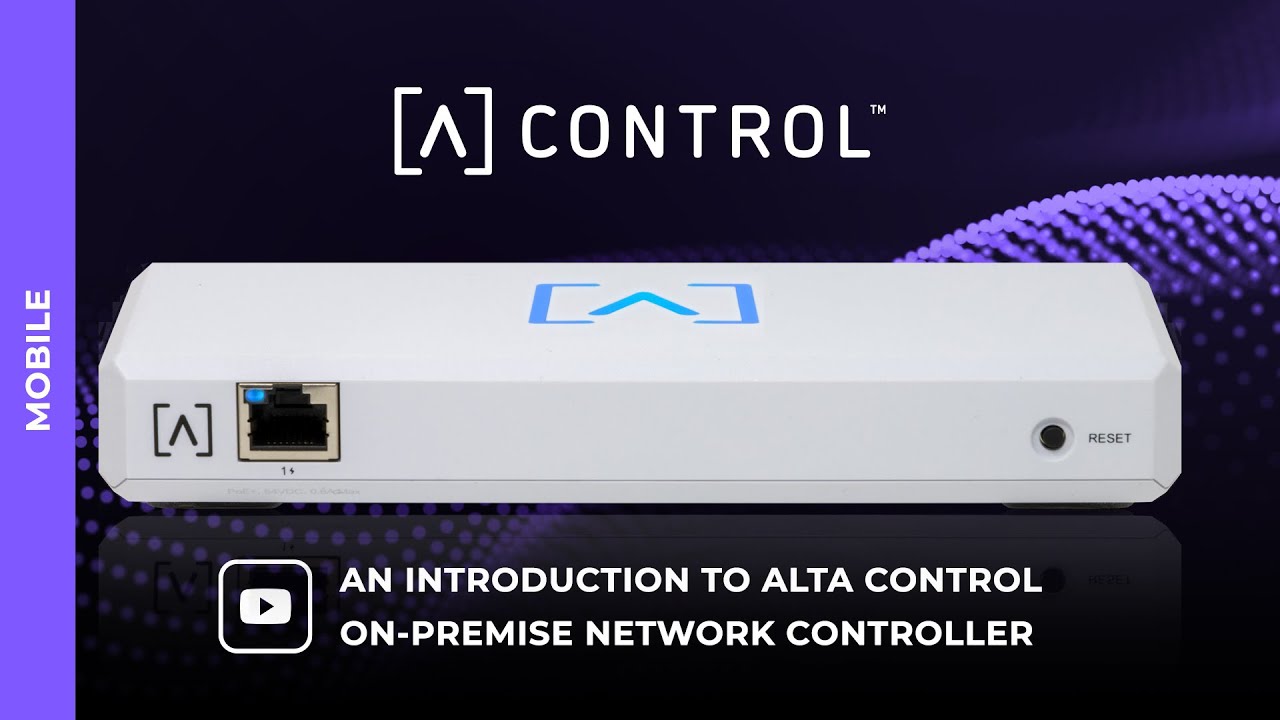
On-Premise Network Controller - Alta Control (Mobile Intro)
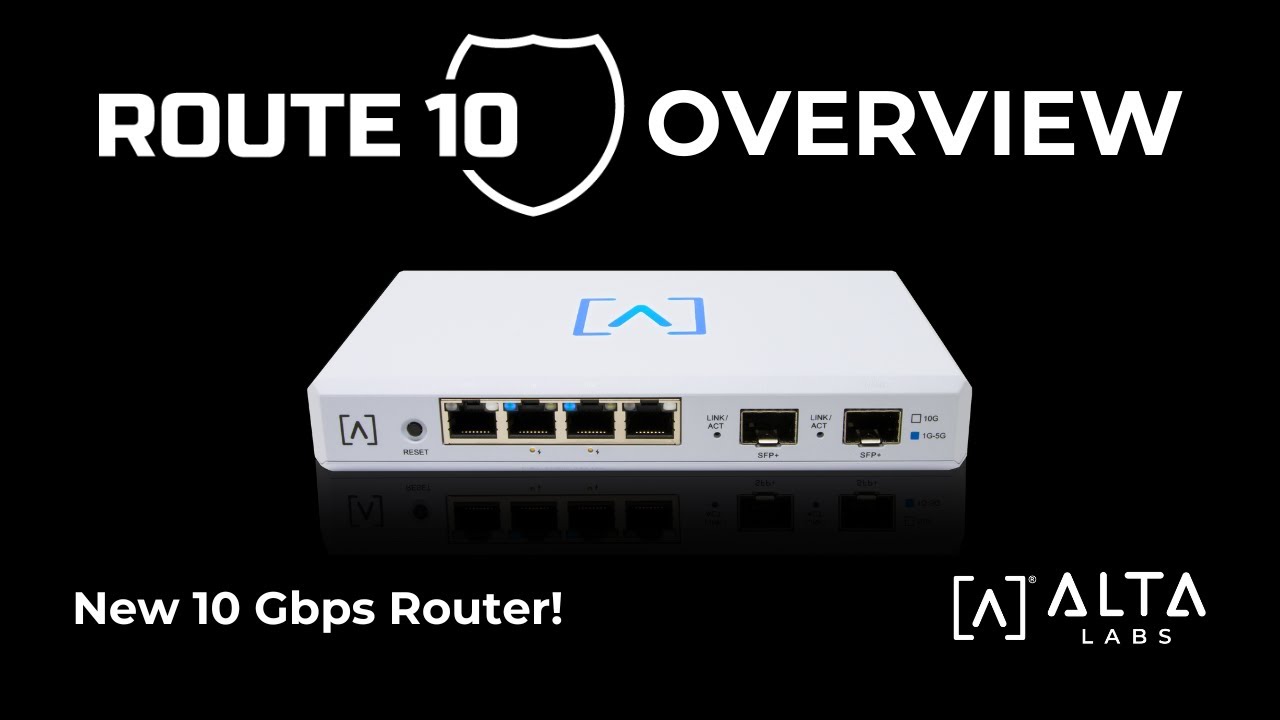
Route10 Overview - Alta Labs New 10 Gbps Router
I think it’s better to set up Controller hardware first and then set up Route 10.
Well, unfortunately this is no secret, but I’ve struggled with this Control appliance. It is not an easy process by any means regardless of what videos or instructions are out there.
For one, they are treated as two independent set ups. There are zero synergies between the two (Control and Route10) from a traditional set up perspective. One would think that there would be a splash page during the Route10 set up that would discover the Control appliance to allow for local management, but no, there is not. You have to magically know in advance that the Route10 (by default) reserves the first ten IP’s on the default block, then assume the next IP would be assigned to the Control appliance for accessing the management set up page. For example 192.168.1.11. This is not misleading, this is a fact. I would gladly factory reset everything and prove this with images right now if I wanted to based off my experience. Clearly the effort and focus is cloud management, and I do not want my network accessibility crippled in any way when the internet goes out. Yes SSH is still possible, but tell that to the basic consumer.
I’ve been an advocate for local management, privacy, and simplified processes. You can see any and all threads I’ve participated in. I’ll let the search history speak for itself.
See the following topic as an example where I made these suggestions dating back to February.
I think that’s a pretty fair assessment, @Beaker . It’s unfortunate @jaloh had to go elsewhere to get what they needed, but that’s really not their fault.
I’ve found the cloud management to be a pretty easy setup, which I’ve certainly appreciated. To me though, it would seem that if a local controller is being offered to help provide an option for users who don’t want to utilize a cloud based controller then it should have parity or near-parity in terms of ease of setup and management. Especially since it seems like this scenario is where it has the most potential to fall on it’s face currently, as evidenced by this thread.
I have to agree with the sentiments here. I spent a day and a half last weekend trying to get the controller and router set up. I was seriously tempted to return the router and the controller, however, I decided to give it another go.
Luckily for me, I managed to get them set up. The biggest pain in the rear end was getting the account activation email before I could even get the bluetooth setup completed. Maybe I was doing something wrong, I don’t know, but in my opinion, the setup process needs to be simpler and more fluid.
I ended up with Alta Labs gear after the 5Ghz radio in my Asus router died. I was impressed with AP6-Pro access point, as was a work colleague who also purchased one. This then led to me buying the 24 port switch, the hardware controller and the router. I was beginning to think I had made a mistake buying this gear,
Completely agree with the other posts here. I am keeping my Route10 and APs, but returning Control because I just was so frustrated by the setup process. There was no documentation that I found that indicated what you were supposed to do if you had both Route10 and Control, so I had to guess. I also got stuck on the activation step while doing the setup from my phone, likely because my phone was not on the internet (hadn’t set up the APs yet). So I resorted to trying to set up Control from the cloud, except after doing so, I couldn’t log into Control anymore (I saved the password in a manager, so I knew I had the right creds).
Thankfully, I’m ok with going cloud controlled, but I would echo the previous sentiments about tighter integration during setup to ease some of the mentioned pain points.
I totally get that learning a new ecosystem can be frustrating and challenging. There are definitely quirks to any new technology, and the hope is that these quirks can be identified and learned in the meantime while we iron them out for everyone else. I do apologize that it didn’t go as smoothly as you would have hoped. But I also am very curious if any/all of you followed along in the videos above. If things do not go according to the videos, then we definitely need to take a look!
Perhaps we need a video showing the Control and Route10 setup together.
I think a video and help article going over the recommended steps when starting a site from scratch with a Route10 and Control appliance is definitely a good place to start! 
Then it’s probably a good opportunity to review the setup process referencing some of the things people have mentioned here, or even chatting with them further to make sure the process is as intuitive as it can be. Granted, everyone might have their own idea of what’s intuitive, but if people are stumbling at the start then I’d say that’s something worthy of further examination
I 'd truly like to be optimistic, but it won’t move the needle. Not even the slightest bit. It’s pretty clear that the prioritization is cloud, not local management.
My read from that response was, “this is the process, take it or leave it.”
With all due respect, I certainly didn’t invest on this ecosystem to be a “guineapig.” It would be easier to admit that the focus is not on local management then to be dragged along on journeys with false hopes. Let the consumer make that decision whether they want to stay or move on. I for one have decided to move on.
To date, we’re still waiting for an official user guide or manual. That of which has never materialized.
Curious to know if anyone who had troubles setting up Control was aware of our knowledgebase before starting the setup process or mid-setup when you encountered issues?
Setting Up Control
Setting Up Alta Control With Docker
Setting Up Alta Control With LXD
We’re trying to get the knowledgebase more visible/promoted/etc and recently turned on comments for articles so we can identify and rectify/clarify any issues.
The key issue here is if you were to open up a brand new Route10 and Control at the same time with the intent of being locally managed from the start.
Your Route10 set up/splash page doesn’t have any parity to the Control whatsoever from a traditional set up perspective. It’s a non-starter. The first set of instructions on that link for the control states the following:
“1. Open your web browser and enter the IP address of the Alta Control device. If you don’t know it, log in to your router to identify it (or use the mobile app instead for setup).”
How can one know the IP of the Control if your Route10 is hanging in limbo waiting for you to make a choice from the start on whether you’re setting up via cloud, or being managed locally? Without knowing the IP and/or being directed to your control as a pre-requisite, how can one ever know the IP to establish that first so that they can properly set up and acquire the DDNS to apply during the Route10 set up?
This is how the Route10 expects you to proceed on set up
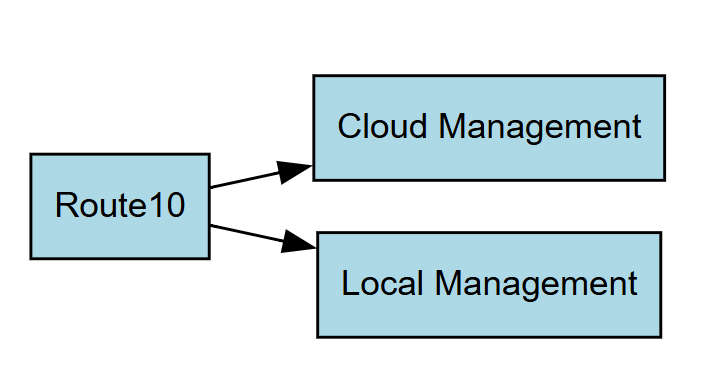
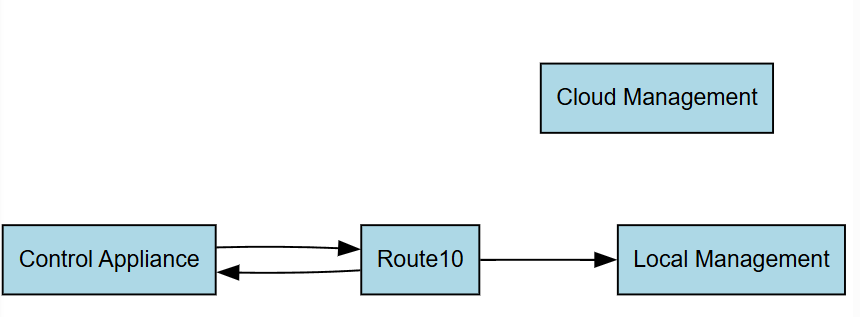
The following would make more sense. Directing the user from the R10 to the Control appliance to set up and configure so that they can actually compute the DDNS and successfully manage at the local level.
@Beaker Hey, it has been a while since I have been on the forum. Saw this topic and figured I would chime in. @Alta-Jeff Helped another user with this back in December. There is a pretty good step-by-step found in the link below. It would be good to push this link to the top of the forum anyway, since it has been a few months.
As he and Matt have both mentioned, we are working to improve the KB to help with the local controller setup as well as produce a video. That will be happening shortly.
Hi @Alta-Chase ! Appreciate you checking in and look forward to the improved KB article and video for those using and wanting to use the local controller.
I won’t aim to speak for @Beaker , but given that those steps were laid out in a forum thread from the beginning of the year it does feel like the local controller was left to languish a bit after it’s release. At least in regards to it’s initial setup process, use, and how that integrates with the Route10. It would have been preferable for those items to have been available before a bunch of frustration with it came to a head, but here we are I suppose.
Obviously Alta Labs isn’t a massive company and development can require a bit of triage in regards to where time and money go, but I hope some of the suggestions and thoughts mentioned here are taken as constructive critcism to help improve the products and experience for everyone 
@jaloh Apologies that our team didn’t get to your post in time. Also, I’m sorry we lost you as a customer.
Should you ever want to give us a shot again, we do have phone and chat support as well. All available for free.