I have IPv6 and everything seems to be working fine for me.

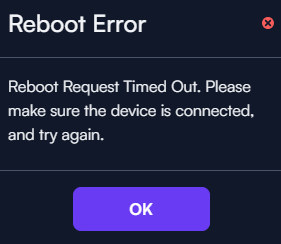

Based on our analytics, we have not seen any increase whatsoever in disconnected Route10 devices due to this release, but we would still like to understand what is going on with the several reports here.
Based on these reports, the issue seems to be something that likely has existed from the beginning of Route10 firmware, not necessarily introduced with this specific version. We are reaching out to several of you to gather more information, and appreciate any feedback you can provide, since we cannot reproduce this in our labs. One question I have for everyone is whether you are using an SFP transceiver for your WAN uplink.
RJ45 WAN on port 1.
As my setup is in the state it is (disconnected), would there be any possibility to setup a session together for troubleshooting / logcollection?
SFP transceiver for WAN for me, connected to the right SFP+ port. And, also, I have appr. 10 VLANS if that may be of any importance. And, also, that I had all those VLANS added for monitoring in the IDS/IPS function, with Inline IPS enabled.
I’m encountering the same issues. WAN unavailable but I’m also not getting any local routing, either. I did multiple reboots and eventually tried factory resetting the Route10. It was working until I rebooted again because my local VLANs are not working still, now im back to no connection with the cloud controller. This is with RJ45 WAN on port 1.
After ~8 powercycles I finally pushed the reset button for 5 seconds. Now it seems to be upgraded but registers as a ‘new device’ and I cannot fix it.


I ended up having three factory resets total before it started behaving normally.
I noticed that when mine came back up again, VLAN1 192.168.0.254/24, the DNS server it sets via DHCP is 192.168.1.1 for the client.
I did a ‘reboot’ via CLI and after this, I got all disconnected again.
Out of several Route10’s I had one fail to come online after the firmware update and I spotted that exact behavior after resetting the Route10 to bring it back online. Specifically, the subnet is different but the DNS IP being handed out is still 192.168.1.1. I also spotted this occurring over and over in the misbehaving routers logs:
Mar  6 15:02:36.504 Alta daemon.alert rc: Re-running mismatched cfg
Mar  6 15:02:36.510 Alta daemon.alert cfg: run "uci set system.@system[0].hostname='Alta'"
Mar  6 15:02:36.512 Alta daemon.alert cfg: run "uci set system.@system[0].zonename='America/New_York'"
Mar  6 15:02:36.518 Alta daemon.alert cfg: run "echo none > /sys/bus/i2c/devices/0-0030/leds/B/trigger"
Mar  6 15:02:36.537 Alta daemon.alert cfg: run "diff /tmp/.ndpi-filter /etc/firewall.d/ndpi-filter >/tmp/.ndpi-filter.diff 2>&1"
Mar  6 15:02:36.538 Alta daemon.alert cfg: run "diff /tmp/.ndpi-enable /etc/firewall.d/ndpi >/tmp/.ndpi-enable.diff 2>&1"
Mar  6 15:02:36.541 Alta daemon.alert cfg: run "diff -q /var/run/.wghash.new /var/run/.wghash"
Mar  6 15:02:36.545 Alta daemon.alert cfg: run "diff /etc/config/network.orig /etc/config/network"
Mar  6 15:02:36.546 Alta daemon.alert cfg: run "diff /tmp/.sqm-cfg /etc/config/sqm"
Mar  6 15:02:36.547 Alta daemon.alert cfg: run "uci commit ddns"
Mar  6 15:02:36.548 Alta daemon.alert cfg: run "diff -q /etc/config/ddns /tmp/.ddns-cfg"
Mar  6 15:02:36.549 Alta daemon.alert cfg: run "if [ -e /var/run/.port-0-ul.new -o -e /var/run/.port-0-ul ]; then diff -u /var/run/.port-0-ul.new /var/run/.port-0-ul; fi"
Mar  6 15:02:36.550 Alta daemon.alert cfg: run "if [ -e /var/run/.port-0-dl.new -o -e /var/run/.port-0-dl ]; then diff -u /var/run/.port-0-dl.new /var/run/.port-0-dl; fi"
Mar  6 15:02:36.550 Alta daemon.alert cfg: run "if [ -e /var/run/.port-1-ul.new -o -e /var/run/.port-1-ul ]; then diff -u /var/run/.port-1-ul.new /var/run/.port-1-ul; fi"
Mar  6 15:02:36.551 Alta daemon.alert cfg: run "if [ -e /var/run/.port-1-dl.new -o -e /var/run/.port-1-dl ]; then diff -u /var/run/.port-1-dl.new /var/run/.port-1-dl; fi"
Mar  6 15:02:36.551 Alta daemon.alert cfg: run "if [ -e /var/run/.port-2-ul.new -o -e /var/run/.port-2-ul ]; then diff -u /var/run/.port-2-ul.new /var/run/.port-2-ul; fi"
Mar  6 15:02:36.551 Alta daemon.alert cfg: run "if [ -e /var/run/.port-2-dl.new -o -e /var/run/.port-2-dl ]; then diff -u /var/run/.port-2-dl.new /var/run/.port-2-dl; fi"
Mar  6 15:02:36.552 Alta daemon.alert cfg: run "if [ -e /var/run/.port-3-ul.new -o -e /var/run/.port-3-ul ]; then diff -u /var/run/.port-3-ul.new /var/run/.port-3-ul; fi"
Mar  6 15:02:36.552 Alta daemon.alert cfg: run "if [ -e /var/run/.port-3-dl.new -o -e /var/run/.port-3-dl ]; then diff -u /var/run/.port-3-dl.new /var/run/.port-3-dl; fi"
Mar  6 15:02:36.553 Alta daemon.alert cfg: run "if [ -e /var/run/.port-4-ul.new -o -e /var/run/.port-4-ul ]; then diff -u /var/run/.port-4-ul.new /var/run/.port-4-ul; fi"
Mar  6 15:02:36.553 Alta daemon.alert cfg: run "if [ -e /var/run/.port-4-dl.new -o -e /var/run/.port-4-dl ]; then diff -u /var/run/.port-4-dl.new /var/run/.port-4-dl; fi"
Mar  6 15:02:36.554 Alta daemon.alert cfg: run "if [ -e /var/run/.port-5-ul.new -o -e /var/run/.port-5-ul ]; then diff -u /var/run/.port-5-ul.new /var/run/.port-5-ul; fi"
Mar  6 15:02:36.554 Alta daemon.alert cfg: run "if [ -e /var/run/.port-5-dl.new -o -e /var/run/.port-5-dl ]; then diff -u /var/run/.port-5-dl.new /var/run/.port-5-dl; fi"
Mar  6 15:02:36.555 Alta daemon.alert cfg: run "echo > /etc/config/firewall"
Mar  6 15:02:36.555 Alta daemon.alert cfg: Failed to index firewall group (t5y16C2K2I).
Mar  6 15:02:36.555 Alta daemon.alert cfg: received signal 11
So, you can reliably reboot and it will revert to 192.168.1.1 for DNS, and then obviously the same fix to restore address resolution (change to the actual gateway IP)? You mentioned no DHCP earlier, too so it seems maybe 2 cases (@ebuckland81 also reported a loss of DHCP).
I’m happy to perform remote debugging. I would either need shell or cloud access technically.
I also saw the question about reverting, we can try that too, even blindly if you want to see. But I have to do that for you, so it needs to be either accessible from cloud or shell to do that. For shell, you’d need my public key.
Reaching out to you via DM.
Just wanted to get this out there clearly now. I have already started with some others, but anyone willing to debug/help, I am happy to help debug/investigate. Feel free to reach out via DM if you haven’t yet heard from me.
Would love to get to the bottom of this. Thanks in advance!
I do connect via dhcp and SFP to the wan. I did not see the DNS disruption. I run Adguard Home as my local DNS, but not on all vlans. I use quad9 dns as my normal DNS for IOT etc
I have now disabled Auto updates.
Is anyone here using firewall groups? This seems o be the case for at least a couple users. I have reproduced at least one of the problem reported states simply by creating a firewall group and not assigning it to any rules.
Investigation continues. I know I have DMs I’m catching up on too. Thank you to all for the reports and willingness here, it’s much appreciated.
I am using firewall groups and do have one or two that are not currently assigned.
Yes, I have tried that new feature with 3-4 groups (list of ports) utilized in equally many firewall rules. One may be unused at the moment. I almost forgot, but I actually ended up with a completely stale / out-of-synch system. I managed to get that running after just a power off and and on. Note that that happened on the previous firmware (1.4t), so on the one firmware before this (1.4u).
The issue is confirmed to be the firewall groups. It is causing issues during configuration loading which is causing the various states reported in this topic so far.
We have a test firmware ready which fixes the issue. The Route10 needs to be online in Control, and accessible from the internet as you’ll have to add me to the site to perform the upgrade, we do not currently have a public process for this. If you cannot get your device online, but have shell access, you could add me directly and I can assist with that process.
Interested to here other cases if existing. Feel free to reach out via DM if interested in testing this firmware and you haven’t already heard from me.
We are hoping to have a hotfix release ready today. Internal confirmation successful on multiple sites already. I need to get to some sites who have already volunteered.
Thanks again for the reports and those willing. Much appreciated. I think I can speak for all of us here at Alta Labs.
I had an unused /unallocated f/w group
Exactly the case I reproduced locally. It doesn’t matter if the group is assigned—just created. Thanks for confirming!!
Hello,
On my end, after firmware update Wi-Fi SSIDs disappeared. Devices are still connected to the SSID, but it doesn't seem to show in the controller. Empty. Rebooted all devices, same result.