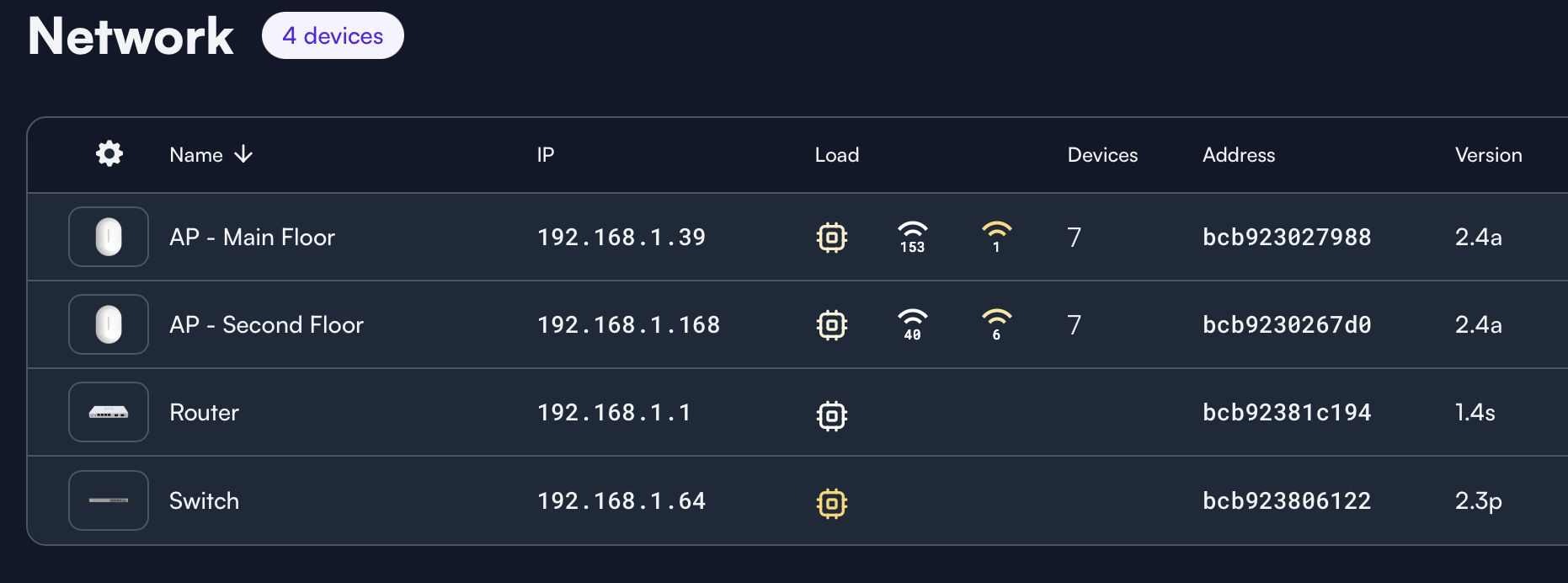
This release expands system visibility and reporting while optimizing network efficiency and operational reliability.
Add support for reporting firmware updates to audit log.
Add support for reporting storage usage.
Add support for reporting Ethernet link speed.
Reduce DNS traffic used for connectivity checks.
Resolve DNS resolution issues introduced in 2.2z.
This update is being rolled out now. You can manually initiate the upgrade if you’d like, or it will automatically update overnight (if auto-updates are enabled). The complete, up-to-date change log is available here:
As always, if you have questions or encounter any issues, feel free to reply here or start a new topic. Please include details about the issue so we can assist you effectively.
I got 3 AP6PRO. Today I updated them to the newest firmware. Now one of the got an exclamation mark. Where do I find what this mean, and how to fix it?
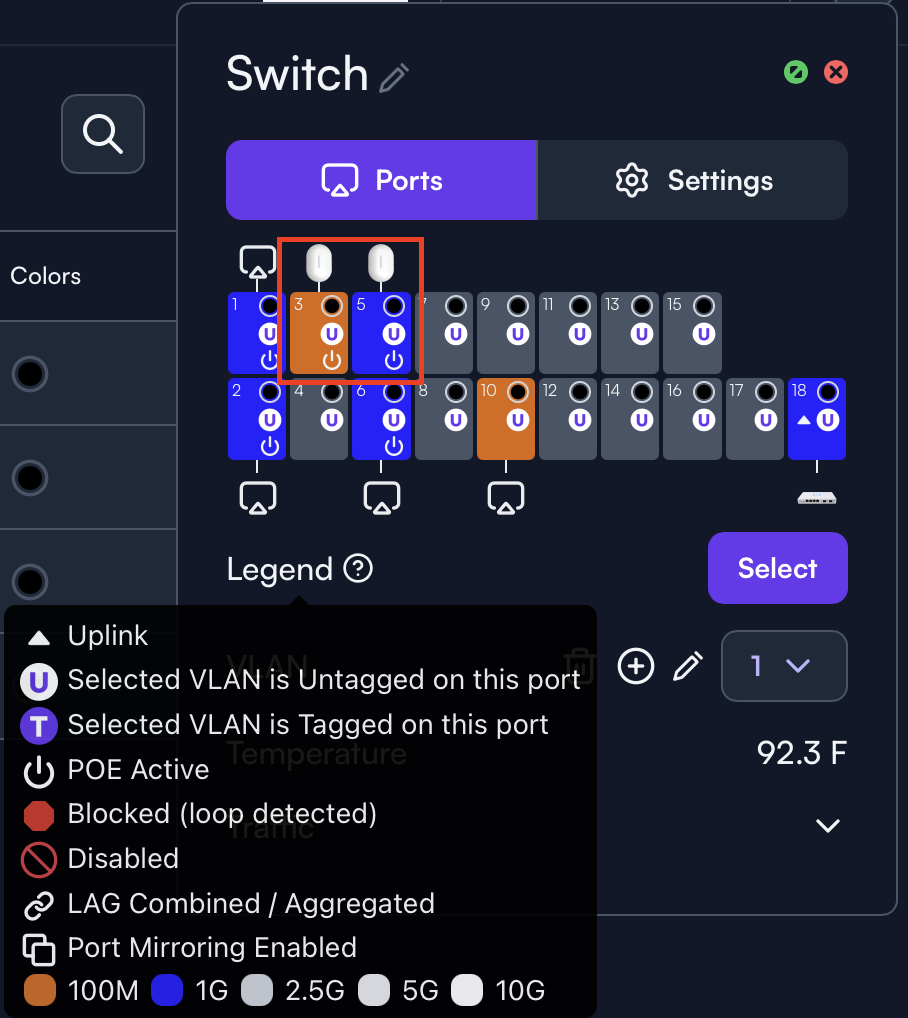
I believe that indicates that the port the AP is connected to is running below 1000Mbps. I have an AP that’s running at 100Mbps (known cable issue) and an exclamation mark now appears for that AP after this firmware update
That could be right. When I hover over it I now see it’s at a 100Mbps. It’s just strange, because before the update I hadn’t it an it was working well on a 1000Mbps.
Might be worthwhile to check what the connection speed is on the switch as well, if it’s possible with the switch the AP is connected to. Just to confirm that the AP and switch aren’t reporting different speeds.
It’s possible the AP has been running at a reduced speed for a while since the connection speed the AP was seeing wasn’t reported until this firmware update. Assuming it’s not mis-detecting the port speed in some way.
I’ve had nothing but issues since my two AP6’s updated to this firmware release. Both are connected to a S16-POE, both had been working perfectly fine for 3 months since being installed (brand new home with brand new Cat6 wiring).
The first issue was one of the AP6’s will no longer connect at 1GB speed, it will only connect at 100MB. I’ve tried different switch ports, different cables, will not connect at 1GB (took the APs off the ceiling, brought em downstairs, plugged them directly into the switch and route 10 with brand new cables to test). The other issue is both of the AP6’s keep going offline (solid blue light). My wife works from home, she’s been having to tether to her phone due to the wifi being so inconsistent/non-existent. All wired devices in our home maintain connection and work perfectly fine. I’ve even tried powering the two AP6’s from my Route10 and they keep doing the same thing, something in that firmware busted my AP6’s.
Is it possible to downgrade the firmware to a previous release? I can’t go on another day with this issue, both my wife and kids need the wifi to be working (wife WFH, kids are home schooled).
I submitted a ticket/request whatever its called to support a couple days ago and haven’t heard anything back.
I can confirm I’m experiencing the exact same issues with AP6 after the latest firmware update.
I have 2× AP6 units that have been running completely stable for over a year without a single outage. After this firmware update, both APs started behaving abnormally – at least once per day they “freeze”, stop responding, and only display a solid blue LED. The only solution is a restart (disconnecting/reconnecting PoE power).
My APs are connected via PoE to an Aruba 2530 switch and I’m using a local controller. I haven’t made any changes to network infrastructure or cabling – the only change was the AP firmware upgrade. Before the update, everything worked long-term without issues; the outages only appeared after this firmware version.
Like others, I would appreciate the ability to downgrade firmware to the previous stable version, or at least a temporary solution to prevent these outages (or information on whether a fix is already planned for the next release).
@Tomas Have you reached out to support yet? They can help you downgrade to do A/B testing, if necessary. Can you be more clear on what you mean by “stop responding”? Do they stop pinging, do they keep beaconing, or do they just show disconnected? We have many thousands of sites and APs with no issues, but we’d certainly like to understand your specific situation.
Just confirming, same exact experience on my end. An Alta rep did reach out to me but it went to spam (of course it did!), then another rep reached out and I gave him access. Not sure if he got around to logging in and checking things, I haven’t logged into my setup (bit busy today at work). Hopefully this gets ironed out, I haven’t had any issues at all until the 2.4 firmware. They work for a random period, then they will stop entirely, solid blue light. Only “fix” is to power cycle via unplug and replug cable to power cycle. Then, they work for a period, then do the same thing. It’s very frustrating.
I’m curious if this has anything to do with having a local controller (I wouldn’t think that would have anything to do with being the culprit). That is one thing in common @Tomas and I share; 2xAP6 and a local controller.
I have analyzed the switch logs for the past 4 weeks, and I can pinpoint exactly when the issues started.
It appears the problems began on January 30, 2026, which likely corresponds to when firmware version 2.2z was installed. Before Jan 30: The logs show stable connectivity with no disconnects or restarts; the APs maintained long uptime. After Jan 30: Since that date, the logs consistently show the AP disconnecting and restarting.
Currently, the maximum uptime I can achieve is only 6–8 hours before the issue recurs.
Just an update. James from Alta downgraded the firmware (to 2.2z) on my two problematic AP6’s, they’ve since been staying up and have yet to go into the weird state they were doing prior. So, it does seem there was something in the 2.4a release that was causing my issues. The one AP that was only connecting at 100MB, that is still only connecting at 100MB even with the downgraded firmware. That might simply be a port issue on the AP itself. I tried swapping cables and ports and it would still only connect at 100MB. I’ll give it a couple more days and report back if things change in regard to stability, but so far, the firmware downgrade seems to have fixed my issues.
Thanks for the update. Looks like we approved a RMA for the one AP that can never obtain higher than 100 Mbps (even with downgrade), but it makes me wonder if there was a power event that impacted both of the APs. There were no changes related to link speed in 2.4a, and our analytics show similar link speeds on both firmware versions, so it’s not looking like a firmware issue from our perspective. We obviously want to make sure you can get 1 Gbps on your other AP moving forward, though.