This release enhances reporting and system visibility while improving operational efficiency.
Add support for reporting firmware updates to audit log.
Add support for reporting storage usage.
Add support for reporting Ethernet link speed.
Reduce DNS traffic used for connectivity checks.
This update is being rolled out now. You can manually initiate the upgrade if you’d like, or it will automatically update overnight (if auto-updates are enabled). The complete, up-to-date change log is available here:
As always, if you have questions or encounter any issues, feel free to reply here or start a new topic. Please include details about the issue so we can assist you effectively.
NOTE: This release has been pulled temporarily, as we are seeing higher than usual disconnections after upgrade.
If you have an AP on 2.2z that is disconnected, please power cycle the AP and wait 2 minutes until it becomes connected, and click the upgrade button to go back to 2.2y. This should typically only take 1 power cycle.
The updater feature may have been corrupted somehow, either locally for me or globally? This may, possibly, need some imminent attention.
I got the latest firmware automatically installed this last night (2.2y → z). But, now, this morning, the Cloud controller UI asked me to update again, which I did, and it reverted to the previous firmware (2.2z → y). The same occurs for Switch S8 (2.3n → o → n). Route10 is at current latest, 1.4r.
No worries! Then, there is a clear reason I missed the bold notification. Just wanted make you aware of it if it happened to be some major upgrade feature issue.
Edit: Btw, consider adding “(Note! Revoked)” or similar to the topic description/name for the time being.
I’ve got a disconnected AP at a remote site. The firmware is still listed a 2.2y. I assume it crashed trying to update. Is there a way to remotely recover this?
Is it connected to a switch port that you can power cycle? If so, then yes — you will need to power cycle it one or more times until it shows connected. Typically it should only require one. Assuming it comes up on 2.2z, please perform the “upgrade” once it shows connected and stats, etc, so it will flash back to 2.2y.
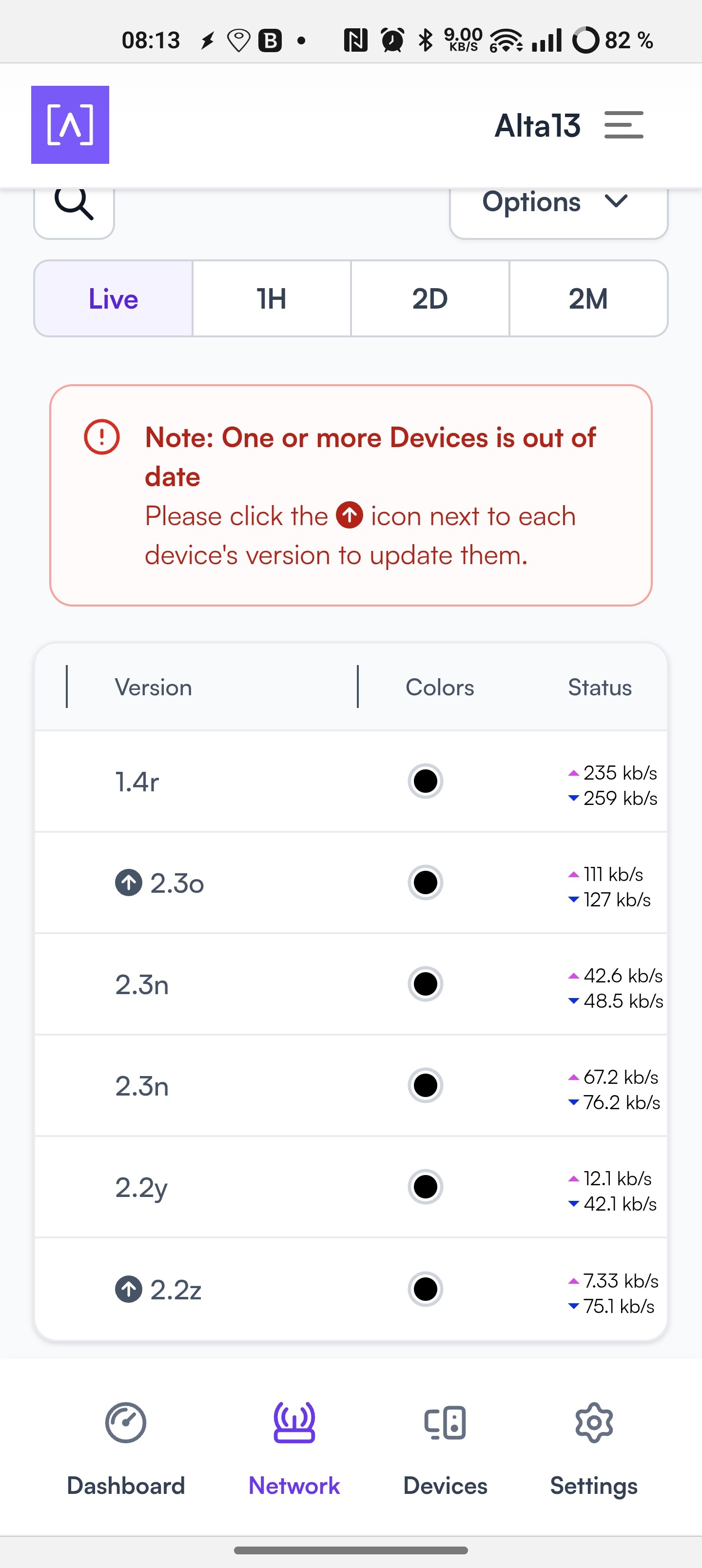
 I missed the bold notification. Just wanted make you aware of it if it happened to be some major upgrade feature issue.