Hi,
VPN connects but then i lose internet.
Tried to re configure the VPN, does this on chromebook and samsung.
Any ideas?
Thanks !
Hi,
VPN connects but then i lose internet.
Tried to re configure the VPN, does this on chromebook and samsung.
Any ideas?
Thanks !
I am interested to understand how this is debugged.
logs seem to show nothing to do with the vpn, it looks like you can “stream” the logs but nothing…
Welcome to my world. Ok so you have two separate areas to look at. First don’t change the port of the wireguard server because you can’t right now and that is supposed to be fixed soon apparently.
When you go to the auth tab did you set the subnet and stuff to the same as the VPN is running on?
Also when you connect can you ping the router?
Ok, so it seems in the network I had /28. No idea how this changed.
Edited to 24 and its working…
I’m currently having this issue. I was previously able to use the Wireguard VPN but it now no longer works. I haven’t had to use it for quite some time so unsure when it stopped working.
I have undone and redone all the settings and connection details. I cannot get it to work. I verified the details for the subnet match. I even created a new one and changed all the IP addresses to match the new one.
Do I need to make my own firewall port forward or is WG port automatically adjusted in the firewall if you have the service enabled?
I am familiar with the public. prefix to ensure outside access works as that was what was needed to make it work outside your LAN network before.
Alta - can we get some stability in the WG VPN by making it error out if required settings are wrong or show some sort of message? It shouldn’t appear that everything is working when it isn’t.
No, you do not. The required firewall rule is created automatically when the WireGuard service is enabled.
If you would like to verify this from the shell, you can check /etc/config/firewall for a rule allowing UDP on the configured listen port, or run: iptables -L INPUT -n -v | grep 51820. Replace 51820 with your configured WireGuard listen port if it differs.
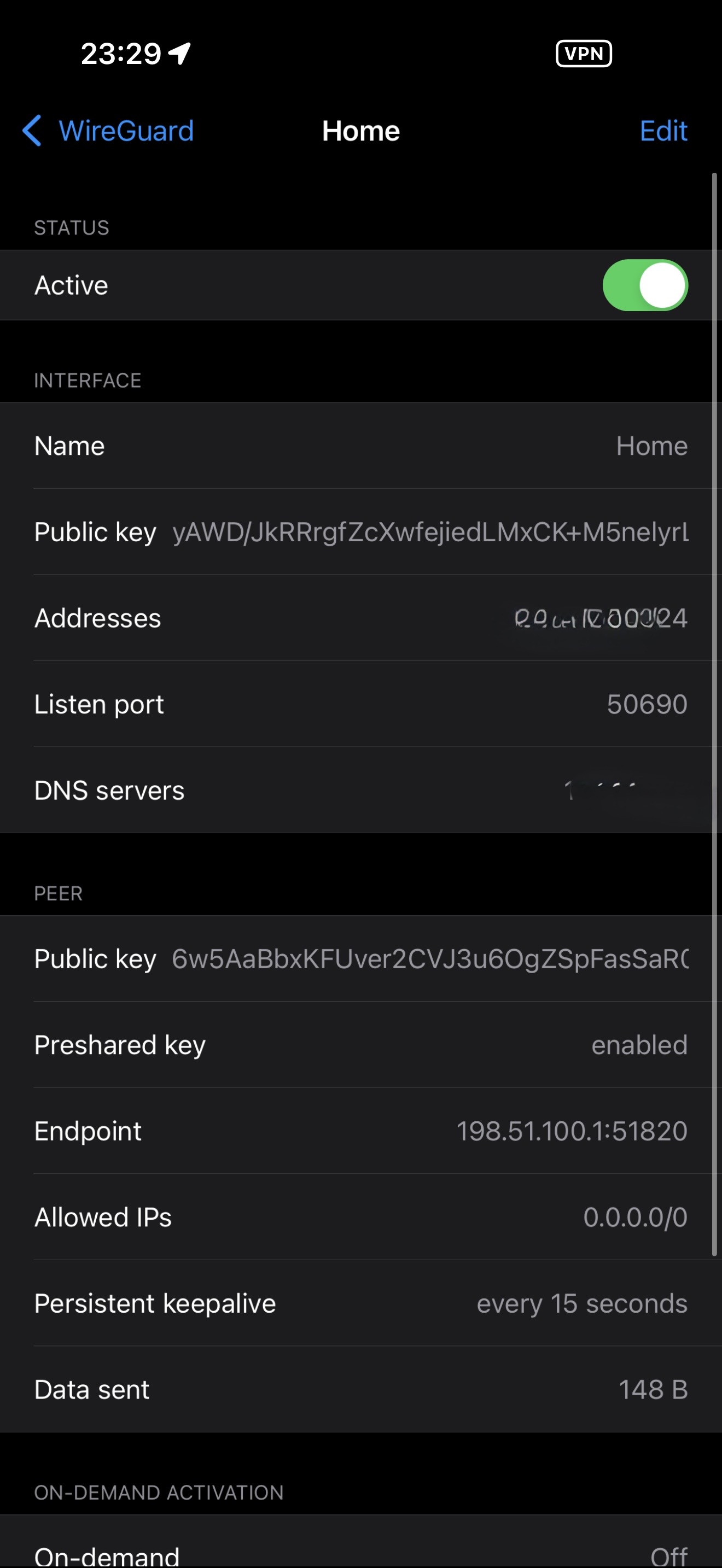
To my understanding, this behavior is by design in the WireGuard client software. When the status shows “Active,” it simply means the tunnel interface is enabled and allowed to send encrypted packets. It does not confirm that the endpoint is reachable, that the peer key matches, or that a handshake has occurred.
A more reliable indicator is a recent handshake timestamp along with bidirectional traffic counters. If TX increases while RX remains at zero (or no Data received rendered), the client is sending handshake attempts but not receiving responses.
You can also confirm functionality by pinging a known internal IP that is only reachable over the tunnel.
If you would like to visualize this behavior, edit the tunnel and temporarily replace the endpoint hostname under the Peer section with 192.0.2.1. This address is reserved for documentation and is not publicly routable. The tunnel will still show “Active,” but no handshake will occur and no traffic will pass.
This demonstrates that the status reflects interface state rather than actual peer reachability.
Thanks for getting back to me. My comment regarding the stability / errors would be more relating to the web config running a check or something. For example, original post found their issue was /28 vs /24 which caused the issue it seemed. Can there be a check regarding the inputted details that they match to start the server properly?
It does appear the port is opened:
I am getting the data sent, but not much data received, like 92kb. I get a last handshake time but no internet when using my phone.
I have tried using the public prefix outside my network and all proper port forwarding in place. I have multiple port forwards for other services which are properly working. As a troubleshooting step I have even made the Route 10 the DMZ device so no rules would even be needed on my modem (but put them in anyway).
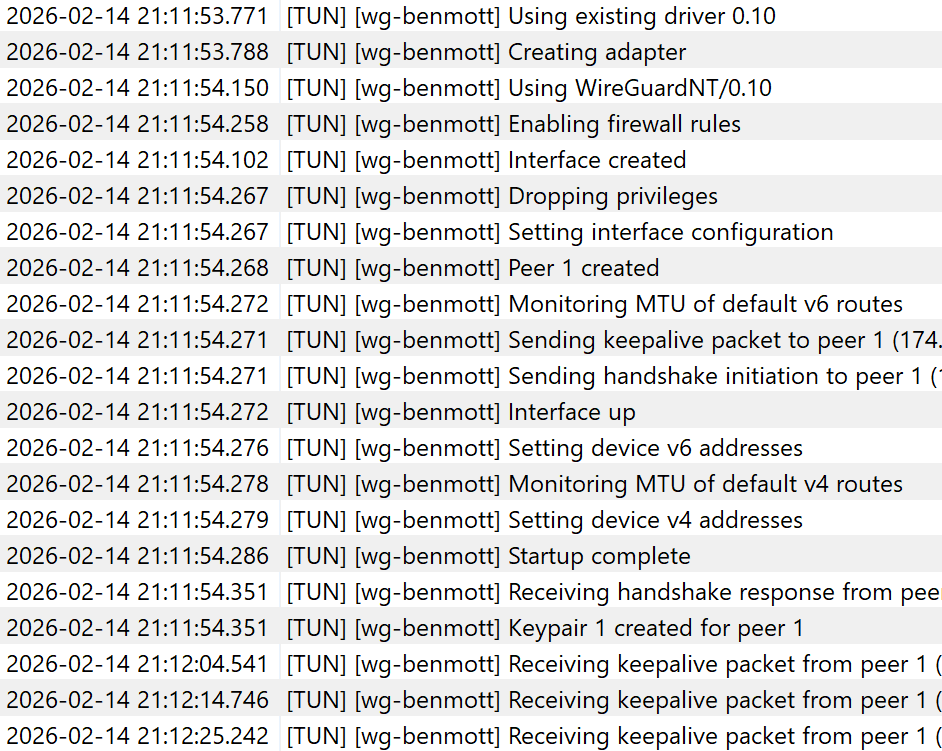
Here is what I get in my Wireguard logs on my computer from outside my network with public prefix (IP removed but it is my external IP address):
It appears to connect as it acts like it’s receiving something but nothing ever connects (although says “Active” and I don’t have access to my internal network or internet.
Any ideas?
Sigh they do make it kind of weird and complicated on Alta and I don’t get why.. Basically there are two sections you have to check. The section for you that is probably messed up is if the subnet was wrong when you set it up it was probably also wrong on the “Auth” area. Go to networks, click router, and on the right a little pane will show up with “ports”, “auth, and “VPN”. Click “Auth” and then find your user and click the actual text of your username you created. It will pop up another box with your username at the top and at the bottom of the box click the arrow next to “Wireguard” and it will open more options. There it will have something called “Wireguard IP”. Is the IP in the correct subnet you setup for the wireguard system? If it isn’t then it won’t be working at all.
I can’t seem to get the Route10 Wireguard server working properly with a non-/24 subnet allocated for the Wireguard client range.
I think this may be a bug - something in the config generator assuming a /24 will always be used?