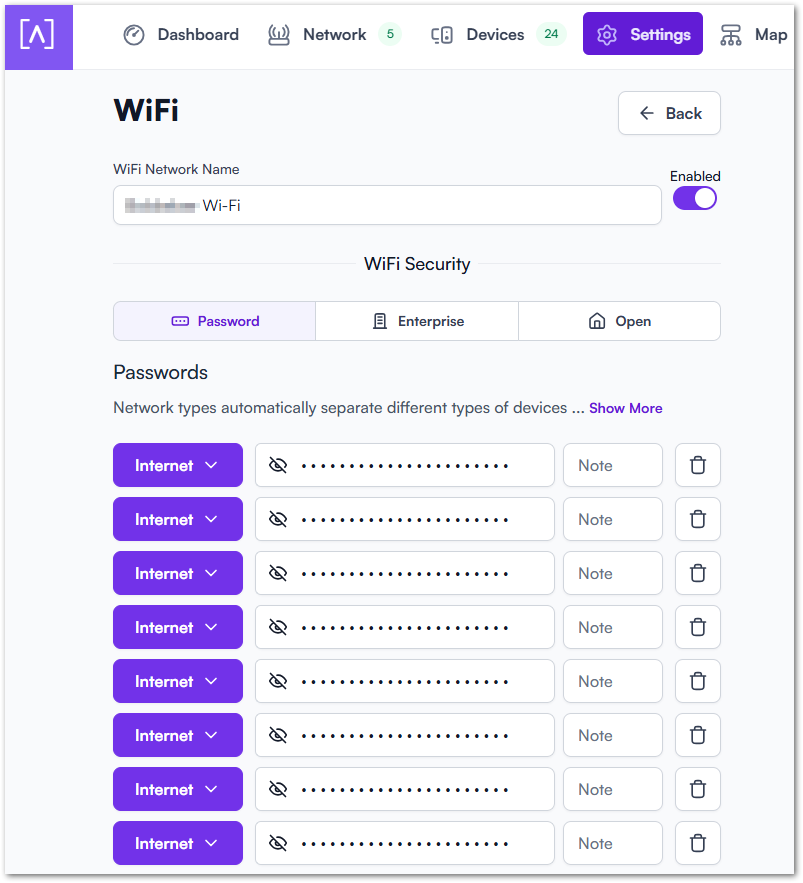
I have configured an Alta Pass environment for 20 rooms but I want to know what’s the best way to implement this.
Original setup: ISP router <> Alta Route 10 <> TP-Link PoE switch <> 4x Alta AP6 Pro
Current setup: ISP router <> TP-Link PoE switch <> 4x Alta AP6 Pro
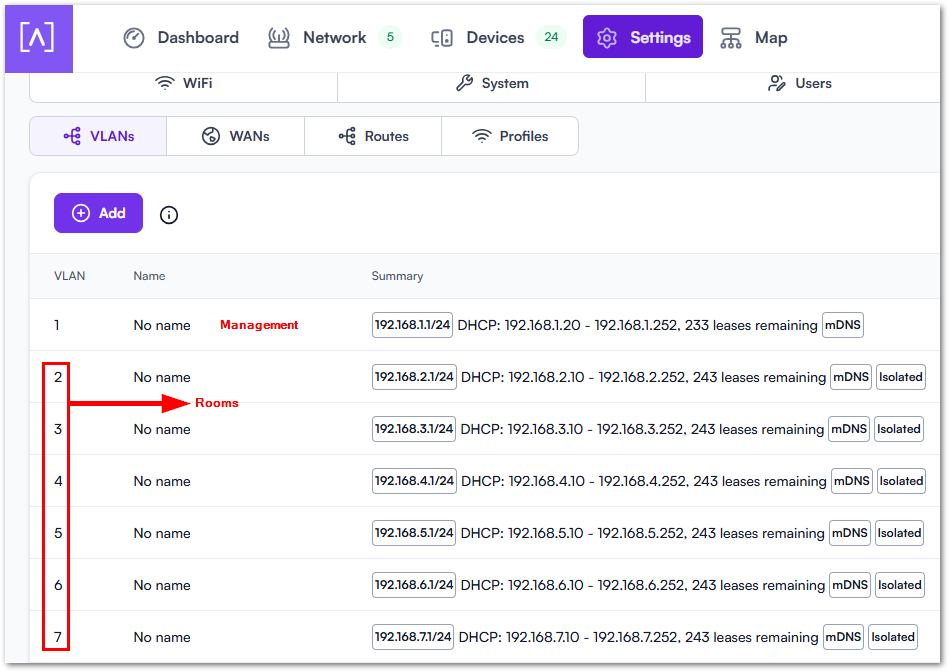
I have created 21 networks through so that user can use Chromecast etc.:
Are you experiencing issues? What issues did you encounter with Route10 that you didn’t observe when the ISP router was in place?
Given the brief description, you likely want to disable the mDNS repeater on the various VLANs (It’s a toggle set under advanced on a per-VLAN basis). I think that would still broadcast/repeat mDNS traffic across the isolated VLANs. This doesn’t block access within each room, just the broadcasting across the rooms.
As the VLANs are isolated, what’s the goal for each room? Internet only for the AltaPass for example would block Casting/AirPlay between phone and say a Chromecast or other similarly capable media/STB-type devices (for any Wi-Fi connected media or control devices using that AltaPass).
If you want to allow the rooms to have communication within their VLAN, just not between, then you only need that isolated toggle, which I see is already enabled. Another thing ot keep in mind, is that the AltaPass network profiles only apply to the current L2 subnet, they do not block inter-VLAN traffic by design; the isolation toggle is the expected method for that.
So with that in mind, if you want rooms to have free communication within each room/VLAN, then I would recommend standard over internet.
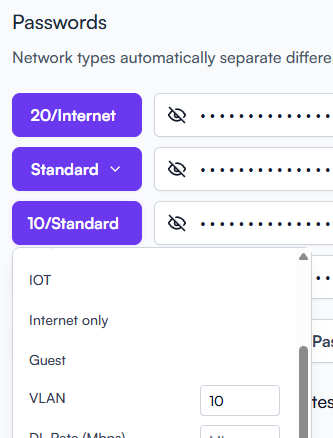
How are you assigning the VLANs now? Normally with AltaPass I would recommend setting them at the AltaPass level, unless you’re using profiles which I’m not sure that it shows beside the network type. This is what it looks like when set at the AltaPass options directly: