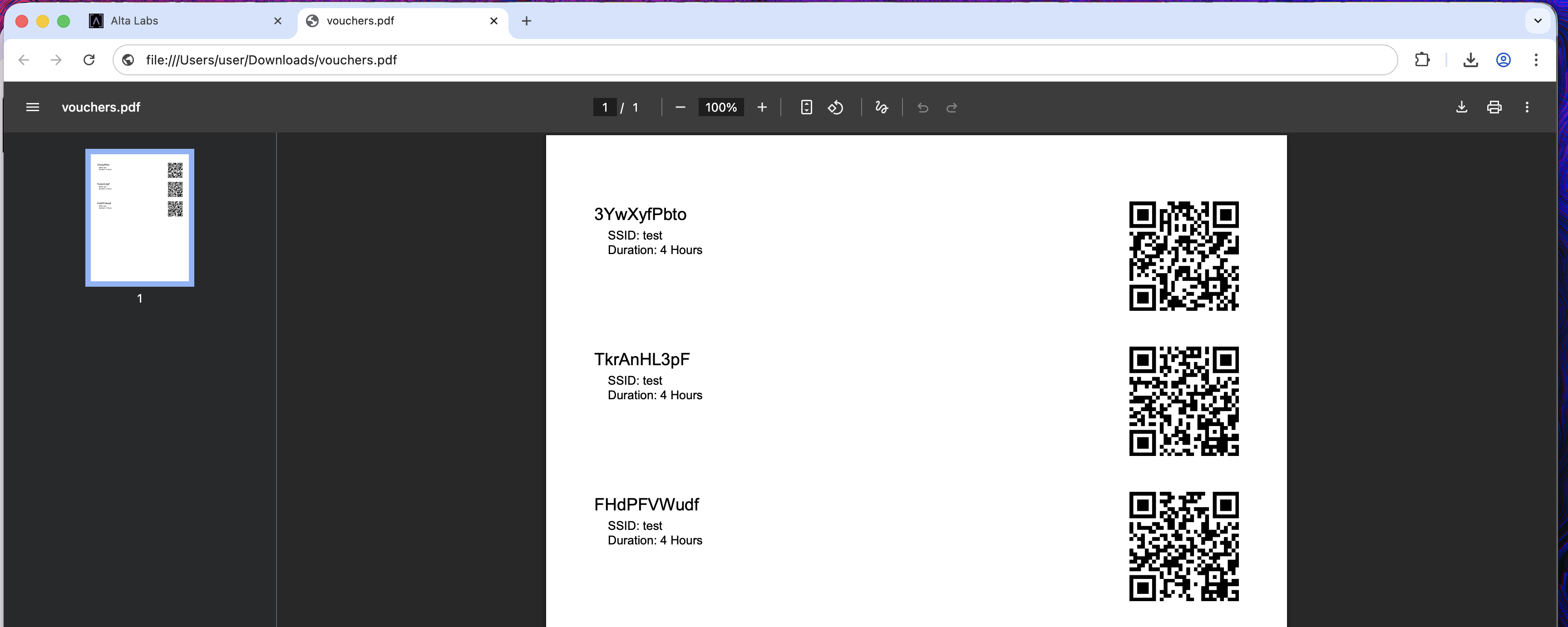
All APs on firmware 2.2U. Voucher QR codes fail to appear ONLY when exporting
the PDF from macOS browsers (Safari/Chrome/Atlas). Tried incognito, different
browsers, and different devices. On Windows (Chrome), QR appears.
This points to a cloud-side rendering issue for macOS user agents.
Please confirm whether the manage.alta PDF generator has a known bug
with embedded QR assets on macOS as of 28-Nov-2025.
Hmm, just checking here, and they appear to be rendering on macOS for me.
Does it throw any errors in the console during time of generation? Or does it just appear to generate a sane PDF, at least by the download prompt, except after download the content is invalid inside? Or?
I did not add any custom text or enable any custom options. Are you setting any of those at time of export?
Hello Team,
No I don’t get any error. The PDF is generated without QR code, but voucher works with password.
my colleague told me he did hard reset if ap6 by pressing button behind two times and then it worked with his pc computer. I have seen the we code he has generated.
I can’t do this as I have 9 APs all installed on 10 foot height.
-
also printing a A4 sheet and cutting multiple vouchers with precision is a daily task. Instead of you can give option of selecting A5 or A6 paper size or direct interface with printer driver will be preferable
Keep in mind that QR codes will only work if you are using Password-based security. With Open security, the passwords will need to be manually typed in. That is simply due to the nature of how WiFi QR codes work in the industry today.