Hi,
On the devices page on the online controller the reported VLANs keep changing. Vlans 1,1001,1002,1003,1004,1005,1006,1007 are the VLANs that I have configured on my network. If you watch the provided video(GIF) you will see other VLANs exist and the VLANs keep switching between the correct and incorrect vlans such as 11,13 etc.
Richard
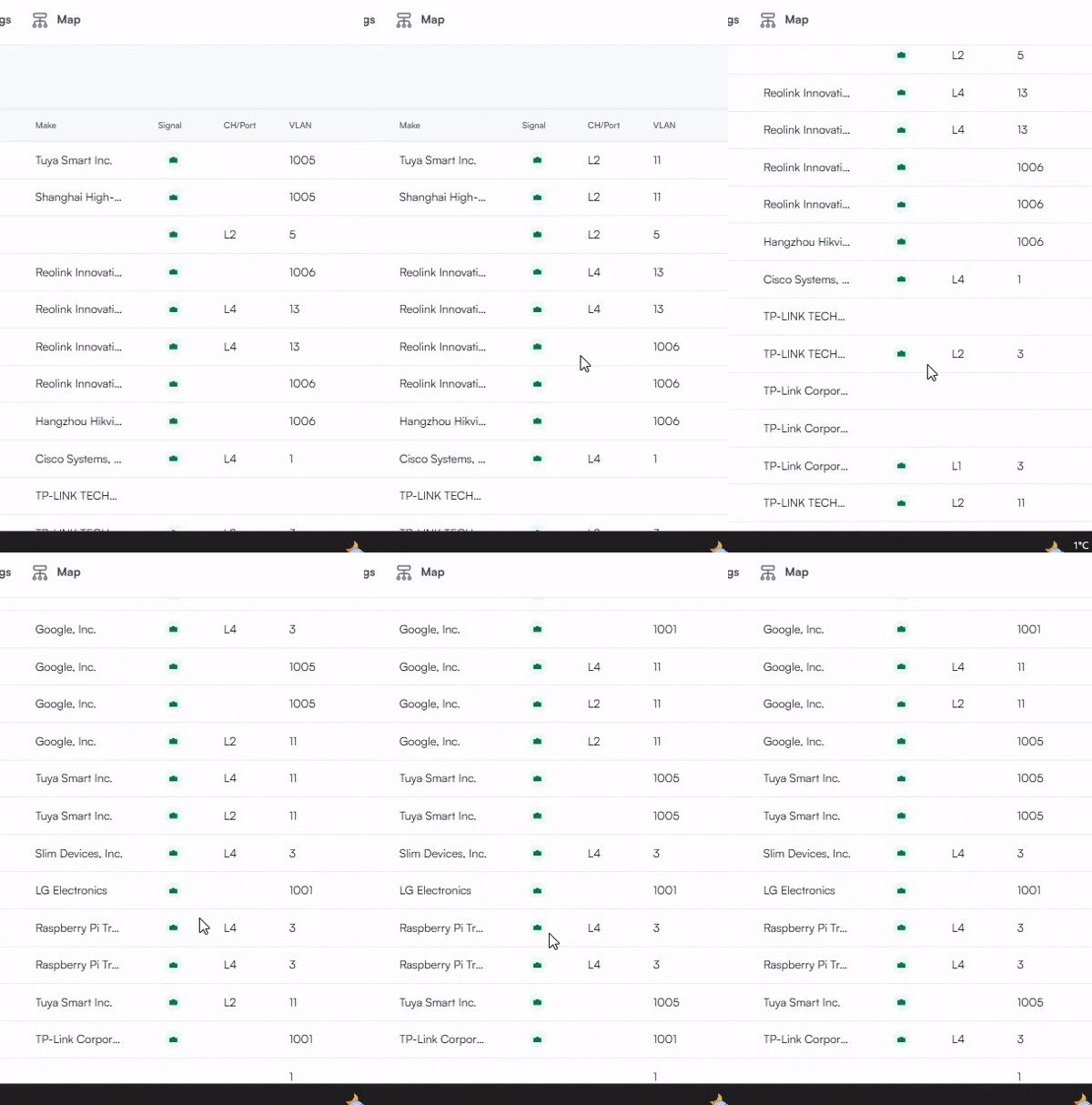
I have had two similar issues (see 1 and 2 below) on the WebUI (manage.alta.inc), but from what I can see now (on Chrome on Android) they have been fixed in firmwares and WebUI updates lately. Another one (3 below) that I found yesterday sounds a bit similar as well, but it’s on the Android App, so my thought is that it would not be related.
See two examples below:
1. Related to LACP-ports on the S8, but intermittently reported as connected to a port on the Route10, with wrong VLAN:
2. A index/counter shown instead of the appropriate VLAN, and there were some systematics to it. Though, I dit not see any changes back and forth between correct and erroneous VLAN.
3. Port speed and associated switch/router flickering on Android app:
Only wired devices affected? Routers and/or switches?
Hi Team Alta,
Have you any update on this post? Can you explain why this is happening?
Richard
Hi Team Alta,
Have you any update on this? It is over six weeks since it was reported and 25 days since I asked for an update?
Richard
Standby, actively working with a developer on a site that displays the same symptom now.
@richardvaughan can you confirm an operating theory we have, please? Are there any non-Alta switches in the network? More specifically, do you see this occur on devices after any non-Alta switches in the topology? e.g. between the DHCP server and the device displaying the improper VLAN?
Yes Matt, there are non Alta switches in the network.
Do you see this occur on devices after any non-Alta switches in the topology?
Would you mind sharing the make & model of the switch(es) in place?
Matt, I have a couple of tplink tl-sg108pe’s a tplink omada t1600G-52ts and an older Cisco SG-200-8. And yes I do see this occur on devices after any non-Alta switches in the topology.
@Alta-Matt_v2 - 2 weeks since I have heard anything about this? Any update?
@richardvaughan We are able to reproduce the issue and are working on correcting it.