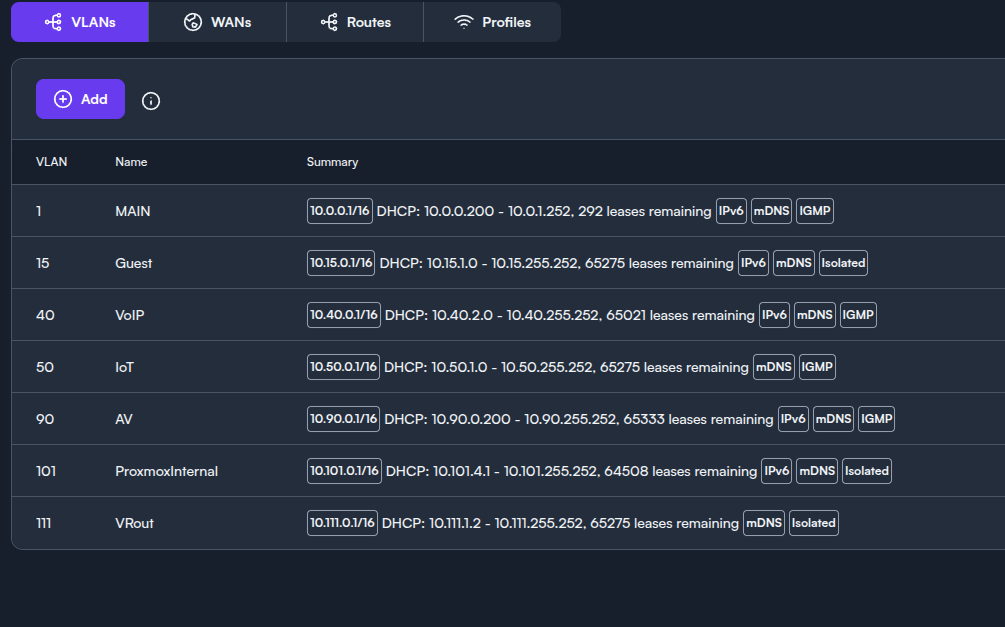
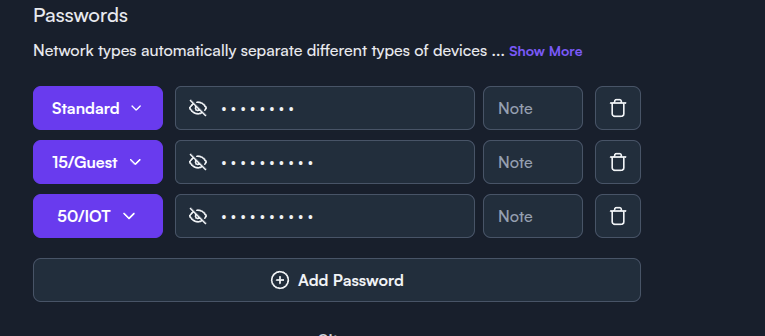
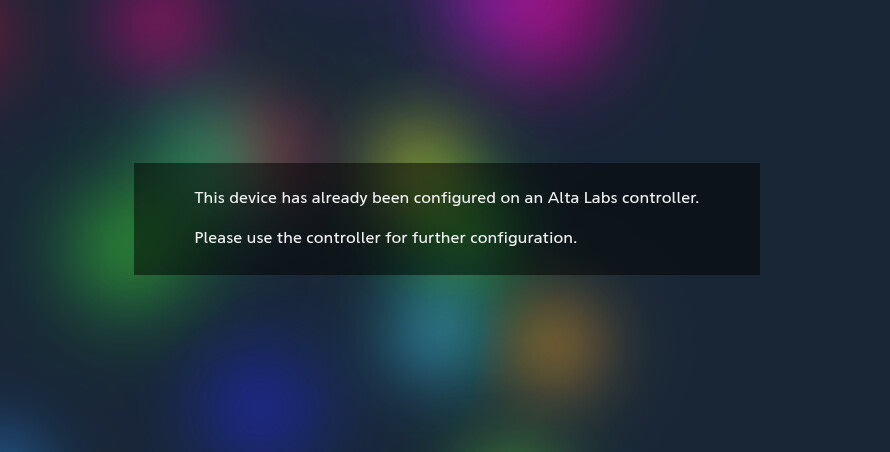
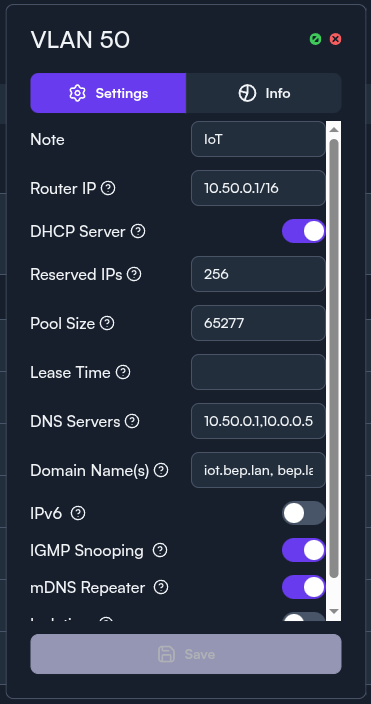
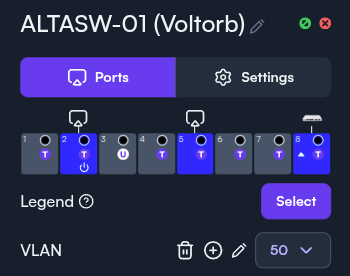
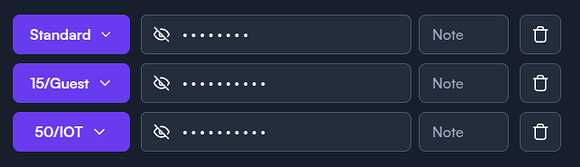
I have a few VLANs, some of which I want to be able to access each other, a few I want to keep Isolated. I assumed that that’s what the “isolated” check box did, but I seem to be running into an issue. Whenever I try to access any IP on a different VLAN than the one I’m currently sitting on, I get the Alta Labs “This device has already been configured on an Alta Labs controller.” page that shows up instead of the actual content at that IP address. This happens even for VLANs that are not marked “Isolated”. Here’s my config:
I haven’t even gotten to setting up anything other than the three VLANs in the WiFi settings since I’m already having issues.
I’d like the devices on default vlan (10.0.0.0/16) to be able to access Vlan 50 (10.50.0.0/16) but not 15 (10.15.0.0/16). Ideally neither of the two VLANs should be able to access 10.0.0.0/16, but I’ll run into issues with accessing IoT devices in that case I think, so I just have 15 marked as isolated.
When on default vlan, I go to access a device (eg 10.50.0.5) in the browser, and I see the following:
What am I missing?
Thanks,
Ben E
Bumping, sorry if un-kosher.
Honestly at this point I suggest reaching out to their support.. It kind of seems like the boards are a bit dead to be honest.
support@alta.inc
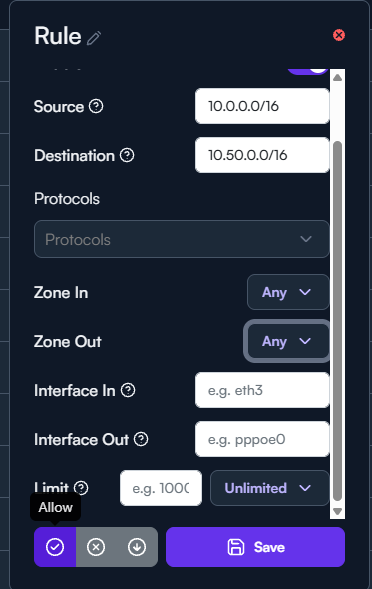
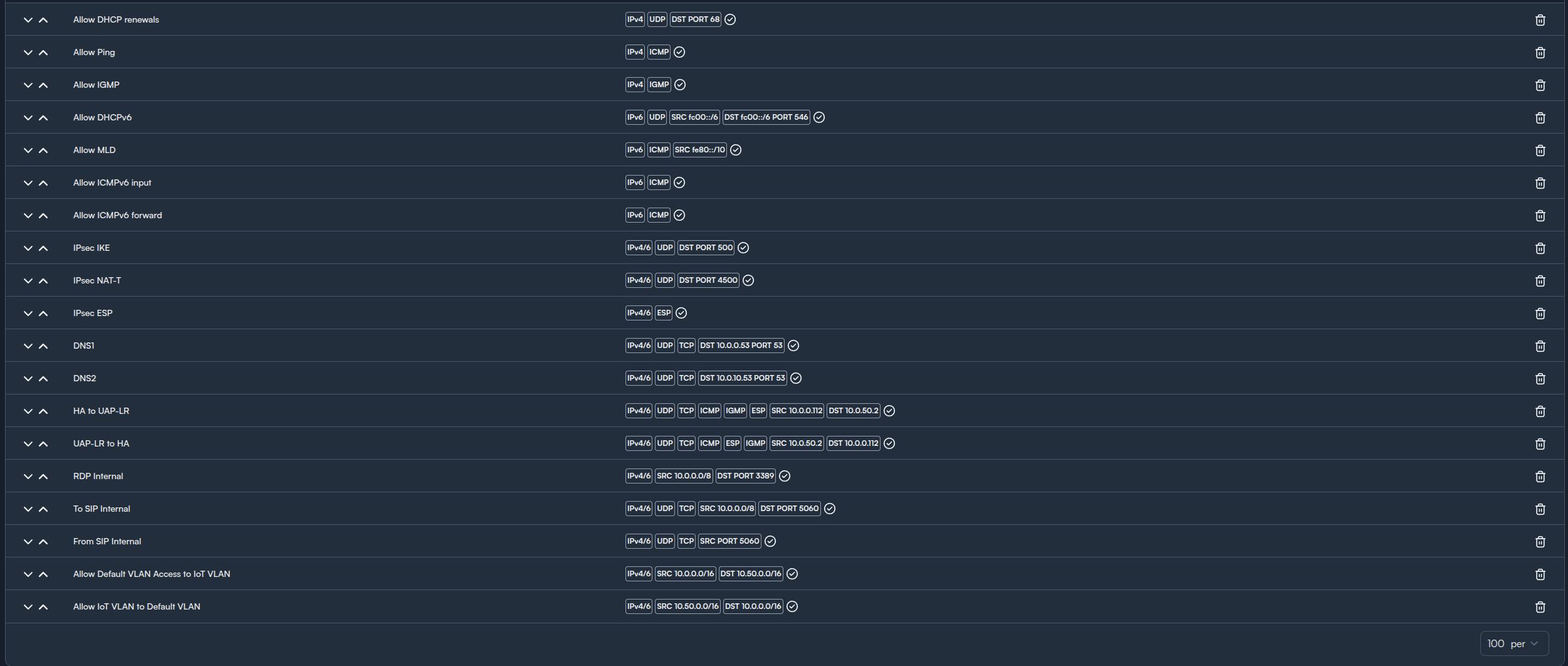
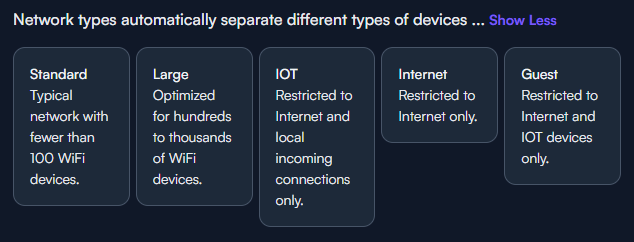
This is getting a little old but in case you have not heard from anyone yet: Isolation is more of a feature for guest networks from my understanding. Its purpose is to only allow internet access and isolate it from everything else. That way a guest user cant reach your controller or other networks and much around. My recommendation would be to go to settings →firewall and set up rules that match your needs. An example would be the rule to allow Default 10.0.0.0/16 to 10.50.0.0/16. you can get more granular with only allowing needed protocols and interfaces if you want. Generally with firewalls the idea is least privilege so its locked down and you only allow whats needed but if you trust zoned/subnets and want to make life easy you can leave the protocol blank which will allow any. The bottom left is where you would specify allow, block, drop.
Thanks for your reply and assistance with this.
This would be under Filter, NOT Port-Forward/NAT, correct? I believe so, but just wanted to make sure, because I have these rules setup already, although I did have the protocols specified. I haven’t gone back to test this in a while, so I’ll give it another go after I take all the protocols out.
Correct, Filter is where these rules are applied. You will need to look at your entire rule list. If there are block or drop rules before the allow rules traffic will match those first and be dropped so order of rules matters here and its in order of Top down.
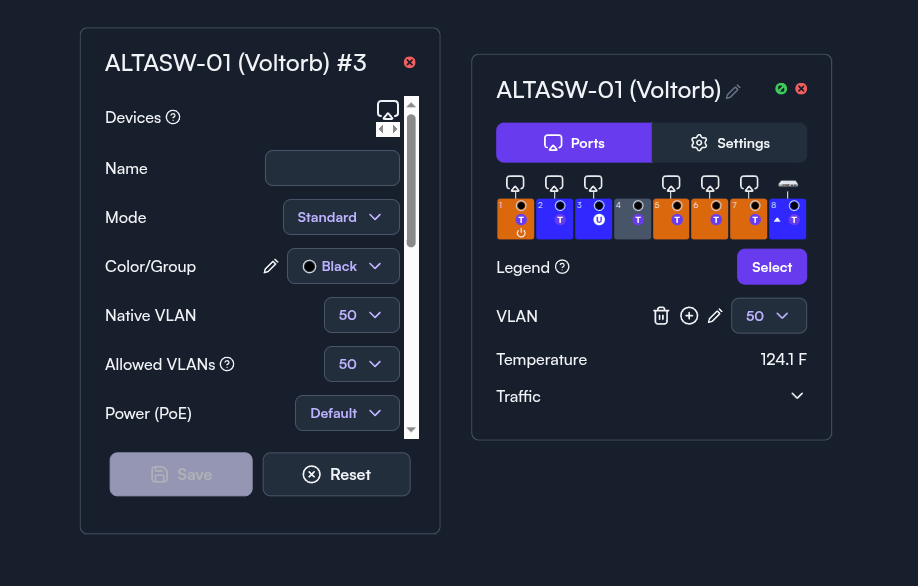
I think I must be missing something here, I have one port marked for VLAN50 (untagged) with one laptop plugged directly into this port. The laptop receives all the DHCP info set in the VLAN tab, but is unable to reach anything, including the VLAN router IP. Configs attached…
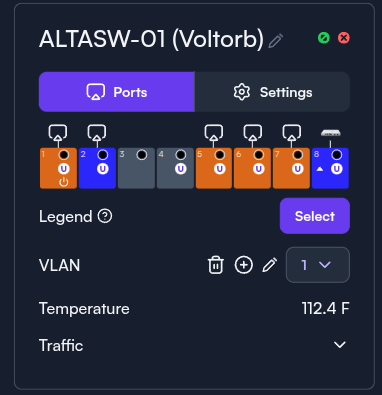
Put the switch itself on native VLAN (1?)?
Oh that’s my bad, I changed that by accident and then took the screenshot but didn’t save it. Here’s why the switch config actually looks like:
I would set my lab up to match to see if i get similar results but at the moment i am cabling my house and moving everything to a new rack. Have you made any progress or still stuck?
Need to give it another shot now that I’ve re-built my rack, and am using a more standard switch. But correct, I have not been able to make much headway on this either way.
In the last screenshot is was for vlan one, the first screenshot is vlan 50. Can you confirm what the port assignments look like for vlan 50? The first screenshot looks like its set to tag 50 on the ports which might be leading to some issues if its thinking it needs to send vlan 50 traffic on that port encapsulated in 802.1Q header. The end devices will probably just drop the traffic. Ensuring the ports you want to be on vlan 50 are set to native vlan 50 might help.
When using the isolation slider, that vlan will not be able to contact any other vlan or be contacted by any other vlan despite firewall rules to the contrary. The only vlan I use isolation on is the guest network. I control access to all the other vlans via the firewall rules.
Sorry about that. Here’s VLAN50.
My understanding is that since port 3 is set to “untagged,” then my laptop plugged into it will receive a 10.50.x.x address which should be able to communicate with the 10.0.0.0/16 VLAN 1 address space and be communicated with from there, since neither VLAN 1 or 50 are set to isolated. Instead, I get the altalabs “this device has already been etc etc” page from my original post.
Something along the way fixed it, or I was doing it wrong from the beginning. I just plugged my laptop into port 3, got address 10.50.0.2 and am able to communicate with 10.0.0.0/16. I still need to test the other direction because pinging any address on 10.50 seems to get a response, but I was seeing the page above even when I could ping. I’ll set up a server on the laptop now to test….
Yeahhh nope, other direction still gives the same result as before. 
Sorry for the late reply. discourse has had me locked out for the last 4 hours for too many replies from a new user.
After checking my firewall rules I only hade to create deny rules as the vlans could contact each other automatically. This could be because you setup your networks with the guest/IOT identifier in the wifi settings. try setting these to standard and see if you get connectivity. You can then set drop rules to drop unwanted traffic between the vlans.
No worries. Shame about discourse, that’s annoying.
Will give your advice a shot tonight/tomorrow. Thanks again.
What is the device you are testing against? You have a laptop on vlan 50 and it can ping other subnets but other subnets when trying to get to that laptop via HTTP are getting the Alta page? is that correct?
Correct, I spun up a quick webserver on the laptop, but was still getting the Alta page at 10.50.0.2 when accessing from 10.0.0.0/16.