I’ve been trying to set up some vlans, however, I’m unable to get them to communicate. Hardware setup is as follows:
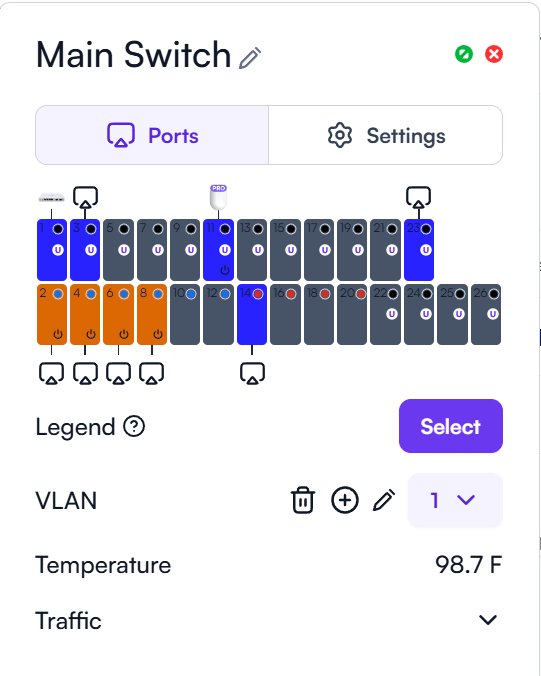
ONT to Route10 which in turn is connected to the S24 switch. The hardware control is connected to the Route10 and the AP6 Pro is connected to the S24 too.
I need 3 vlans as follows:
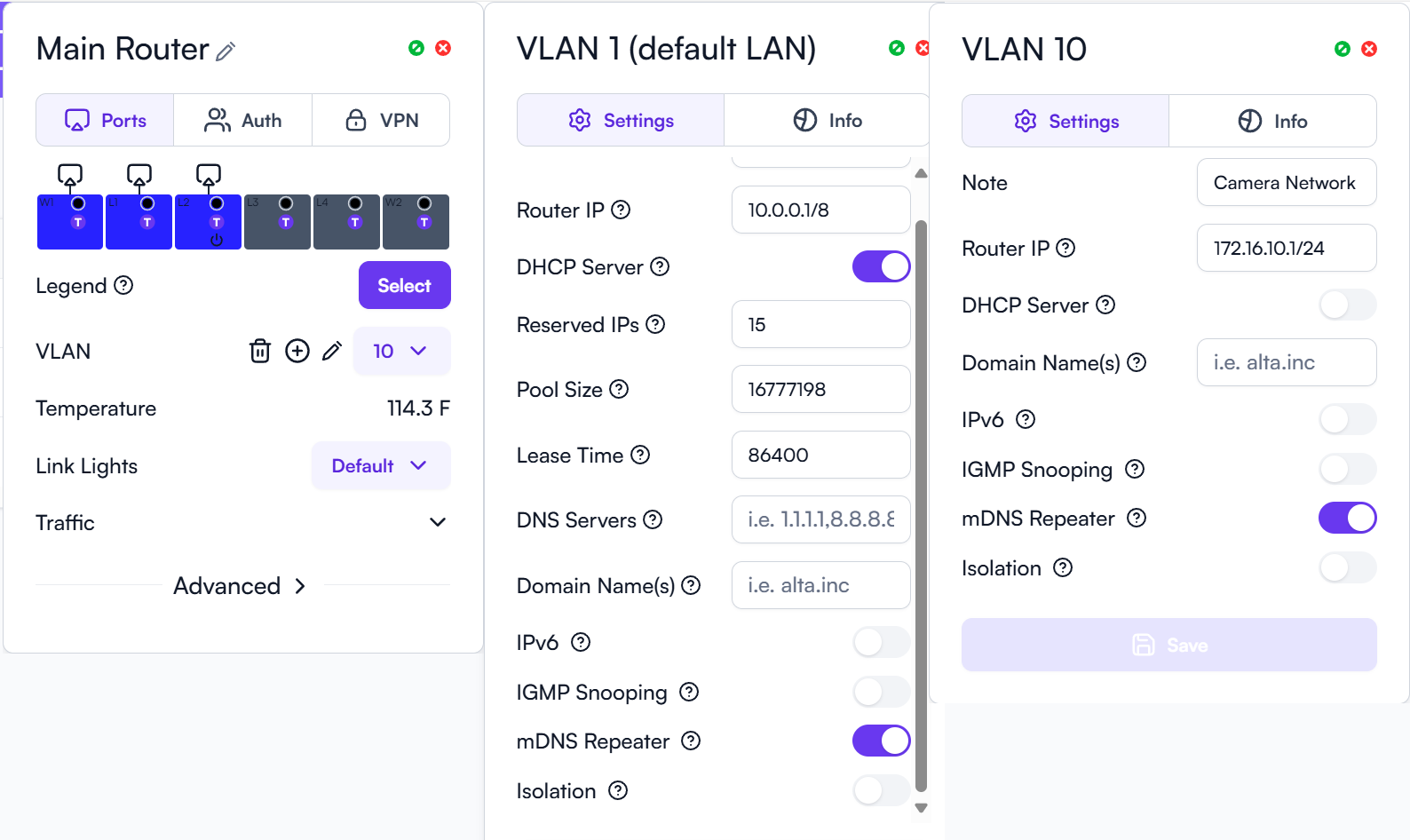
Vlan 1 - Home Network - 10.0.0.0/8
Vlan 10 - Camera Network - 172.16.10.0/24
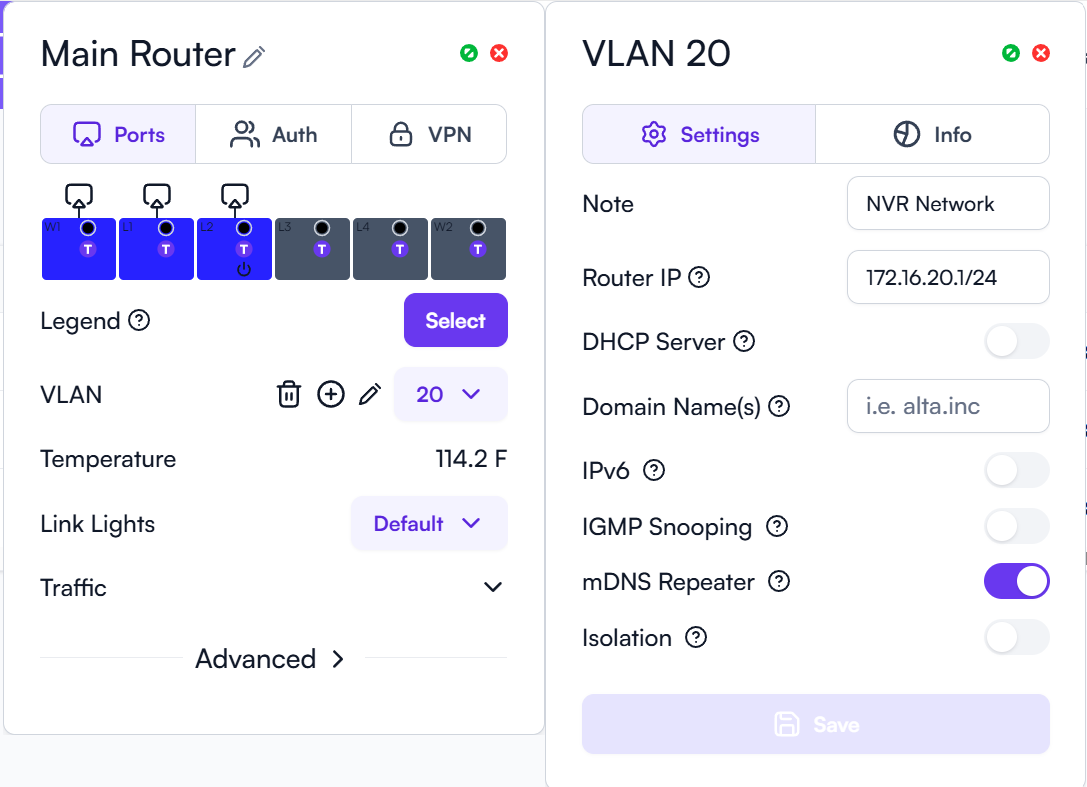
Vlan 20 - NVR Network - 172.16.20.0/24
I need the camera network to only talk to the NVR network and I need to be able to access the NVR from the home network.
Only the home network is configured for DHCP, the other 2 are set to static IPs. After setting up the vlans, I’m able to ping the default gateways for the Camera and NVR networks, however, I’m unable to access or ping the NVR itself.
I’m guessing it’s something I’m doing wrong. I had this setup working with my previous layer 3 switch which was a HP Procurve 2620.
I would appreciate any and all assistance in getting this working.
Thanks in advance.
When you setup the static ip for the nvr, did you make sure to add the default gateway?
Do you mind sharing screenshots of the VLAN configs, associated port configs and Firewall rules? Maybe someone can help spotting any potential issues.
Not sure if any of this helps. I haven’t set up any firewall rules. Feel like I’m out of my depth here right now,
I decided to have another go at setting up vlans from scratch. After factory resetting everything, I configured the vlans and the switch ports. I set up my Cisco and Netgear managed switches again, verifying all the port settings.
I also discovered that part of the issue in getting things working especially with the NVR, was that Windows in its infinite wisdom, had decided it was going to change my network settings from Private to Public. After setting it back to private, I finally had access to my security cameras again.
All I need now is for Alta Labs to release the ability to set up OpenVPN Server and I’ll finally be happy.