Just making sure.. no loops or anything right between the switches right? When you connect the unifi do you have an ssh into the route10? Does the route10 just start dropping pings immediately? Lastly if it’s got a “WAN” connection does it stop responding as well? Like passing traffic or anything?
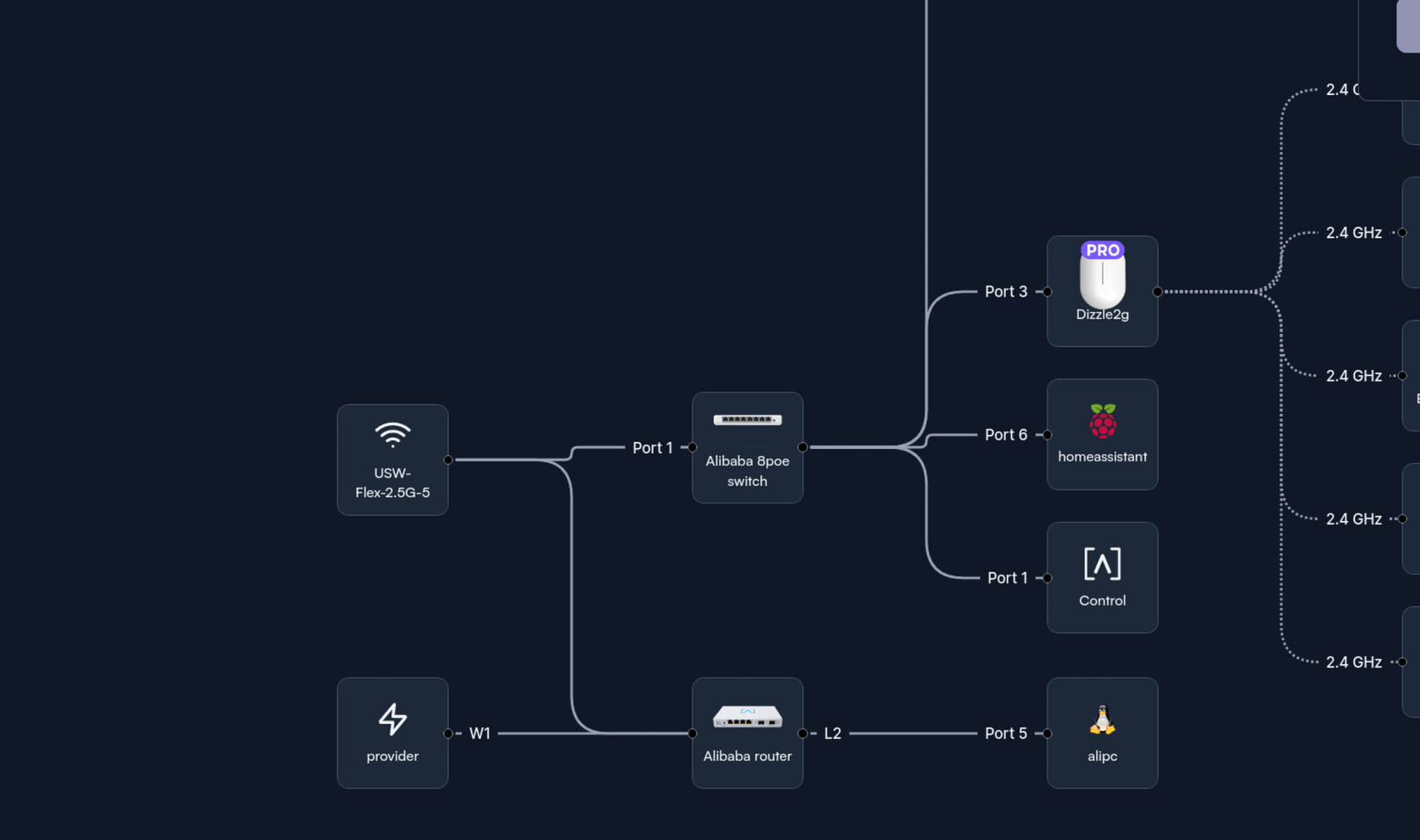
Just to confirm I understand the situation, you have the Flex Mini and S8 both plugged directly into Route10, and no interconnection directly between the Flex and S8?
This type of symptom is generally a STP problem of some sort. The Flex only supports the older RSTP, but generally speaking our modern MSTP implementation is backwards compatible with RSTP implementations, including UniFi’s. I have a USW Flex that doesn’t cause such issues, but the older 1G version, not the 2.5G. We’re picking up one of the 2.5G ones to see if that problem is reproducible. The part that doesn’t make sense is STP madness most always goes away and returns the network to a normal state just by unplugging the problem device.
A couple warnings on running UniFi equipment as unmanaged - first, that’s extremely dangerous security-wise. Factory default Ubiquiti equipment left running that way gets compromised very quickly if any malicious/compromised systems can reach it, the largest botnets in history have had huge numbers of Ubiquiti equipment in that state because it’s dead simple to compromise. Alta equipment does not suffer such problems as we don’t have default credentials that can be used to compromise factory default equipment. Also if you don’t adopt it to a UniFi controller, you can’t upgrade the firmware (very easily at least), and the factory-shipped firmware can be months to years out of date by the time you get it, potentially having since-resolved problems. So I would strongly advise you adopt it to a UniFi controller and upgrade its firmware for security and reliability reasons. That also allows you to configure things like STP priority if necessary.
Route10 itself does not currently participate in STP, it should be forwarding BPDUs across so the Flex and S8 talk between each other.
Two immediate suggestions/recommendations and we’ll follow up once we have a Flex 2.5G switch here. One, set the STP priority to something lower than default on the S8 so it’s the root bridge. Two, try plugging the Flex into the S8 rather than directly into Route10 if feasible, and see if that makes a difference. It shouldn’t be required of course, but it would be an interesting additional data point while we await getting a Flex 2.5G here.
Thanks so much for the help. To clarify: both devices are connected directly to the Route10 with no interconnections between them.
I also tested connecting the Flex Mini to the S8 PoE, but that caused the entire network to go down as well. My plan was to run the Flex Mini as an unmanaged switch temporarily until I finish setting up my Proxmox server and UniFi Network Controller.
I tried yesterday adopting and updating the Flex Mini on my old router (flint 3) via my Home Assistant UniFi controller, but it refused to adopt. I can confirm the Flex Mini works fine when it is the only device connected to the Route10 during initial setup.
I’ll try tonight (so my gf wont complain ) to set the STP priority to something lower. I’m new to this so I’m assuming you mean lower than 32768 so it has higher priority right?
This is for my home lab slowly working on it ; I moved to Alta Labs as an upgrade and deeper into network management.
A colleague at work introduced me to Alta Labs gear. It’s super nice networking gear. If you guys end up making a small 2.5g switch or a 2.5g s8 poe switch in the future. I will definitely swap it out for this Unifi one to make everything more unified and streamlined.
There’s most likely a STP issue like you guys are saying . I will test tonight .
I’ll set the the S8 Poe STP priority lower see if it sovles the issue.
Everything drops LAN I cant access the router or anything. The WAN on the route10 continues to blink though. Resetting the router and everything is only way to get network back up even if I unplug the Flex mini.
Yes lower than 32768 so it has higher priority to become root bridge. When everything is at default 32768, whichever switch happens to have the lowest MAC address becomes the root bridge. When you set one to a lower priority, it will become the root bridge instead.
The system logs on the S8 might have something telling, if you enable persistent logging under Settings, System, Advanced, Persistent Logging. Put something like 3 in the Switches box there. Then it’ll retain logs across reboots.
Glad that worked. That doesn’t exactly mean the S8 is managing the Flex, just that it’s preventing the Flex from becoming the root bridge. Something very odd is happening when the Flex has root bridge status, which should recover as soon as it’s removed since that takes its BPDUs and any other potential impact it could have out of the equation, but it seems to be doing something that persists past its presence on the network. We’ll figure that out as soon as we get our hands on one, but you should be in good shape in the mean time.
I’m trying to reproduce the problem, but everything is staying up with no issues.
I have my Route10 in near-factory default configuration (just configured on its site), same with my S8 (plugged into a LAN port of the Route10), and the Flex plugged into another POE LAN port of the Route10. Are there any non-default settings changes you made?

 ) to set the STP priority to something lower. I’m new to this so I’m assuming you mean lower than 32768 so it has higher priority right?