Just wanted to see if anyone is seeing this behavior. I can’t seem to disable the minimum connection strength settings on my test site. This would be in the cloud controller and I tried it with a couple of different browsers to confirm the behavior wasn’t just a specific browser issue. Thanks!
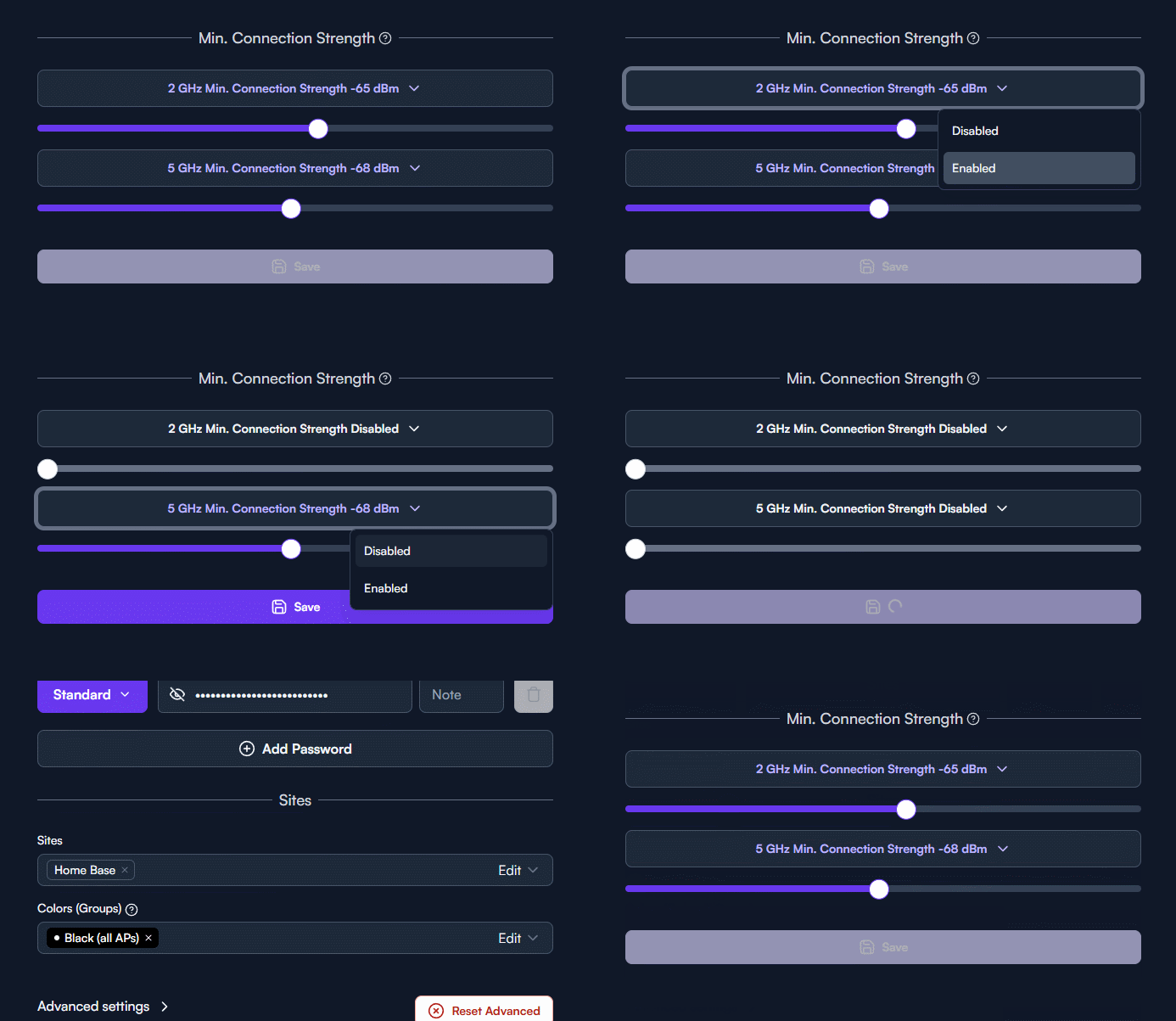
Looks like it is disabling just fine to me. Where is the indication that it’s not getting disabled?
Gosh, I’m sorry my little GIF could probably be a little clearer. This should hopefully be better, but the process is
- Navigate to the WiFi SSID settings
- Disable connection strength on each band
- Save settings
- Go back to the settings menu and navigate back to the WiFi settings
- Minimum connection strength settings are back on
- Then the recording loops back

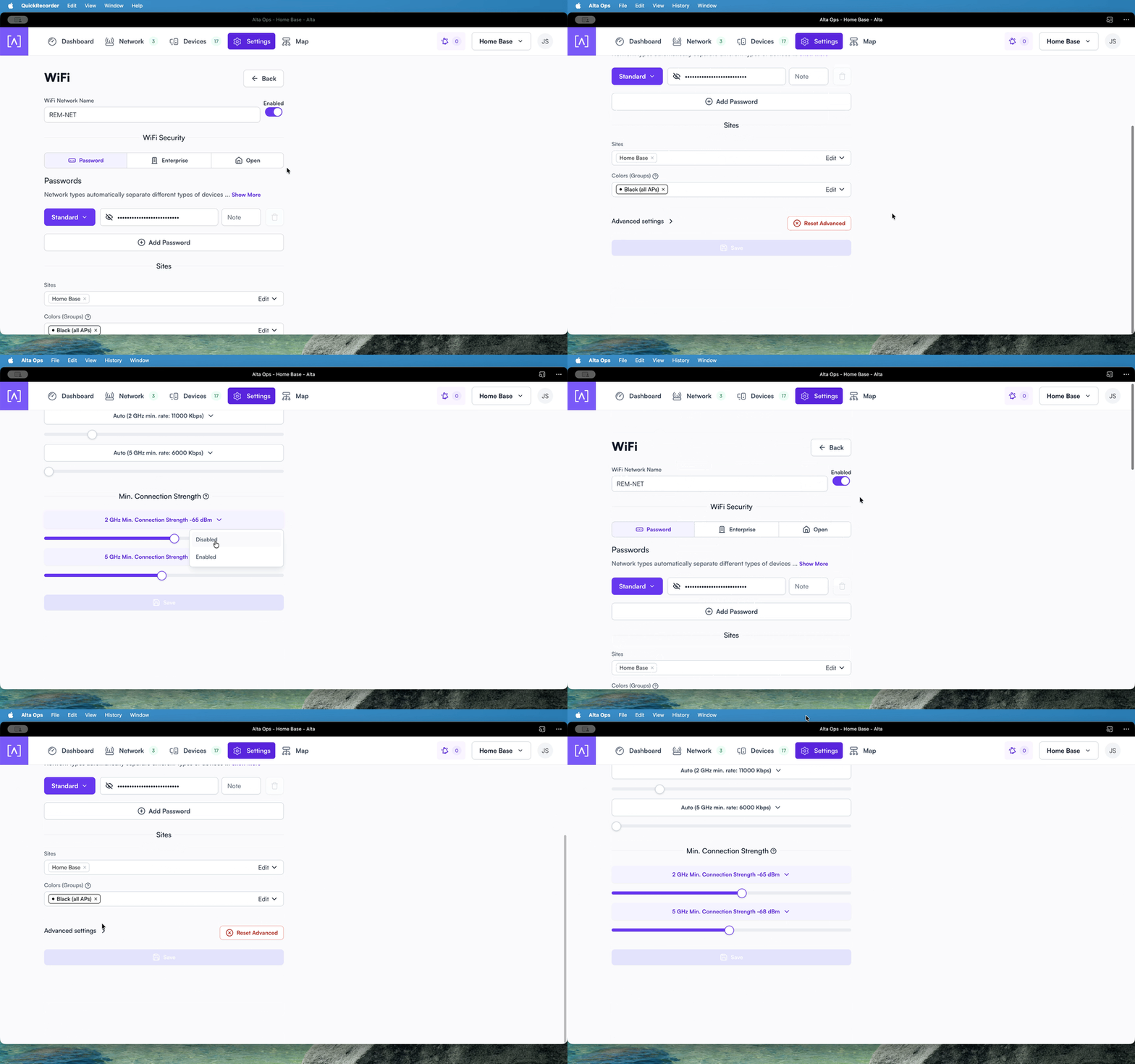
I can upload a proper video elsewhere as well if that would make it a little clearer. Happy to provide an invite to the site as well if that’s preferable.
Thanks!
This has been fixed on the cloud controller, and will be released in the local controller soon.
Thank you for the report.
Just tested it and I can confirm that this now works as expected. Thanks again!