Having a strange issue, could someone help with why my Save button is greyed out when I want to try and create a static reservation for a wireless device?
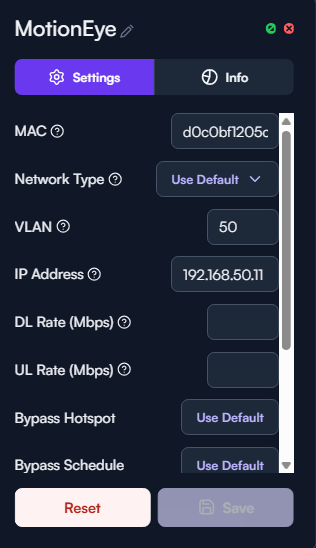
Are there any errors anywhere else in the window? Typically if the Save button is greyed out, it means either 1) it is already saved, or 2) there is some error with the configuration.
If you want to invite me to the site, I can also take a look directly.
No error’s directly in the window itself, but perhaps it was already saved? Is there somewhere that I can check where my saved static IP’s are?
I’m not seeing that MAC on the network any more (even saved, which would show up unless it was deleted). Is that expected?
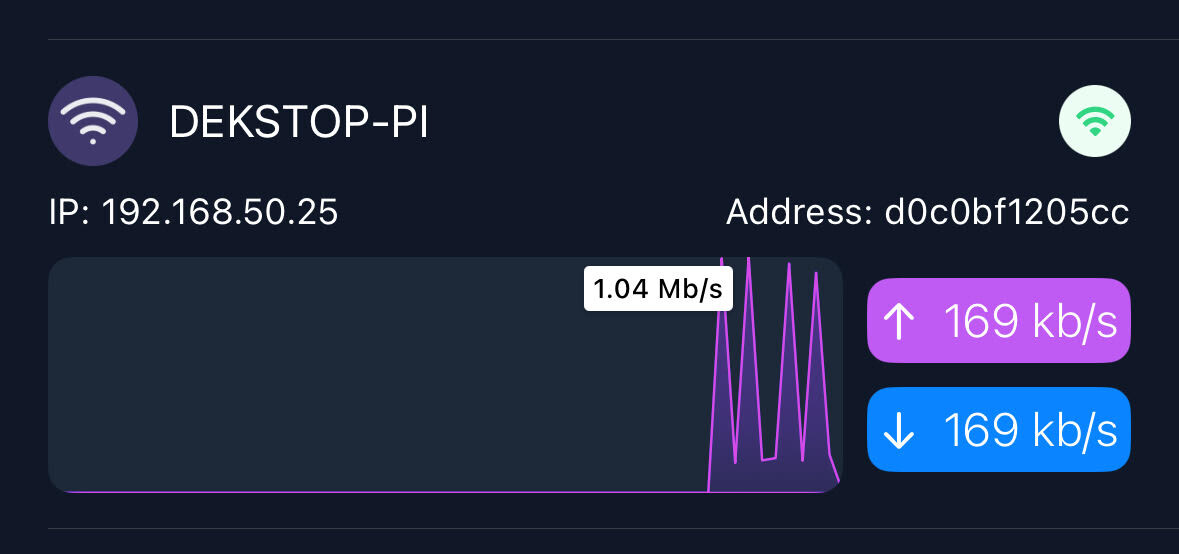
I don’t see any saved config for that MAC address currently. Have you saved a config for it previously?
I have not, I would not even know where to start.
Based on your screen shot above, it looks like you had done it previously, by setting the VLAN to 50 and the IP address to 192.168.50.11. Do you want that configuration on that device again?
yes, that is the goal to the device. Although I had no luck and was getting stuck.
OK, I configured it with that VLAN and IP, and I can ping it.