If I have an Alta router and switch, should DHCP be enabled on the switch as well as the router?
if you are referring to a DHCP Server, their switches do not support DHCP Server. only the Route10.
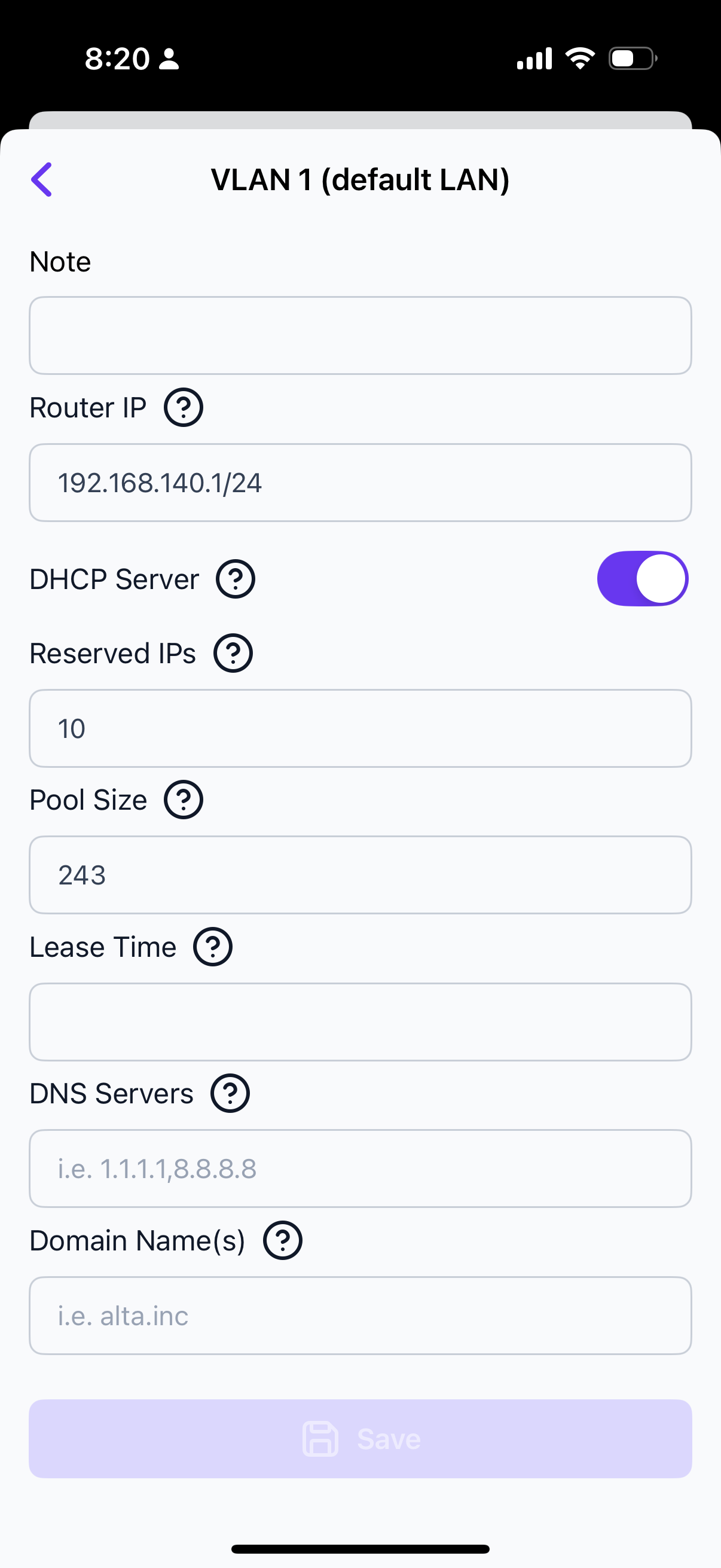
If that’s the case, then select the route10, or switch not both, unless you have multiple networks. I would use the route10 though..
I believe those are just the general network settings for VLAN 1, which can be accessed from the switch settings as well as from the Network settings (Settings → Networks → VLANs).
Since the Route10 is the only device that can act as a DHCP server, that setting won’t do anything without a Route10 in the site. And in that case it will only control whether the Route10 acts as a DHCP server or not.
2 Likes
That is correct!
2 Likes
And accessed from the router settings, but not from the app settings—at least I cannot find it
What is confusing for me is in the switch it says leave this on or a 3rd party router will take over.
It should say only use this if you have an Alta Labs router, and you don’t need it if you do
I would agree that could be just a little clearer! I think it’s a case of even though those settings can be accessed from both the switch and the router, they are not specific to them. They’re just the settings for each VLAN which in turn effect what VLANs available for the switches and router.
I’m usually using the web interface for the controller, but it doesn’t look like the Networks tab is available in the mobile app. At least the iOS app which is what I’m using otherwise.
1 Like
This thread has been automatically closed due to inactivity. If you believe you have the same issue, please create a new post describing your issue. Feel free to link to this post for context if desired.