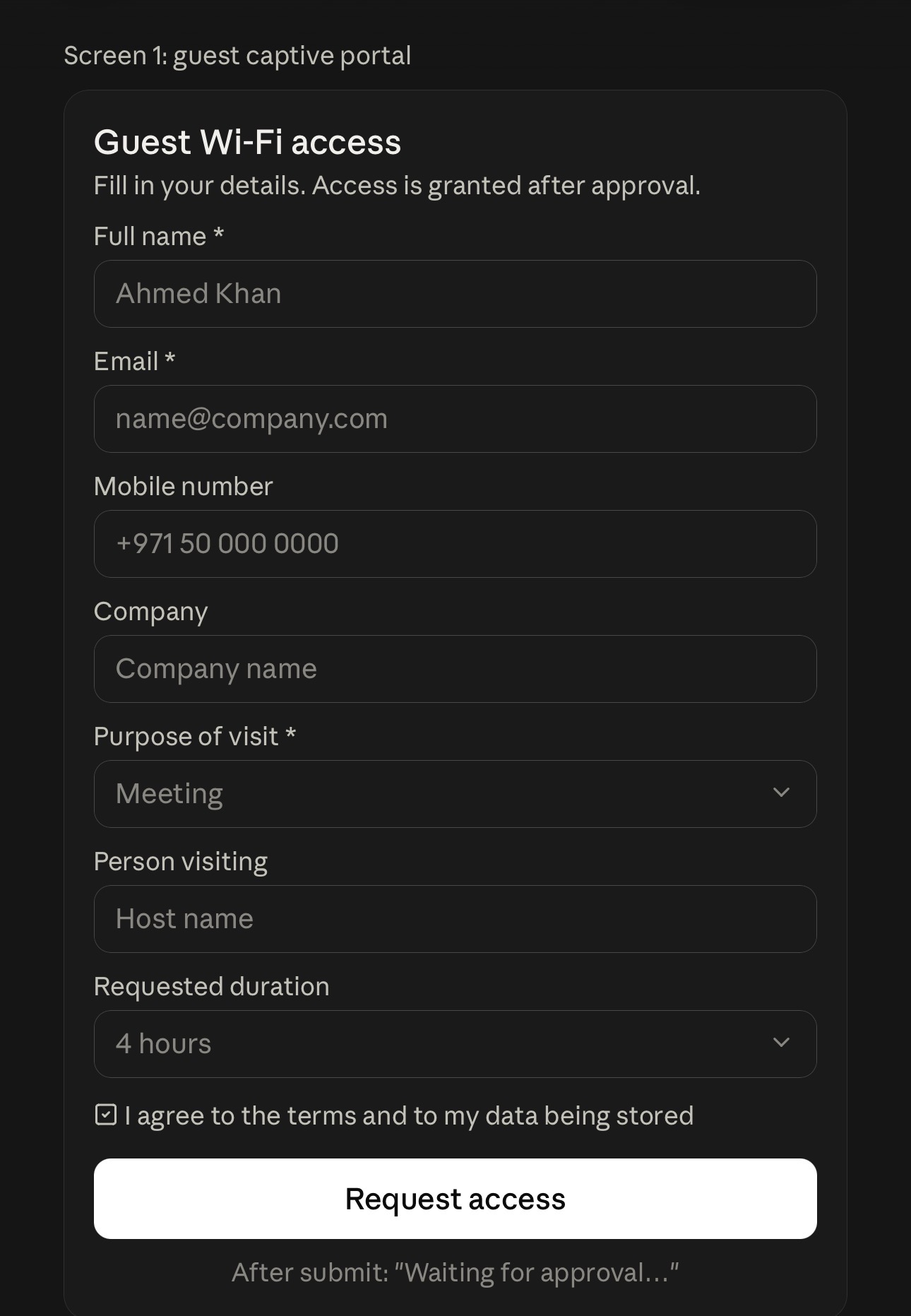
- The guest connects to the SSID and the captive portal shows a registration form.
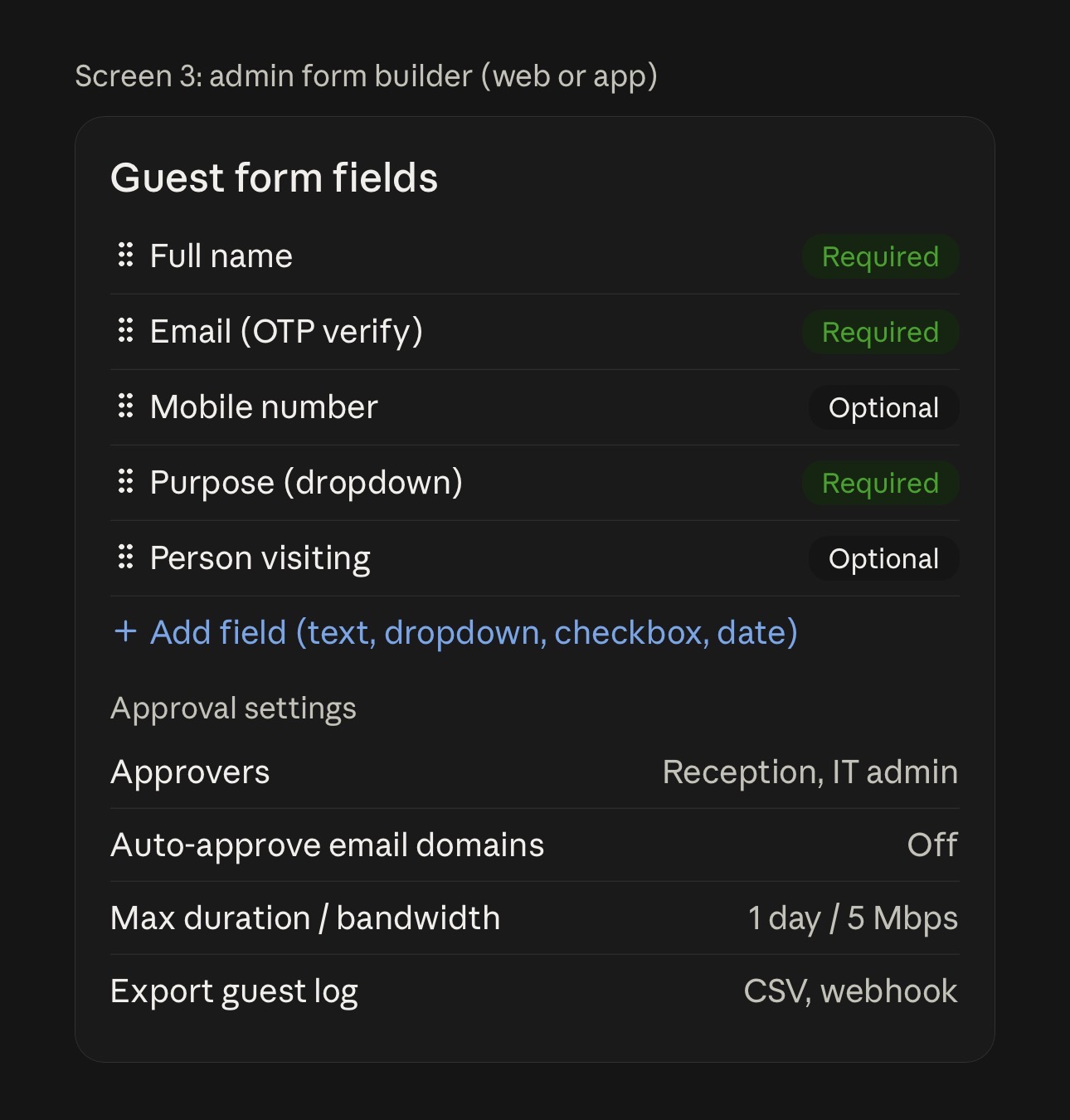
- The form has 5 to 10 admin-defined fields (text, email, phone, dropdown, checkbox, date), each marked required or optional. Typical fields: name, email, mobile, company, purpose, person visiting, duration.
- After the guest submits, a “waiting for approval” page appears.
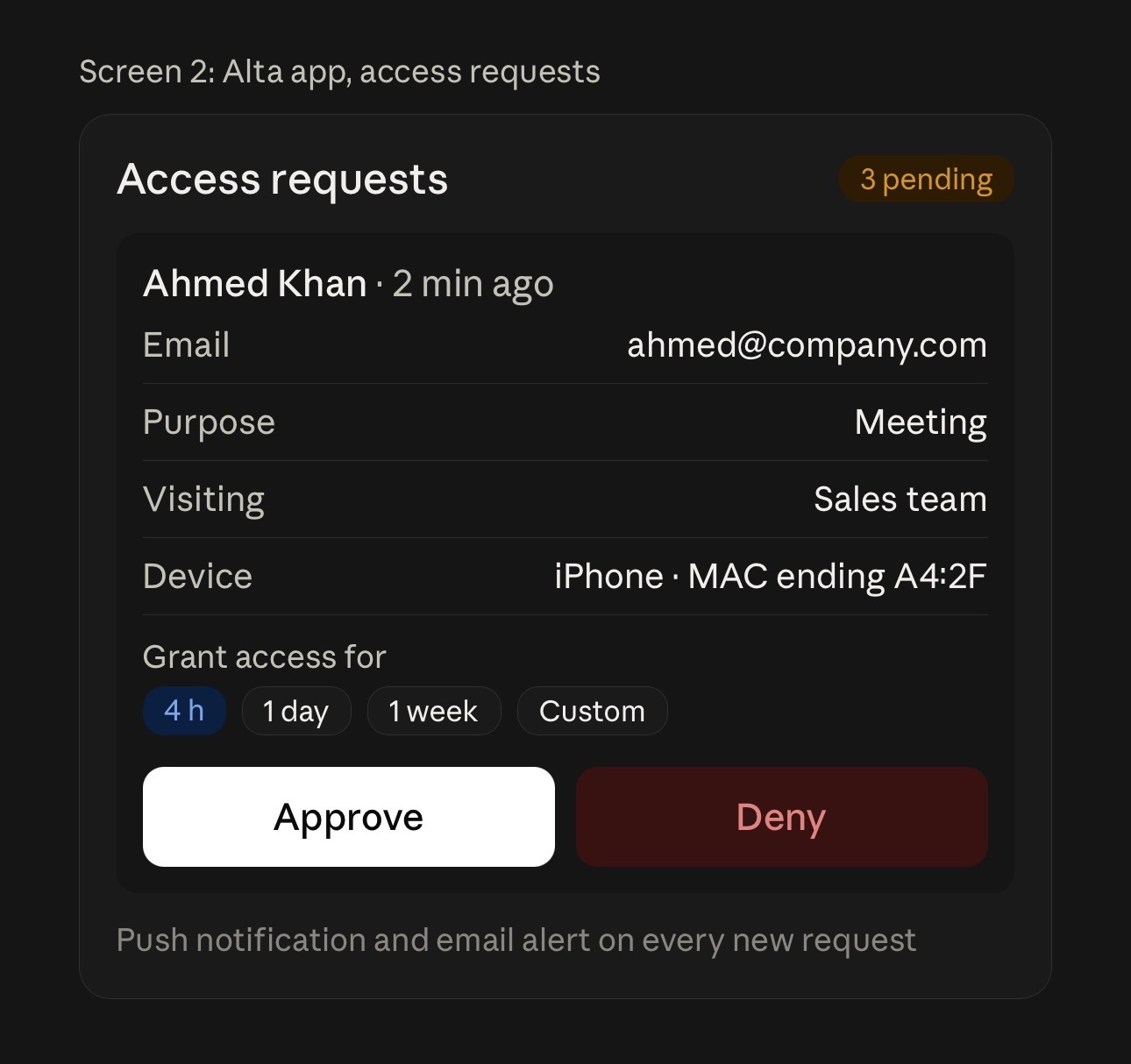
- The admin gets a push or email alert and reviews the submission in the Alta app or web dashboard.
- The admin approves with a duration and optional bandwidth limit, or denies.
- All submissions are stored in the cloud guest database, with CSV export and webhook/API for CRM and marketing tools.
Also requested:
- Email or SMS OTP verification.
- A consent checkbox with terms.
- Multiple approvers.
- Auto-approve rules by email domain.
- Request timeout.
- Guest VLAN or isolation.
- Data retention and delete controls.
- No guest-chosen password. The system issues a time-limited access instead.
Use case: Offices, clinics, hotels, and schools that need audited guest access without a shared password, plus visitor data for marketing.