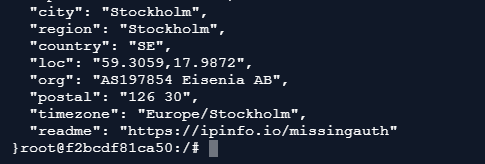
I have a problem. In my local network, I want all traffic from several devices to be routed through WireGuard to a server abroad, which also runs WireGuard. How can I achieve this? At the moment, I have a VPS server abroad with WireGuard running, and the configuration has been tested on my home computers — the devices successfully obtain a different public IP. Now my question is: how do I configure the Route10 router so that it acts as a client of this VPS and forwards all traffic from multiple LAN devices to the VPS via WireGuard? Has anyone tried doing this?
Update:
After many attempts I managed to establish a tunnel between Route10 and the VPS. In the console, after running the command”wg show” , I now have a new WireGuard interface called wgBbtxRu. The standard interface wg acts as the WireGuard server for other clients. From the BusyBox shell on the Route10 I am able to ping the WireGuard server’s IP on the VPS.
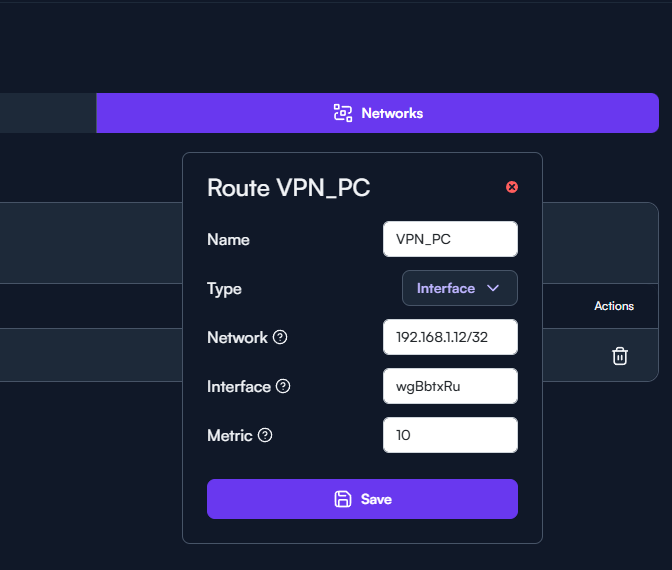
I understand that the next step is to set up routing. I’ve attached a screenshot, and with these settings unfortunately the “internet” stops working. . Does anyone have any ideas? Maybe something is configured incorrectly?
Seriously, nobody has tried this?
Hard to say with the one route. Internet just stops on this one node? Or are other devices affected? Have you checked the routing table on both the Route10 and your VPN_PC? That said, if there is an alternate way that might be more likely to just work (read below), and if interested, no need to answer these. IF you want to check any of this, but are unsure of commands, please let me know.
So far any time someone has asked I’ve pointed them to @dalewhlrr’s post HERE. You don’t need the whole thing, but the WG+routing segment+firewall reload (see HERE). There is a heath check too, which is nice, but technically optional. It requires some modification, but maybe this is quicker/easier to get up and running? For me, I view it as why re-invent the wheel when there is a working solution that already exists.
If you opt to go this route, I would delete or disable the old/existing client config first as you want to fully provision it from the details set in the post-cfg.sh that you’d be crafting. If possible, download the text config file from the VPS provider, and then you can open it in your preferred text editor and most of the information required will be right there.
If anyone is curious it is still working. I have a couple docker containers that route over this and it works flawlessly.
also if you take snippets from my old post this one is pretty important.
# === Custom Restart on Firewall Reload ===
grep -q "/cfg/rc.local restart" /etc/init.d/firewall || sed -i '/reload_service()/a\        /cfg/rc.local restart' /etc/init.d/firewall
Without this every time you make a change via the gui it reloads the /etc/init.d/firewall which sometimes wipes out your custom rules. So with this it also applies the config again every time you make a gui change. And with the if statements I have it will only recreate the interfaces or rules if they dont currently exist already.