I haven’t seen any speed reduction myself but sounds like something’s going on based on that information. If I had to speculate, I’d say one of these two changes could be the culprit or maybe a regression of some sort:
Improve hardware acceleration speed.
Improve CPU responsiveness on larger sites.
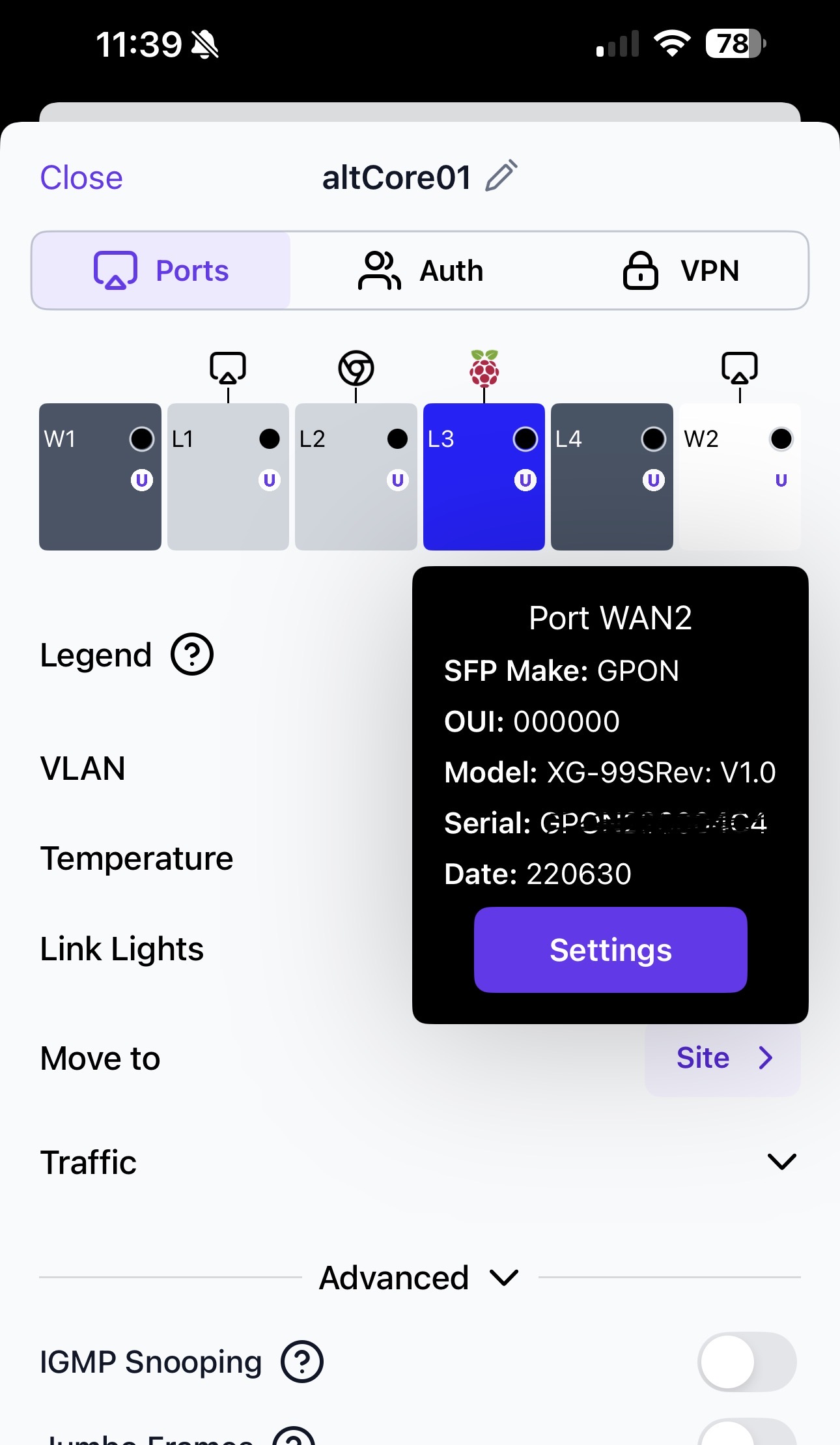
What kind of Internet connection are you using? And how is the Route10 connected to the ISPs equipment? That might give some more information for someone else to chime in or someone from Alta Labs to test and confirm if they see the same behavior.
Is there a guide available for the OSPF config? The L3 switches in my network are running OSPF which I setup using CLI. Just want to make sure the R10 continues to play nice with them.
From the top post it kinda sounds like that’s pending. but I gather that any of the FRR documentation should be relevent here:
Otherwise as far as I can tell it’s all off and unconfigured by default and i that’s the case, I wouldn’t expect any behavior changes if the Route10 has already been in place and working. Granted I haven’t truly looked super closely at it
thanks so much for your help. I have those docs which I used to configure the switches a long time ago. The previous router was advertising the default gateway, but I had to hard code that part when I got the R10. I want to restore the advertisement without bringing the network down. I thought it might be standard but the R10 has given me problems so I’m a little skittish.
I would like to configure OSPF. I know the basic commands pretty well - just a question. Is the shell that opens when dynamic routing is accessed the virtual teletype shell? Is it ready to receive OSPF commands or do we have to configure the terminal for global config? I should wait for the tutorial but it’s like giving a kid a toy he’s been wanting and telling him not to play with it yet!! ha
Thanks! I hope we hear from @Alta-cmb soon - or someone from Alta. My switches are routing ospf well but I have tried several flavors of ospf commands on the Route10 and can’t get it fully configured.
@jmszuch Thanks for notifying me of that video. It was helpful but I noticed some nuances that makes the ospf group unique in Route10. Since there are several other settings needed, I hope they put out a tutorial video soon.
No one else is having throughput or performance issues?
i noticed with hardware accel enabled, when I do a throughput test, the cpu stat reported on the UI goes to 52-53%. With hardware accel disable, it only goes to 32-33%.
>20% increase in CPU for the same traffic seems off
Yeah, the Route10’s I have deployed seem to be operating normally, although I don’t have an Internet connection like yours on any of them to try and test that sort of throughput.
Maybe we can ping @Alta-Jeff to see if there have been any reports of similar behavior, although I suspect the recommendation will be to shoot an email directly to support@alta.inc to have someone invited to the site for a closer look
We have not had any reports of throughput degradation. Have you confirmed there are no issues in 1.4k? I have a few intermediate firmwares we could potentially try to see if it is firmware related, if you want to invite me to your site.
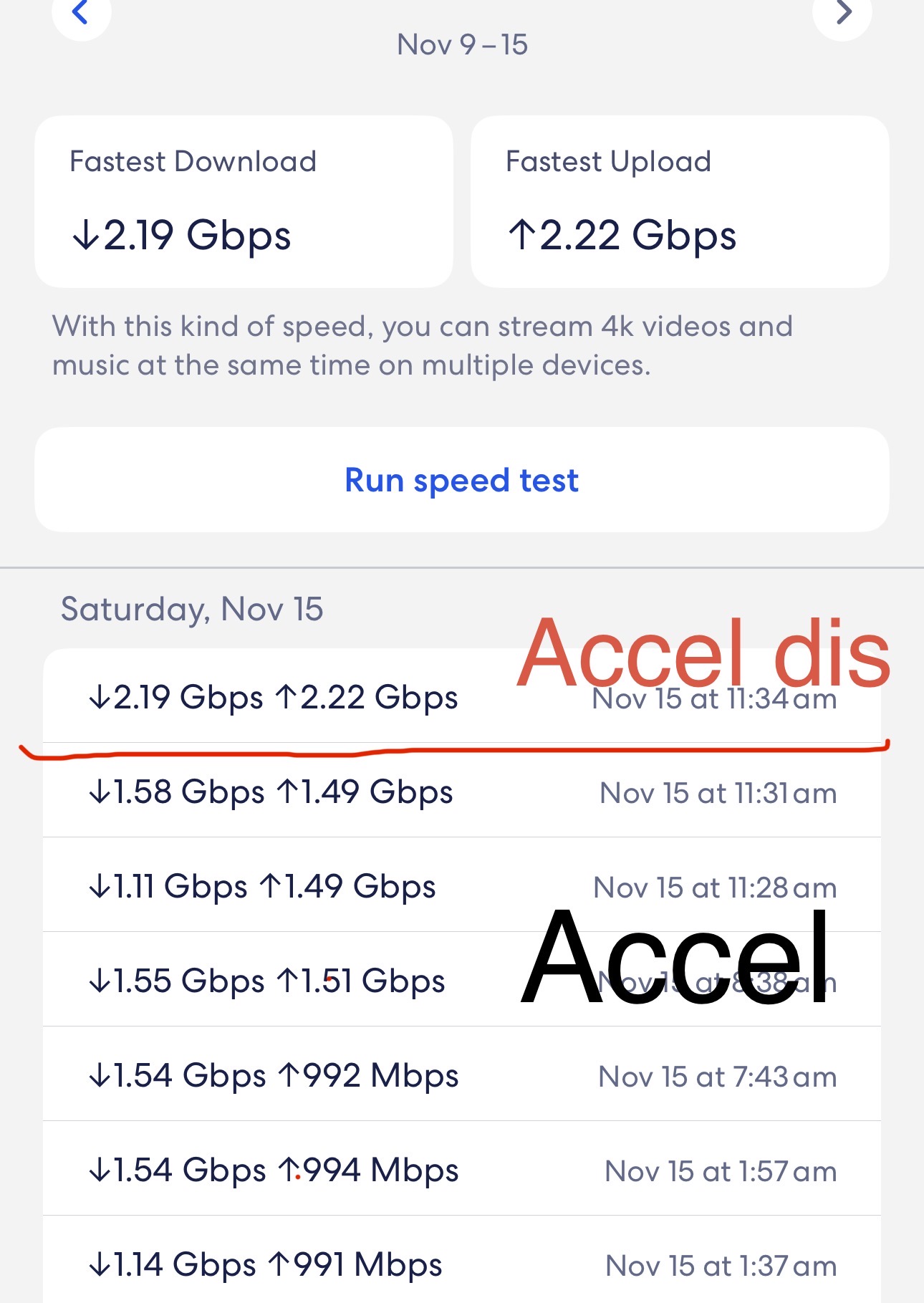
I would say I am both seeing throughput degradation and not. It’s rather interesting. My internet connection is 3Gbps symmetrical. I’ve got an Eero connected at 2.5Gbps.
Since the upgrade to this version the Eero built-in speedtest tops out at around 810Mbps down and 685Mbps up. While running the speedtest a ksoftirqd kernel thread hits 25% (with sirq at 25%), consuming an entire core and causing load average to rise. Prior to this version it was 2.45Gbps down, 2.41Gbps up. According to tcpdump the speedtest on the Eero is using UDP packets instead of TCP.
If I run a speedtest on my laptop connected to the Eero over wireless it hits 712Mbps down and 902Mbps up. While doing this there is no noticeable change on the Route10, no ksoftirqd kernel thread popping up, no load average rising, nada.
Moving the Eero to a different physical port makes no difference.
I also ran speedtest on an ethernet connected device and that didn’t exhibit the ksoftirqd CPU consumption either.
It feels as though there is a specific characteristic of the traffic that is causing it to rise up to the host and not be accelerated, resulting in load average rising and bottlenecking throughput based on what a single core can do. This might be why it is fine for others, plus you’d need to have a sufficient internet connection to really notice and hit the single core limit.
I haven’t found anything else from my normal usage (as of yet) that triggers it but will keep poking.
@Alta-Jeff It’s UDP traffic. I was able to reproduce it by using iperf3 with UDP through my internet connection to a public iperf3 instance, specifically:
Ah, this is actually intentional. We’ve disabled UDP acceleration by default in this release because BitTorrents will waste too many flow slots on acceleration. They don’t have the bandwidth to justify acceleration, and chew through literally thousands of flow slots, even for just a single client.
If you want to enable UDP acceleration again, you can run echo 4 > /cfg/alta_bits and reboot.