Hello everyone,
I’m an Alta Labs green hand, whose products have magic to make me wanna try!!!
I have difficulty in dealing with traffic-blocking firewall rule.
VLAN1 (192.168.99.0/24) is the default VLAN.
VLAN2 (192.168.92.0/24) is the VLAN I created as DMZ.
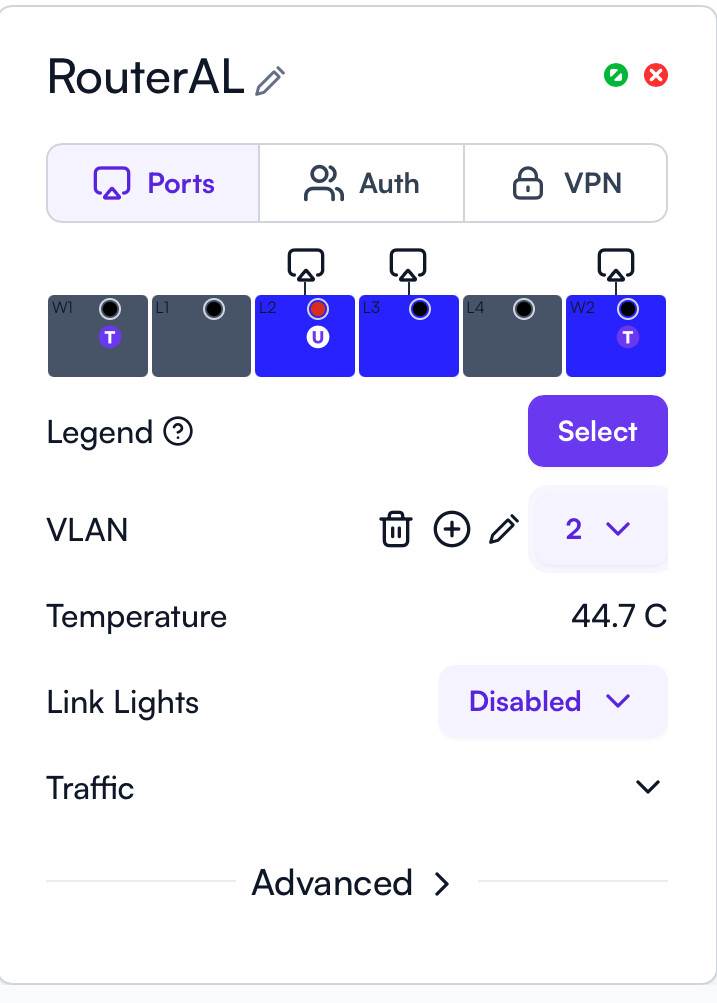
As shown below, L2 is with VLAN2 untagged.
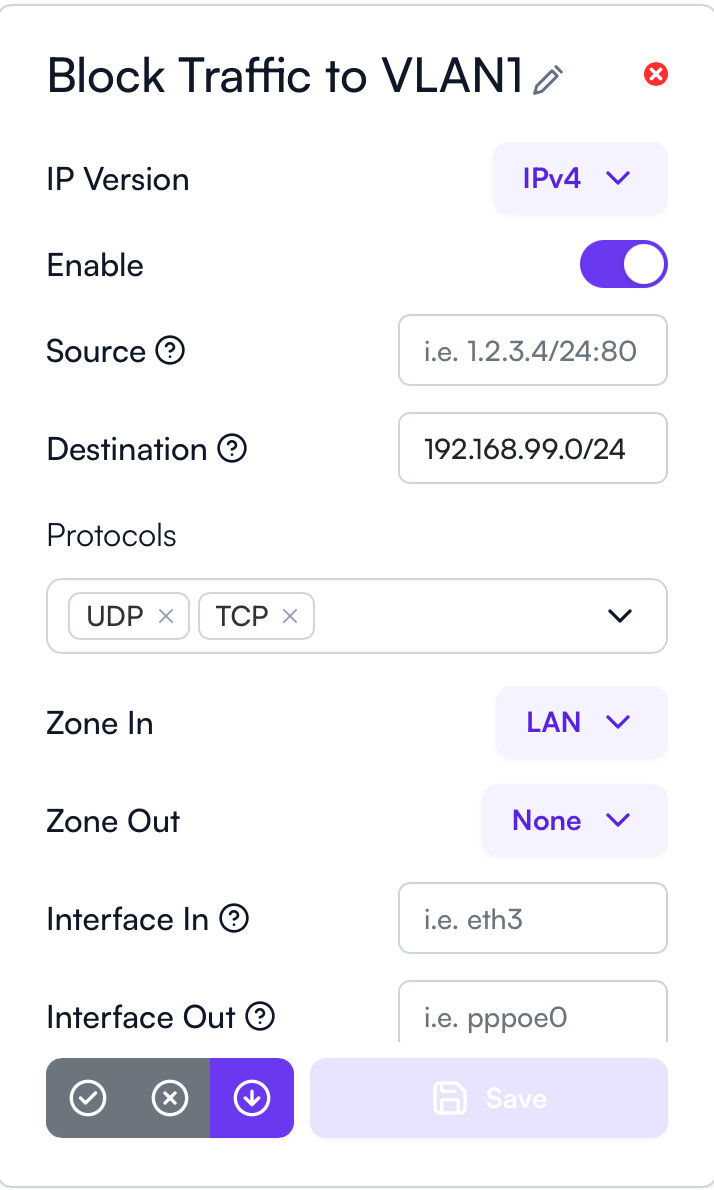
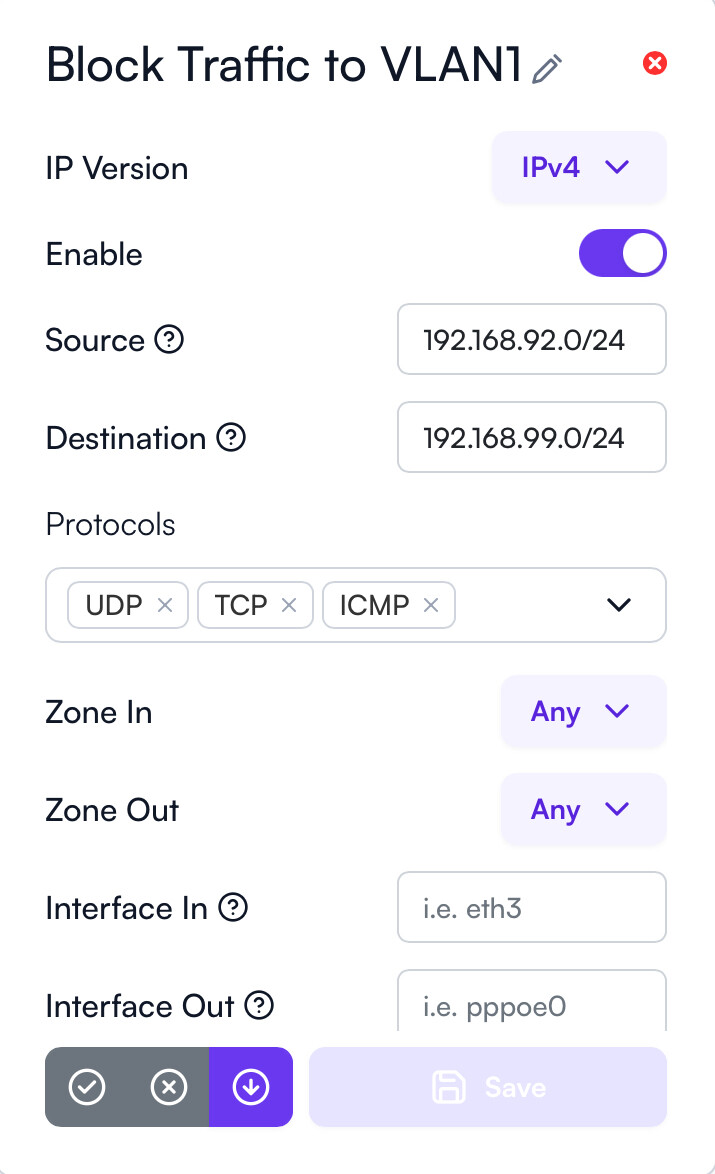
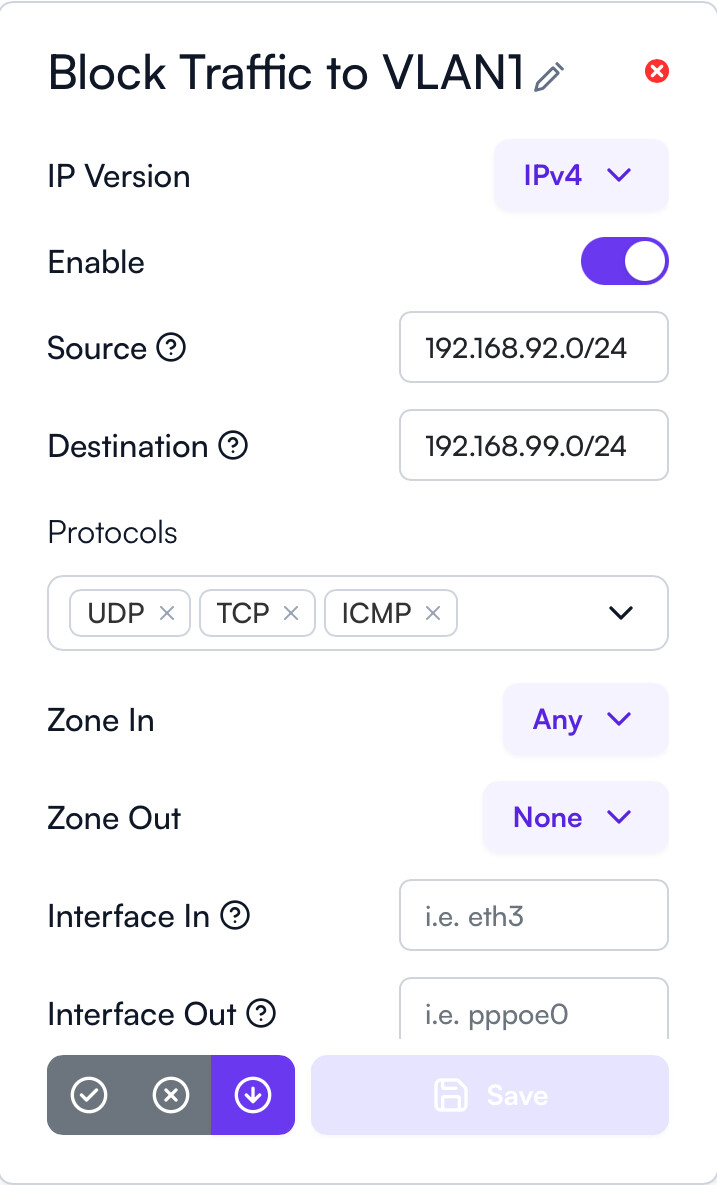
My PC connected to L2 can visit 192.168.99.1. My PC without access to 192.168.99.1 is my goal. Therefore, I created below firewall rule to achieve the goal but it failed. I want to know why it failed…
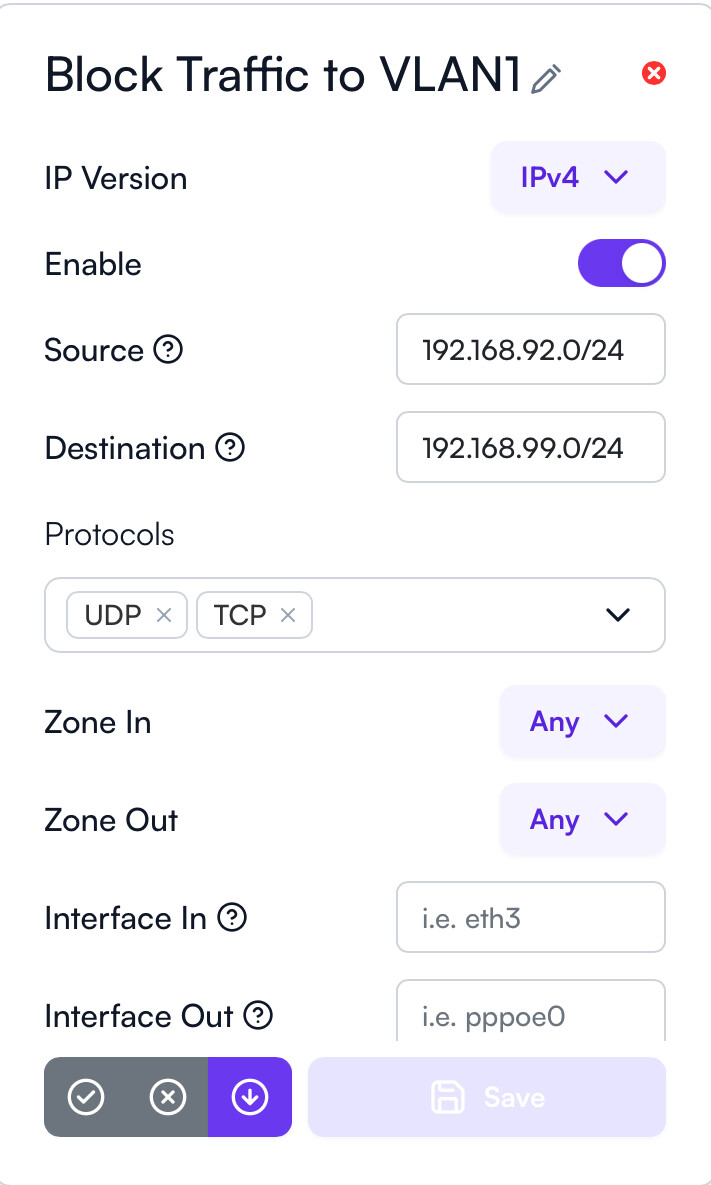
I found that my pc had no access to 192.168.99.1 when I used “Zone In: Any”…
Another question, I have doubt about the default notes “Interface In: i.e. eth3”. Which port is eth3? Is my L2 eth3? Is it possible to use W1/L1/L2/L3/L4/W2 in Interface In/Interface Out (If No, I hope it would work in the future.)?
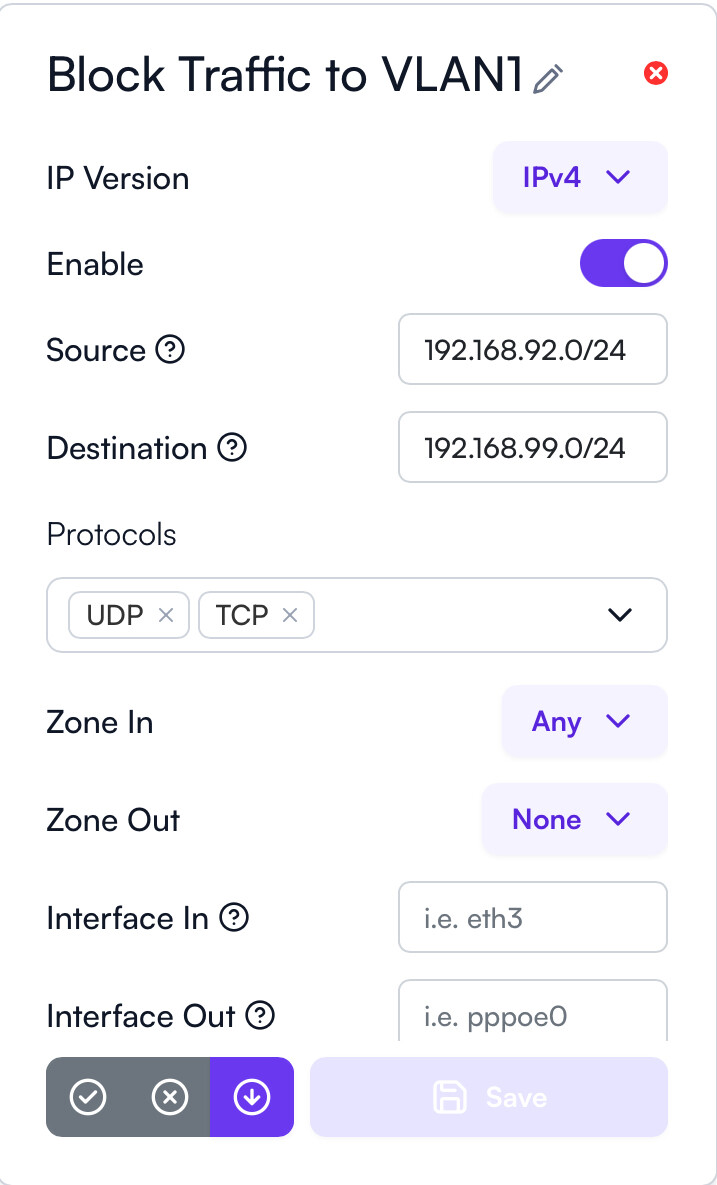
For the firewall rule, you may want to specify a source. In this case, 192.168.92.0/24.
For the zones, you can specify LAN for both In and Out or Any for both. Note that ICMP (ping/echo) will continue to work unless you supply ICMP in the Protocols list.
The values that have i.e. in there aren’t defaults, they’re simply placeholders. The raw interfaces don’t directly map 1:1 with how they’re displayed in the UI or the labels on the Route10 due to the way Linux maps interfaces. Here is a default map, in case you’re curious.
Then eth0, eth1, eth2, and eth5 are all bridged, comprising br-lan, this is where the VLANs are created and would be formatted like br-lan_2 meaning VLAN 2 on the br-lan interface.
I’m confused about “VLAN2(192.168.92.0/24) ping VLAN1 (192.168.99.0/24 excl. 192.168.99.1)”: Setup1, Setup3 & Setup4 (VLAN1 & VLAN2 are with Isolation turned on) bring reply from 192.168.92.1. Why is the result not the same as Setup1, Setup3 & Setup4 (VLAN1 & VLAN2 are with Isolation turned off) to be “Request timed out” ?
Does “Zone Out: None” mean “Zone Out: Not specified”, i.e. “Zone Out: None” mean “Zone Out: Any” or “Zone Out: No (traffic directed at the Route10)”?