Yes, I know… lol It’s horrible but I’m stuck with Nest WiFi until the AP7-Pro is available, hopefully soon!
Until then…
I have a problem  Go easy on me, I messed with port forwarding, routes, creating 2 VLANs and connecting them via static route, etc. and nothing worked. Only thing I haven’t tried is subnetting to 255.255.254.0. I have a few fixed IP WiFi clients and I’m trying to avoid re-configuration.
Problem: Route 10 connected clients, can’t talk to Nest WiFi clients. Essentially I’m double NATed.
Setup:
- WAN 1 not in use
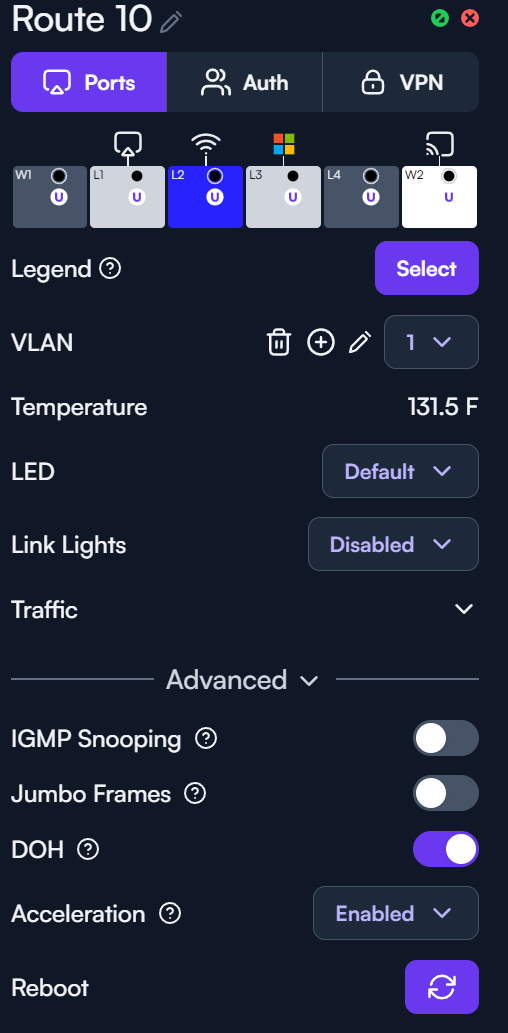
- LAN1 2.5Gbps switch with other clients (great we can talk!)
- DNS Server: One of the clients is a docker server hosting AdGuard as DNS proxy
- LAN3 My personal PC with fixed IP
- LAN4 not in use
- WAN2 SFP+ PON on AT&T
- Route 10 is pretty much default leveraging VLAN 1 192.168.50.0/24
- Primary DNS: AdGuard server above
- Secondary DNS: 1.1.1.1
- Nest WiFi WAN is connected to LAN2 on Route 10
- Nest WiFi sees the route 10 as a WAN
- Nest WiFi LAN is using 192.168.51.0/24
- Nest WiFi can’t be set in bridge mode, it’s an automatic setting and since I’m using 4 APs in mesh, it automatically defaults to (NAT) mode
- Insult to injury Nest WiFi automatically blocks ICMP traffic incoming from the WAN, pinging anything from Route 10 is a fail.
Ideal State: I just want my route 10 and Nest WiFi clients to be friends and talk to each other until I can toss the Nest WiFi in the garbage when AP7’s come around.