To make a long story short—a long time ago, I went through “great pains” to get off my ISPs provided hardware (CenturyLink/Quantum Modem/Router etc) because it had completely neutralized my printer’s ability to communicate with my computers via AirPrint/Bonjour.
Fast forward a few years and I recently revamped my home network with the awesome hardware created by Alta Labs. I was able to greatly reduce the messiness of my Media Enclosure and I’m really happy with the 10/2.5GbE and PoE etc etc.
Anyhow, after fully/finally upgrading to all Alta Labs hardware, my Printer is struggling once again. I’ve tried troubleshooting with google/Claude etc, but haven’t had more than intermittent success. I’ve tried disabling Fast Roaming, BSS Transition, lowering AirTime efficiency, rebooting all kinds of things…
Has anybody had any issues with printer/bonjour connectivity on a pure Alta Labs network?
I only have one “VLAN”, and all devices seem to communicate. It should be noted that I had gotten intermittent success, such as when I had disabled Fast Roaming, restarted the printer, I was able to get a few pages scanned, but then once again started getting connectivity error codes.
Any help or insights would be greatly appreciated.
P.S. I’m not sure if this belongs in Routers, or Access Points, or what, so I’m going with General for now and I’m sure a mod will move it and slap my hand appropriately.
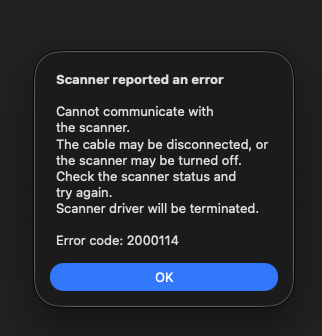
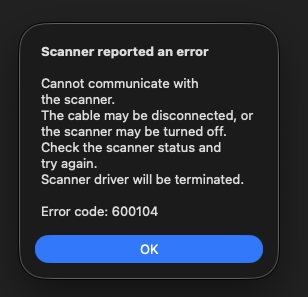
Cannot communicate with the scanner.
The cable may be disconnected, or the scanner may be turned off.
Check the scanner status and try again.
Scanner driver will be terminated.

Error code: 2000114
The most common problem that others have had is using a non-Standard network type on their SSID/PSK for their printer, when they should be using either Standard or Large, for improved compatibility. Hopefully this helps.
Thanks Jeff! I’m using a Standard type network, however I will note that I have two passwords on it. My printer is using the password that puts it in standard mode, but I have an IoT password on the network as well. Does that change how the network operates and communicates?
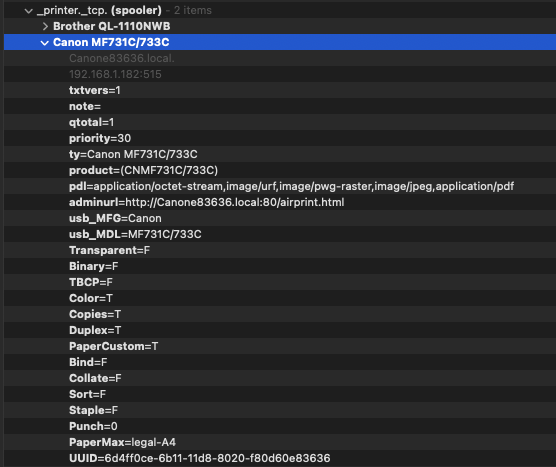
As long as your device you are printing from and the printer are both on Standard Network type, they should be able to communicate. Can you ping the printer reliably? What OS are you printing from, and have you tried from multiple devices? MacOS has a great tool here, for verifying that the Operating System is at least seeing your printer: Discovery - DNS-SD Browser App - App Store
I am indeed trying to print from my macOS system. I have downloaded this tool, and it does populate correctly with the printer’s information. The other thing to note (although I don’t believe it should matter much) is that my mac is wired via ethernet (does not have working WiFi), and the printer is WiFi. I haven’t found the stamina to drag the printer over to the router to test Wired <=> Wired.
If the printer is reliably showing up in that tool, and you can reliably ping the IP for extended periods of time, there may not be much we can do from the networking side to fix printing since it appears to be connected to the network just fine. I would double check that you are on the latest printer firmware version. What is your success/failure rate for being able to print? Can you run discovery at the moment you can’t print? Have you tried printing with Unix printing to IP address, instead of using the MDNS name?