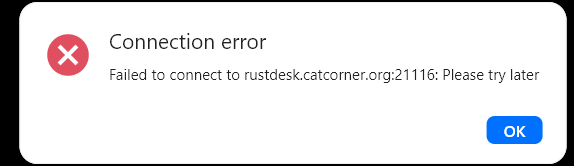
I was trying to set up a rustdesk server on my docker appliance. For some reason I can’t get traffic from any remote computer to route through port 21116. I’ve verified that the traffic is leaving my desktop, going through my router, and passing off to the internet. My ISP is set up in bridge mode so that shouldn’t block this port. I can’t seem to figure out if the the traffic is getting to my route10. How can I verify traffic on port 21116 to the WAN sfp port?
Wanted to do some more testing on my own. Here’s a shot of the rules. 192.168.0.173 is my docker server. All other apps on this are working (nextcloud, photoprism and plex).
I’d try using tcpdump to confirm that the packets are arriving on your WAN interface (W1 = eth3 and W2 = eth4) and exiting your LAN interface (br–lan).
Something like:
tcpdump -ni eth3 tcp port 21116(May need to change to eth4 if using SFP W2)
and
tcpdump -ni br-lan tcp port 21116 (assuming default LAN)
You can open a terminal by holding the Shift key + clicking on the R10 name or via SSH