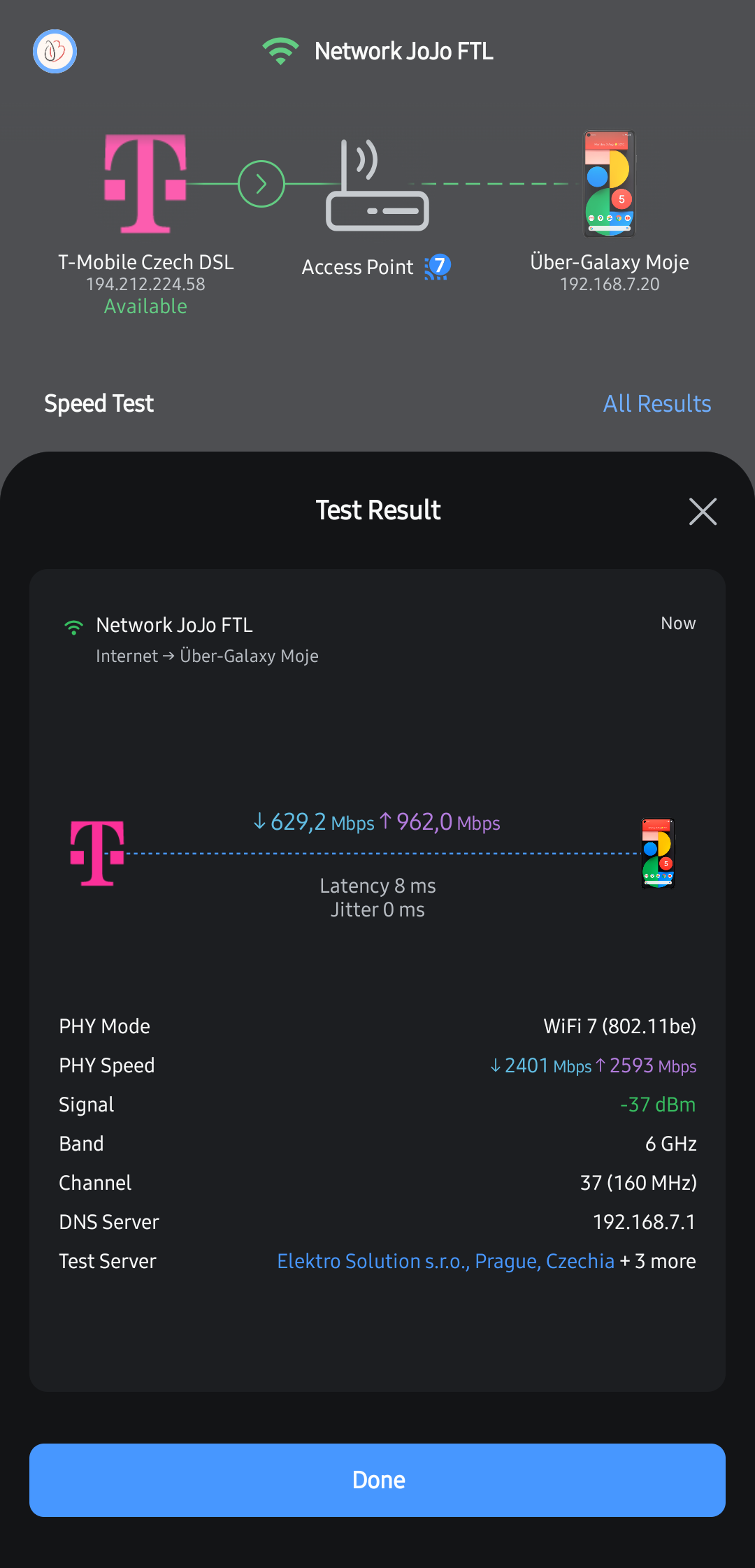
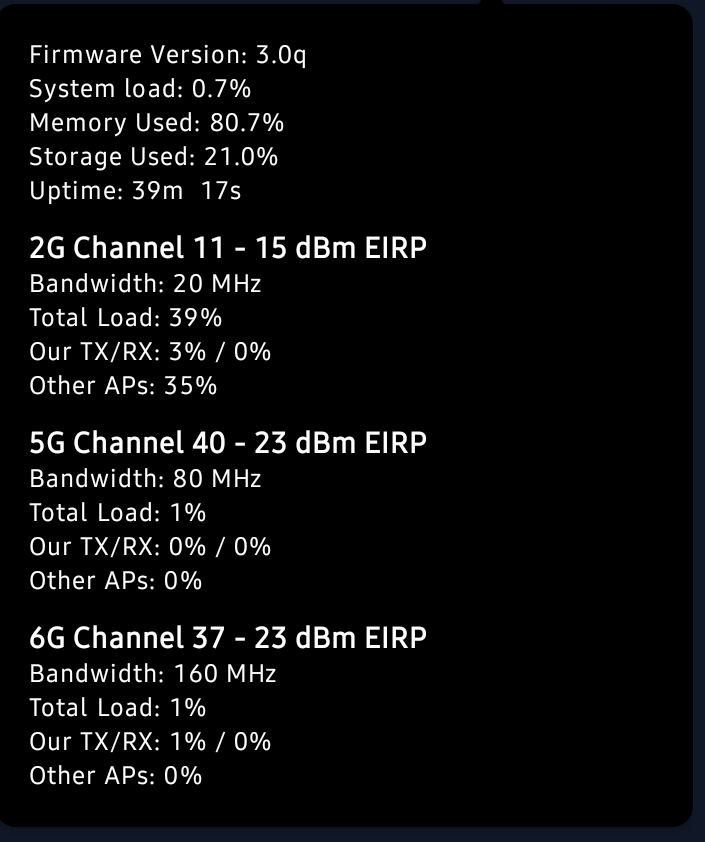
New owner of AP7 Pro - having downlink speed issues (maybe just found a culprit)

I have new AP7 Pro access point after good experience with AP6 Pro. I upgraded to AP7 Pro as I have new internet connection (fiber) in speeds 2000/1000 Mbps and I wanted to utilize it as much as possible. I have it connected (latest firmware) to ether1 (2.5G) port of MikroTik RB5009 PoE - ISP uplink is SFP+. Router achieves 2000/1000 Mbps easily, as well as wired device connected to ether1 port (just for testing purposes). When I connect AP I am unable to obtain higher download speed than ~650Mbps but at the same time, I am able to achieve ~1000Mbps upload speed. Even on 6GHz only SSID on 160MHz, 23 dBm (cannot do more due to EU regulations) the downlink speed is half of the uplink as there was something throttling it in AP (DPI on or off - no speed change). Tested on RZ717 PC, Samsung Galaxy S26, Samsung Galaxy S24 Ultra and MacBook Air M5 - each device capable of WiFi 7. I think there is no issue with connection distance as speed not changing when I am 1 meter from AP or 5 meter away (behind wall). It seems to me like there is some firmware issue that throttles downlink speed do ~650 Mbps on perfectly healthy setup. I also tried PoE++ 10Gbps injector as MikroTik is PoE+ only, but no help (yes AP is linked in duplex 2.5Gbps with router). Also switching to 6GHz 320MHz have not helped - as well as there is no interference in 6GHz. I would appreciate any help to resolve this issue as AP7 Pro is quite expensive in my country and now there is no upgrade benefit against AP6 Pro (just more than double the price). Thanks in advance.
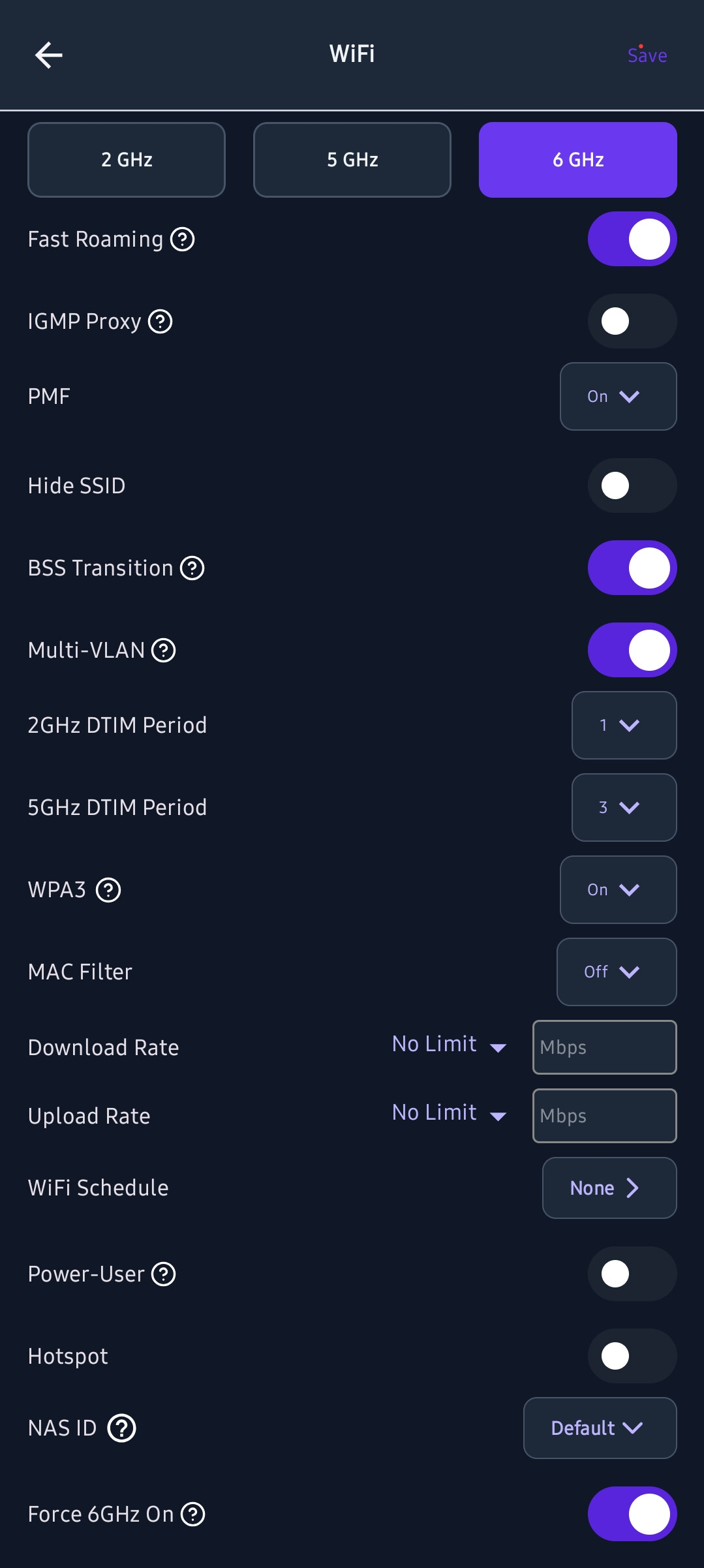
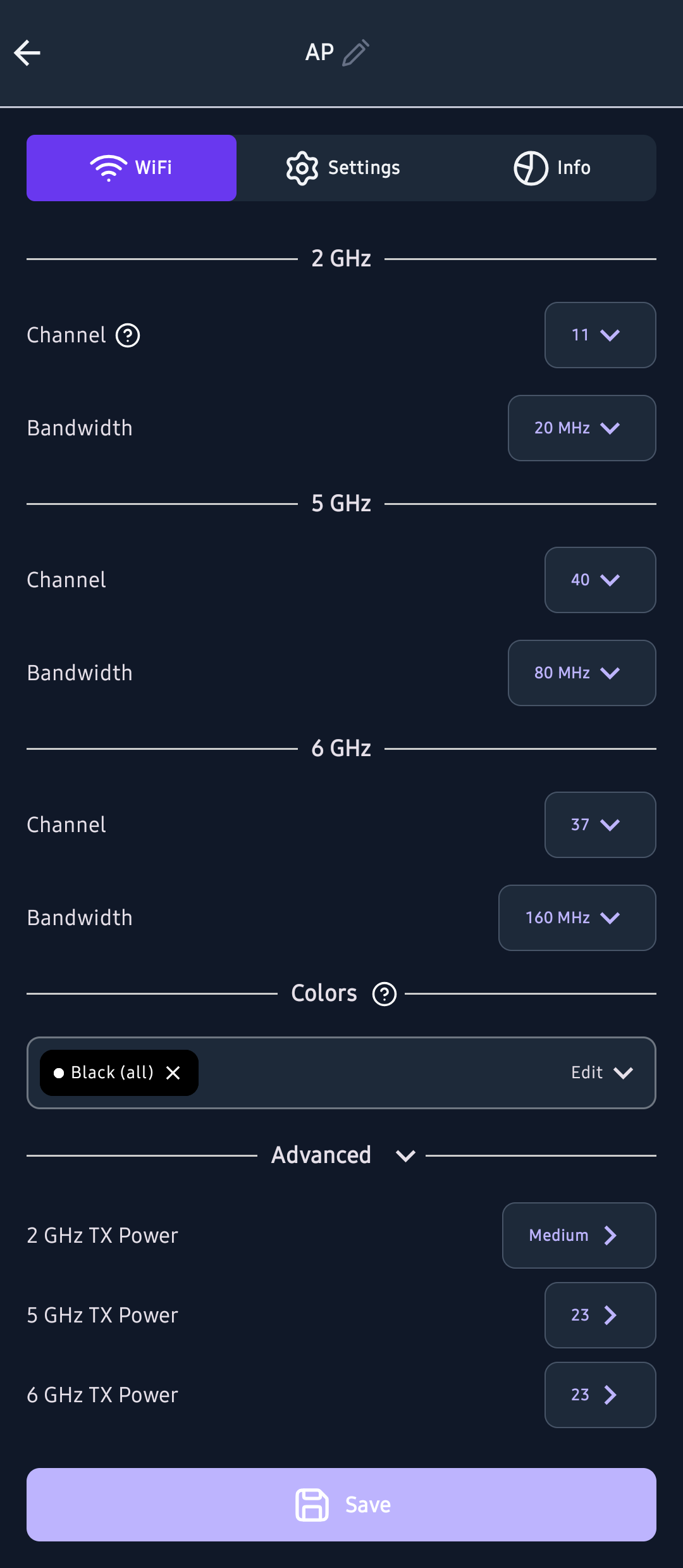
Update: the IRQ affinity change is only a workaround. The real issue seems to be that the hardware offload (PPE-DS / ECM) is never engaged: the edma_ppeds_*, ppe2tcl and reo2ppe interrupt counters stay at zero during traffic, and all EDMA and WLAN interrupts are pinned to cpu0 by default. Could Alta check whether PPE-DS is enabled for the WLAN vdevs in the AP7 Pro firmware, and whether IRQ affinity is set at boot? For reference, my SSID setup uses Multi-VLAN with a second tagged VLAN on the uplink (eth0.8), in case that affects offload eligibility. I’ll run more checks later (ECM/ath12k module state, and a test with the VLAN SSID disabled) and post the results here.
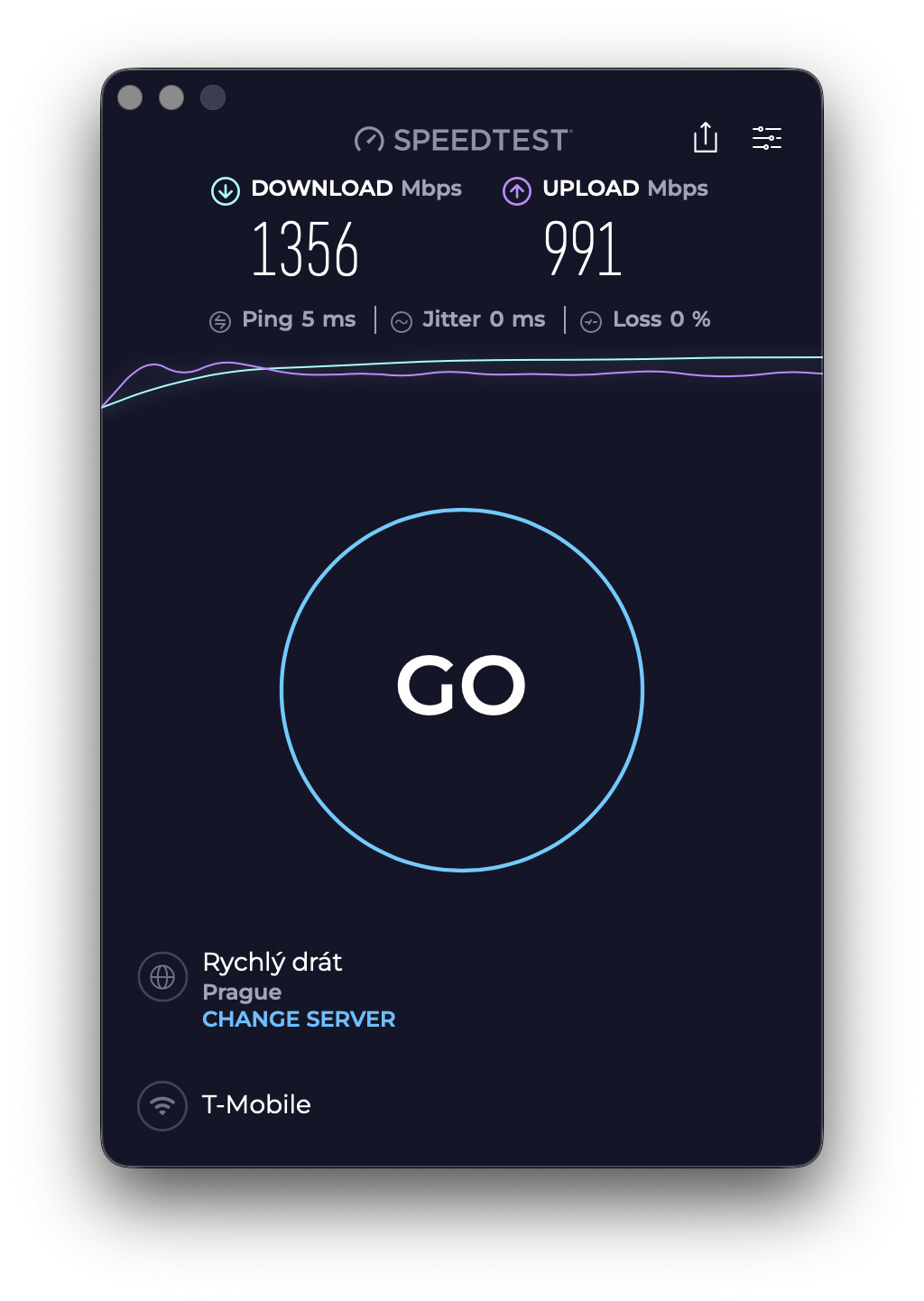
I was digging around a bit with help of Claude. What I discovered so far:

Every Wi-Fi client, on 6 GHz, was capped at ~650 Mbps download, and multiple clients shared that ~650. Wired through the same RB5009 port I got 1958 Mbps, and iperf3 (trough internet to public server) on the AP itself reached 1.94 Gbps.

Cause: every IRQ (Ethernet and both radios) was handled by CPU0. During download CPU0 was at ~71% softirq while the other three cores idled. The PPE-DS offload IRQs stayed at zero, so all traffic goes through one core in software.

Diagnosis (over SSH on the AP):
#per-core load, run during a speedtest
grep '^cpu[0-9]' /proc/stat > /tmp/a; sleep 5; grep '^cpu[0-9]' /proc/stat > /tmp/b; awk 'NR==FNR{for(i=2;i<=11;i++)a[$1,i]=$i;next}{t=0;for(i=2;i<=11;i++)t+=$i-a[$1,i];printf "%s sirq %.0f%% idle %.0f%%\n",$1,($8-a[$1,8])*100/t,($5-a[$1,5])*100/t}' /tmp/a /tmp/b

#which CPU handles each IRQ
grep -iE 'edma|wlan' /proc/interrupts

Workaround:
echo 2 > /proc/irq/35/smp_affinity # edma_rxdesc_12 -> cpu1
echo 4 > /proc/irq/36/smp_affinity # edma_rxdesc_13 -> cpu2
echo 8 > /proc/irq/37/smp_affinity # edma_rxdesc_14 -> cpu3
echo 2 > /proc/irq/38/smp_affinity # edma_rxdesc_15 -> cpu1
echo 4 > /proc/irq/144/smp_affinity # pci0_wlan_grp_dp_8 -> cpu2
echo 8 > /proc/irq/180/smp_affinity # pci1_wlan_grp_dp_8 -> cpu3
echo 4 > /proc/irq/132/smp_affinity # pci0_wlan_ce_1 -> cpu2
echo 8 > /proc/irq/168/smp_affinity # pci1_wlan_ce_1 -> cpu3

IRQ numbers may differ on your unit, so check /proc/interrupts first. RPS stays disabled (echo 0 > /sys/class/net/eth0/queues/rx-*/rps_cpus) because it hurt upload.

Result: ~650/950 Mbps went to ~1300+/1000 Mbps, with the load spread across all cores.

Closer to AP (same room) ~1300+/1000 Mbps, further from AP (next room) ~1000+/850 Mbps.

So I think that software/firmware needs some tuning as hardware is very capable and hold back by default setup.

Great catch! We recently merged the AP6 and AP7 releases together, and this was unfortunately something that was overlooked. Firmwares prior to 3.0p have the IRQ affinities correctly set, and we’ll bring that back in our next firmware release. Please let me know if you’d like to try a release candidate firmware, and I can reach out directly.

Thanks, that explains the IRQ part. I’d gladly test a release candidate, please reach out.

One more thing I found out during digging worth checking while you’re in there, because IRQ affinity alone only gets me to ~1300 Mbps per client and the CPU is still doing all the forwarding. From what I can see on the AP, the PPE hardware path is never actually used for Wi-Fi traffic:

  • ECM runs in hybrid mode and tries the PPE front-end first: every new flow starts in ppe_v4 with accel_mode=0, but ecm_ppe_ipv4 accelerated_count stays at 0 with ae_nack=0 and driver_fail=0. So the flow is rejected in the PPE pre-checks before any rule is issued.
  • At the acceleration point (~100 packets) each flow is re-created on sfe_v4 and accelerated in software (accel_mode=2). Same result on the untagged 6 GHz SSID and on a VLAN-tagged SSID, for TCP and UDP.
  • The VAPs are registered as PPE virtual ports (3 active VPs) and PPE-DS is loaded and bound to wifi_3_0, yet the VP, DS-node and ppe2tcl/reo2ppe counters never move under load. ECM also classifies the VAPs as iface.type=0 (plain Ethernet).
  • qca_nss_ppe_ds ships with cpu_mask_6g=1 and cpu_mask_5g_lo=1, so even once DS works, 6 GHz would land on cpu0 unless those defaults change too.

Could you check whether the VAP→PPE (VP/DS) acceleration is expected to be active on the AP7 Pro, and if so why the PPE front-end rejects VAP bridge flows in 3.0q? Happy to run any diagnostics you need on my unit.

Sure, I’ll DM you my email address for an invite.

The lack of traditional PPE acceleration is actually understood and expected. We do not use full PPE acceleration due to our enabling of multi-VLAN/multi-GTK support in the firmware, but we do enable RFS support, which still also allows for full acceleration of packets. The simplest way to see that it’s working is to see the lack of accelerated packets on a tcpdump of the VAP.

Big thanks to Jeff who installed me an RC version of firmware 3.0r-rc1. This firmware works flawlessly if we talk about speed issue caused by running traffic using single-core.

Love the response - no way any other hardware manufacturer would quickly reply like how you did! One of the reasons why I love deploying Alta labs gear. I have 3 dozen or so of these AP7 pro units connected on 2.5G juniper EX4100MP switches on the backend too. Would like to reach out for the RC patch as well if possible. Thanks.