Has anyone else had issues with IPsec VPN site to site tunnels using IKEv2 ? I had one up and running but it seems that the last Route10 update it hasn’t worked. I’ve spend days on working on this and no luck at all.
Re-created both sites, ensured both sites have no firewall rules in blocking. Tried with and with out Masquerade
I really wish there was some kinda log or information to help troubleshoot instead of pulling hair out of my head.
I just ran the command ipsec status and it shows no connections up and 0 connecting. OK digging deeper, ran nano /etc/ipsec.cong and there is no config.
We don’t actually configure IKE based VPNs there so it’s just a default file; we use swanctl to manage strongSwan. If you check /etc/swanctl/swanctl.conf you should see the main parts of your config. Here are some useful shell commands:
swanctl --list-sas → check live tunnel state
swanctl --list-conns → confirm configuration
swanctl --list-certs / --list-keys → verify credentials
swanctl --list-pols → verify kernel policies
swanctl --list-pools → cleanest way to see just the configured subnet(s) for address assignment
Is this related to the ticket? I was added to your sites yesterday evening, but did not get a chance to take a look at your tunnel yet. It’s possible it’s related to something I discovered, but I did not get the related log information to confirm.
I intend to take a look this morning, and I will stress I’m just checking logs and configs related to the VPN, and I will not be doing anything to interrupt connectivity (especially at home). I will then follow up with the agent you’re working with and we can coordinate next steps. I’m sure we can get to the bottom of this, and probably even implement a workaround if needed, and then circle back here with a post-mortem.
For now, I thought the above info about swanctl may be of interest.
Same ticket I re-created the tunnels still no action, maybe its a weird bug or something. This is no rush, just wanted to make sure i wasn’t going insane setting up tunnels and them not working LOL.
So the tunnel not coming up was due to a PSK mismatch. Most likely a browser or password manager autofill accidentally overwriting the field. Judging by the PSK, I assume the labs side was wrong, and the home side was correct; now they match.
However, although the tunnel is up, it is unidirectional traffic. I’m pretty sure this is a possible bug I discovered. I just have to sort out a few details with the required changes so they work properly in your environment and it’s safe to test. I’m being light on details right this moment, mostly because I’m not completely certain that it is that, but I will say what it is once confirmed.
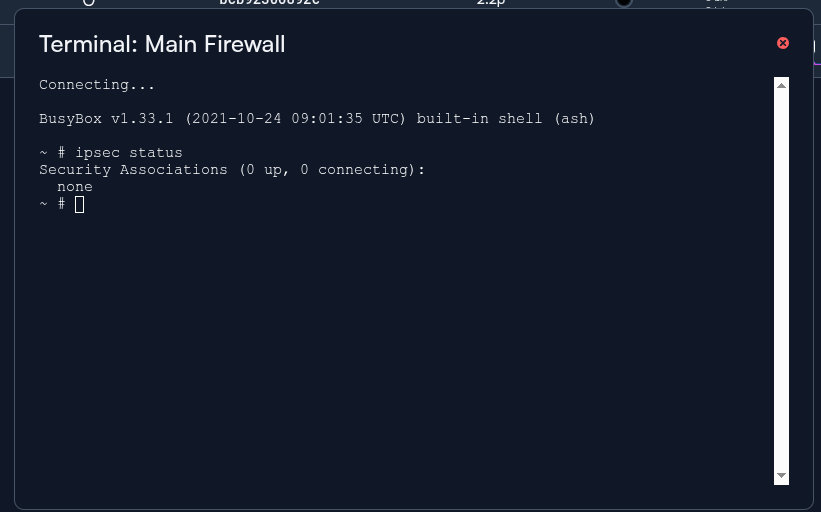
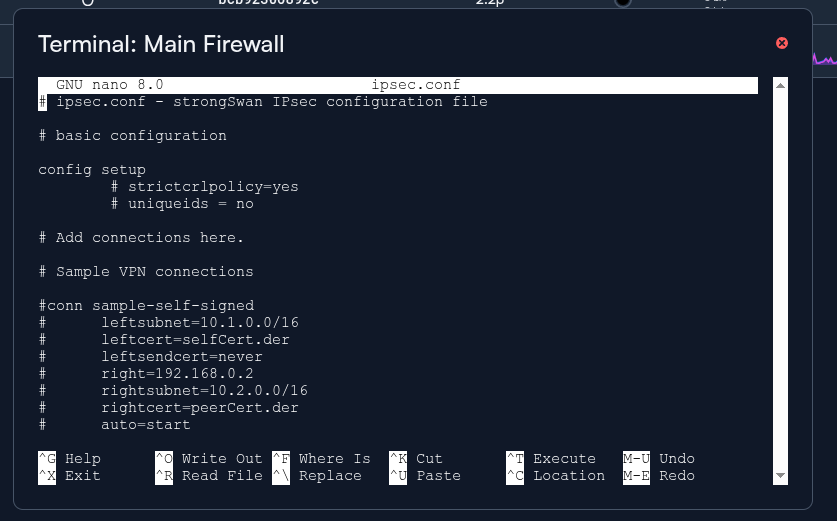
 I re-created the tunnels still no action, maybe its a weird bug or something. This is no rush, just wanted to make sure i wasn’t going insane setting up tunnels and them not working LOL.