Hello, me again.. So I started to notice certain sites and such do not seem to work correctly or at all after I started using the route 10. One I noticed recently was when I was researching the notepad++ debacle and one of the people who apparently was important in discovering it had posted on bluesky what they found and linked to their blog. I noticed I couldn’t load bluesky while connected to my local wifi but I could if I used my cell connection. I tracked this down to bsky-web.b-cdn.net (resolves to 169.150.236.100) is being blocked by one of the filter lists. I originally had them mostly enabled and started trying to figure out what was going on. Frustrated I dropped them all and it now can resolve a trace. My question is.. where does it show in the route10 that it dropped this traffic due to a filter list? Like is there something even just in ssh shell that can show real time blocks and what list was responsible for it? I’m honestly surprised that cdn is actually resolving to a blocked IP in general tbh. I had assumed I’d get a notification if the route 10 was blocking traffic but I only get medium and above because there is a ton of spam in low. Is it recording it there or somewhere so I can easily track this down? Is there a way to add an exception of sorts?
Guess I need to put a feature request in then…
I would start with setting the notification level to high then going into users and making sure the intrusion Detection notifications are set (shield icon) which should send email alerts for IDS/IPS. Im not sure if Alta will send notifications based on basic blocks, they may have it sent to things that are more dramatic like matching on known bad traffic.
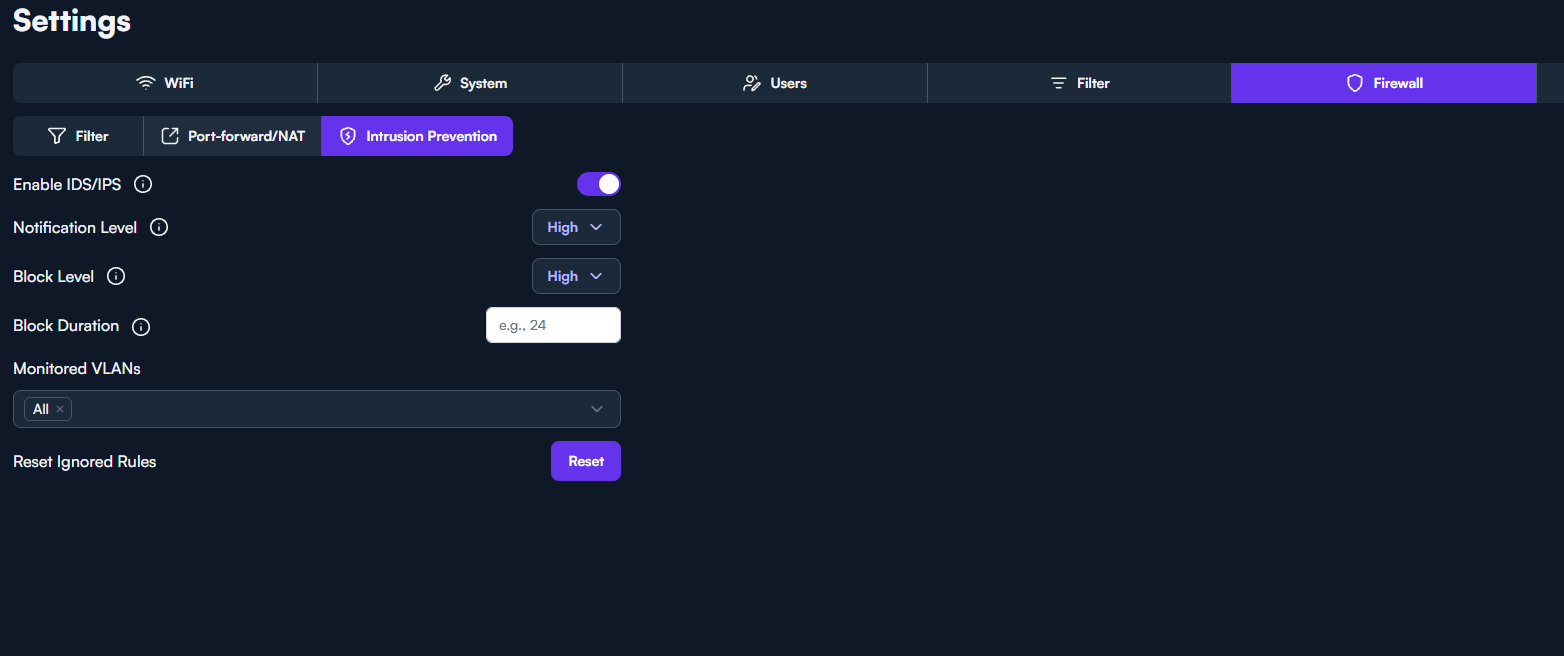
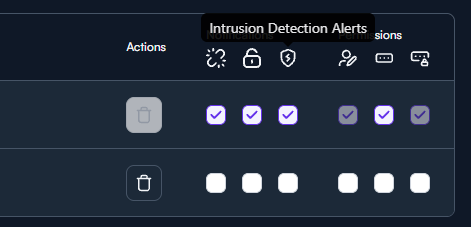
Sadly already had all that set but it doesn’t notify you when it is just doing filtering of the ips it would seem. Only if something hits the IPS system itself. Honestly it would get annoying getting notifications for all the filtered ip’s but it should be somewhere that you can visibly see what is being blocked.
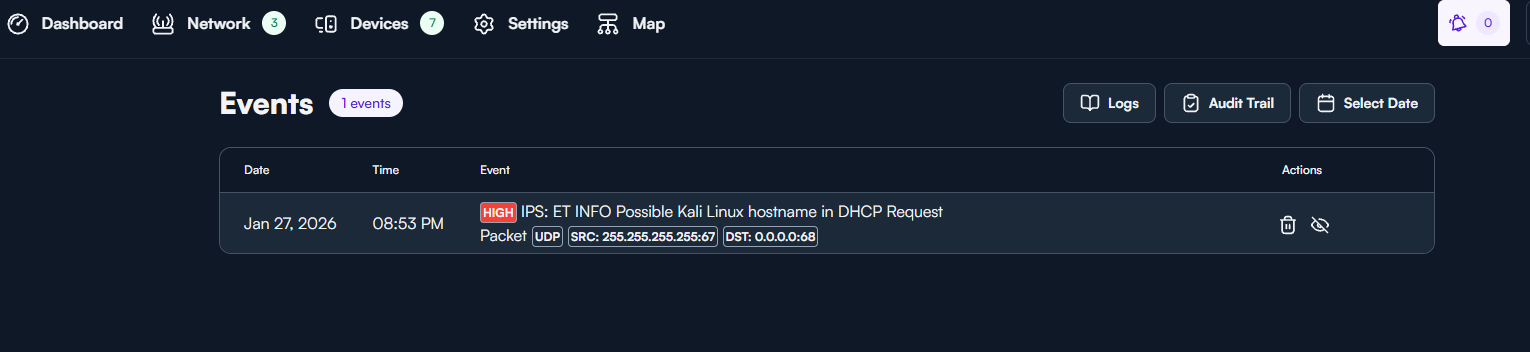
There are some surricata logs at /var/log/Surricata. Also if you click on the bell in the upper right you can see some of the alerts. There is also a log tab but i dont have anything listed there so im not sure what to expect to see in that tab but my network is just a lab with limited traffic. Only Event i have so far is the system finding out i’m playing with Kali. You may have more.

I will try to straighten things out a little bit, hopefully.
As far as I know, the Events section in the UI shows what the IDS has identified. The severity level you set results in events according to that level and above is shown in the Events log. Events/Alerts are passed from IDS (Suricata) through ips.sock to the IPS application, so it is not available in any of the logs. Also, it doesn’t imply that that traffic is actually blocked.
The actual blocks executed by the IPS function is not presented in the UI anywhere. The block level is set as another UI configurable level, and it would mean it would attempt to block traffic according to triggered events at the specified level and above. If you set the block time for IPS to some time > 0 you will also get temporary block rules in iptables, tagged ips which I guess you may be able to inspect/monitor via
iptables -S | grep ips
iptables -L | grep ips
iptables -L ips -v -n
The blocklist chain rules (or whatever the lingo is) are tagged as banIP, and activity could be inspected/monitored with
iptables -S | grep banIP
iptables -L | grep banIP
iptables -L banIP -v -n
Monitoring would be at dropped packets level. In order to see what IPs were actually dropped you would have to add log-prefix entries to iptables, and then monitor /var/log/messages via
tail -F /var/log/messages, or
tail -F /var/log/messages | grep <whatevertagyouchose>
Someone with more knowledge, feel free to chime in.
I think that’s generally about right  I’ll note that IPS blocks do seem to pop up when streaming the logs as well. For example:
ips: run "iptables -D ips -s 192.168.5.13 -d 184.25.113.187 -j DROP"
Otherwise I’ll say that I do think it would be handy to see what’s being filtered by the new Block Lists functionality, as I don’t think there’s a way to right now.
There is also a help document going into some detail about what block lists are being offered. I kinda gathered that the Bad Actors list would be a good option to choose unless someone has a specific reason to use one of the other lists.
https://help.alta.inc/hc/en-us/articles/26752633214235-Content-Filtering
@Alta-cmb goes into some detail on the lists here as well:
Ah, true. I might have seen that too, now that you mention it. Forgot about that. 