I have noted that Memory Used is increasing to, what I myself consider, alarming levels and have narrowed it down to the Suticata process/processes when IDS/IPS is enabled and been running for a while (hours or days, depending on usage).
The RAM is 1GB and the eMMC flash memory is 4GB and from my investigation the
Memory used = (RAM used + Swap used) / (RAM total + Swap total)
I have seen numbers up to 75 % and above, meaning so RAM is is at very high levels and swap is used extensively.
Disabling IDS/IPS realises the memory pressure down to Memory Used below 10 %, so all swap usage is released.
At those high levels I have seen fluctuating System Load through UI as well as I/O usage, while monitoring top. Likely from RAM ↔ eMMC data transfer?! I can couple that to rather hefty network performance dips, like stalled streaming from my NAS.
Network is:
Route10 (1.4k), 3 x Switch S8 (2.3g), 2 X AP6 Pro (2.2q)
15 VLANs
3 SSIDs
50 clients of whom at least 25 are usually connected
60-70 active firewall rules.
A few port forward rules.
IDS/IPS set to Block Level = Low and Alert Level = High, and working on 14 of those 15 VLANs, when enabled
I have few moving parts going on while experimenting but can’t seem to tie them to that alone. Speedtesting and CAKE tuning for my now 1G fibre line.
What are your experiences? Is something running away here or is it the inherent based on the network setup and Suticata default settings? Could the Suticata settings be tuned to loosen the memory pressure and high swap utilization and avoid this potential eMMC wear, while still retaining good IDS/IPS performance?
Are those numbers from running top or something like it from the terminal? I’ll take a look at any of the routers I have with IDS/IPS on and see if I can seem similar behavior.
Those sites are all a bit smaller than yours though. I have a couple of bigger sites I don’t have IDS/IPS turned on for, but I might click it on just to see how things look.
My memory is high too. Mid 60s without significant activity. Cake and IPS is actually too much for the router to handle, which I always thought is odd. CPU and mem too (if I remember right) just max out.
I dont think the high memory usage is the issue, unused ram is wasted ram imo. It’s the aggressiveness of the swap usage that concerns me. High ram usage with low swap should be just fine, but they need to configure it to behave as such. Lots of IDS/IPS concerns seem to be falling on deaf ears.
Agreed! The swap would be the more concerning part in my mind. I do see there’s a bunch of tuning options that look to be available in the suricata.yaml file located in /etc/suricata/ although I haven’t really gone through it in depth. I will say that I haven’t personally had a problem as of yet with the Route10 and IDS/IPS, but of course I think the hope here is to be a little proactive
Somewhat related, it would appear that the version of Suricata used by the Route10 (7.0.7) is a few versions behind the most recent stable release. Assuming no changes have been made to Suricata that haven’t been documented in a firmware update. And I can spot some fixes related to memory floating around in some of the Suricata changelogs
My biggest concern is I see no indication of IPS actually working; every alert I get from a route10 notification has a corresponding block in the logs of Bitdefender on the targeted machine.
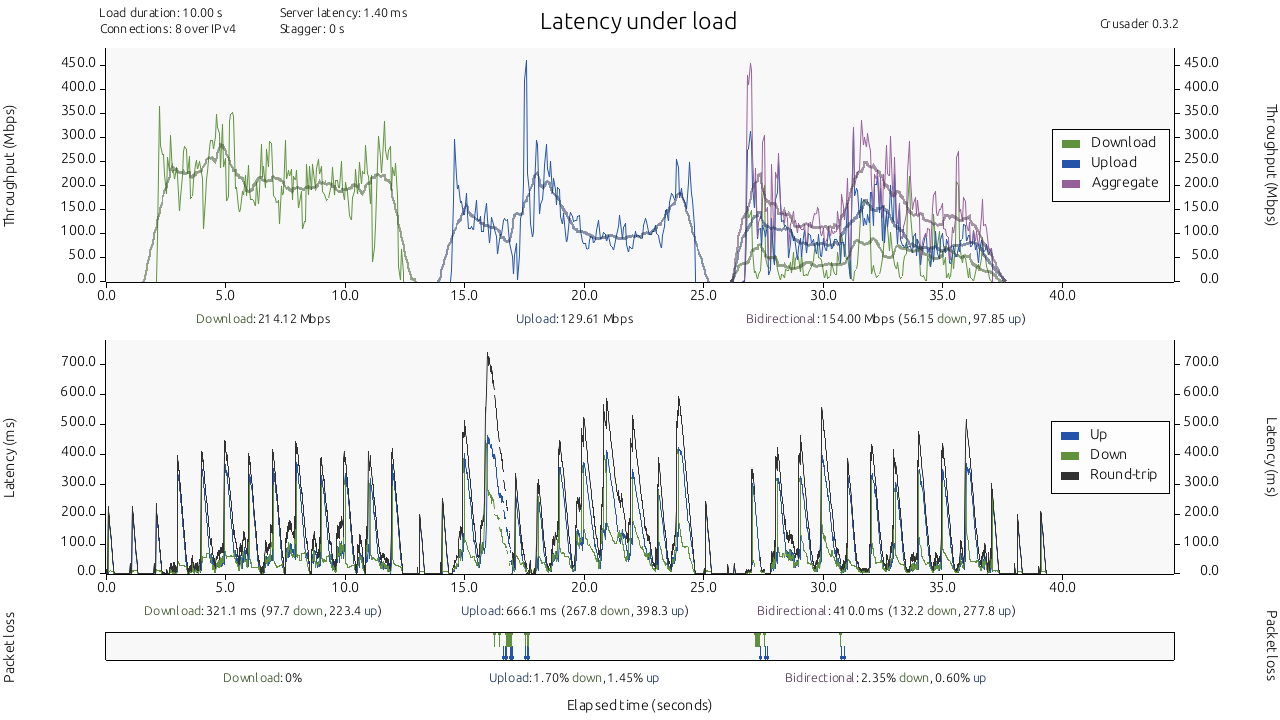
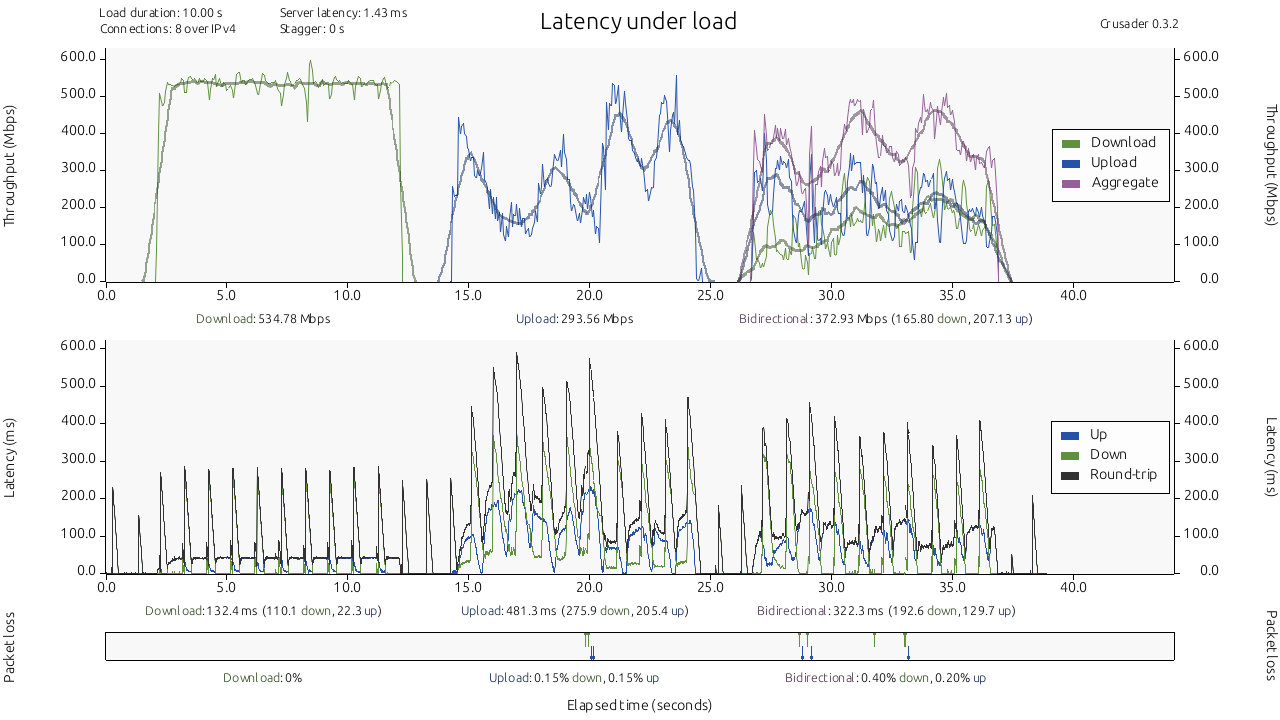
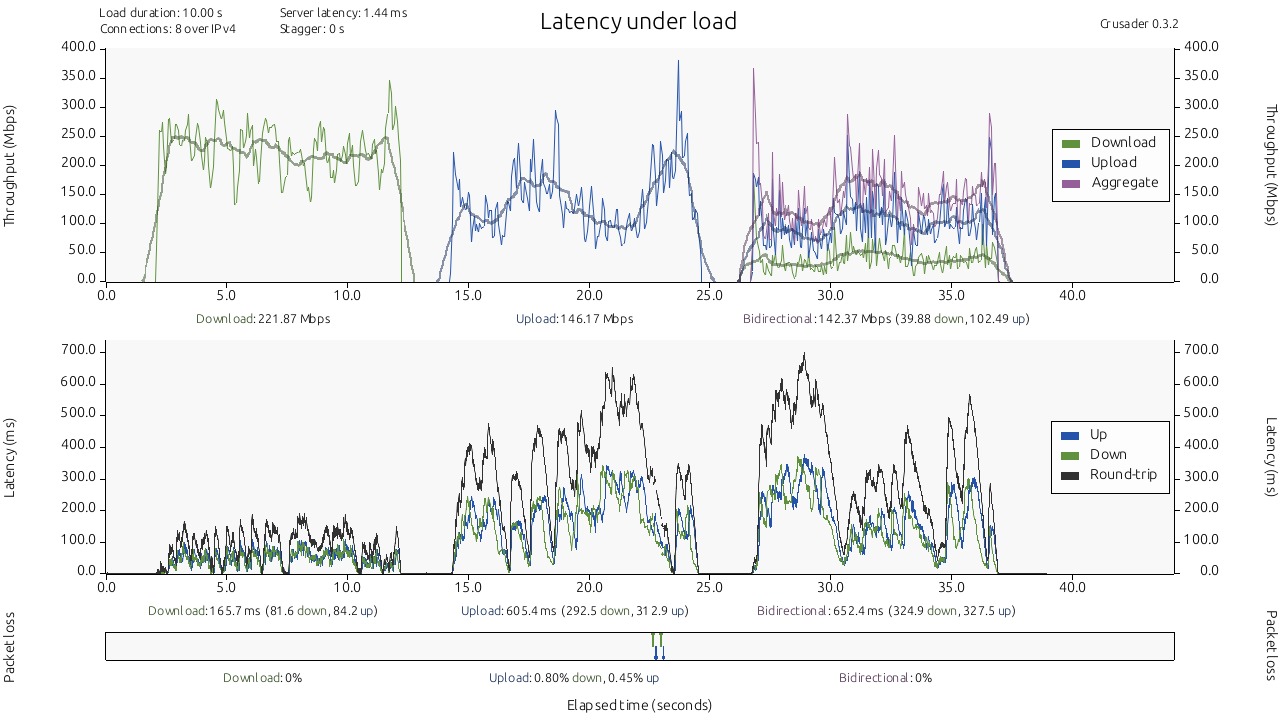
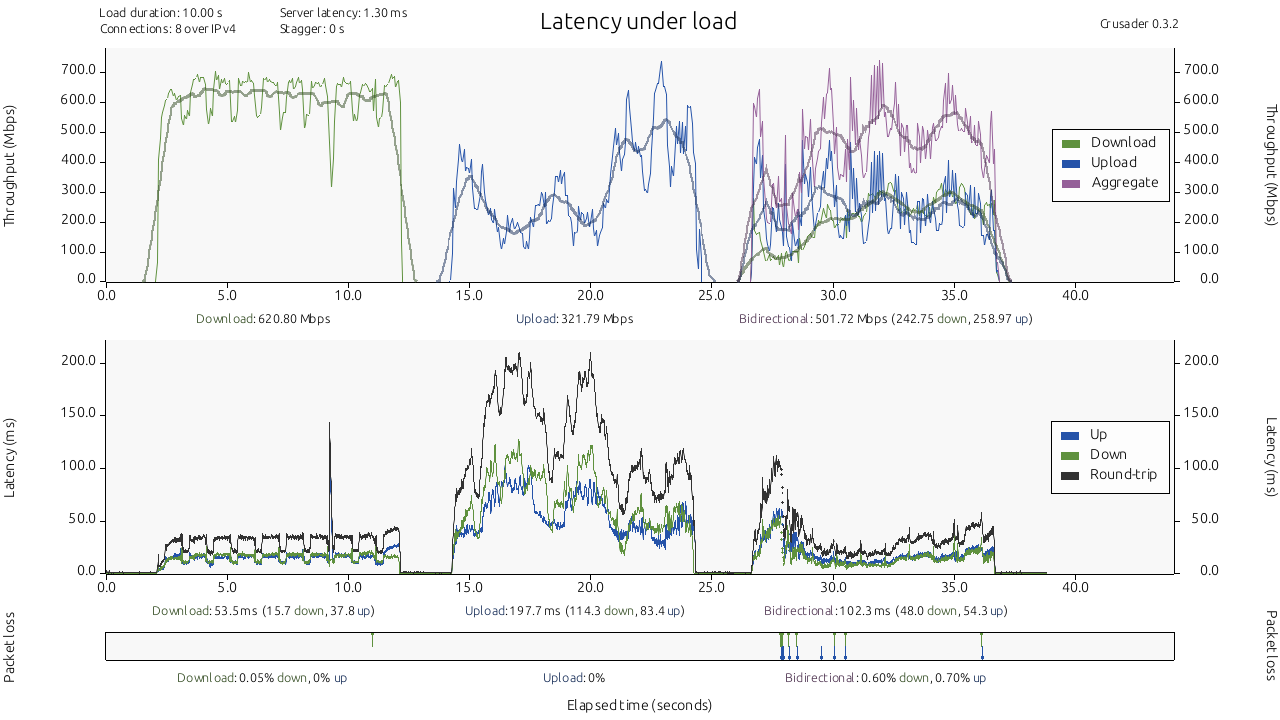
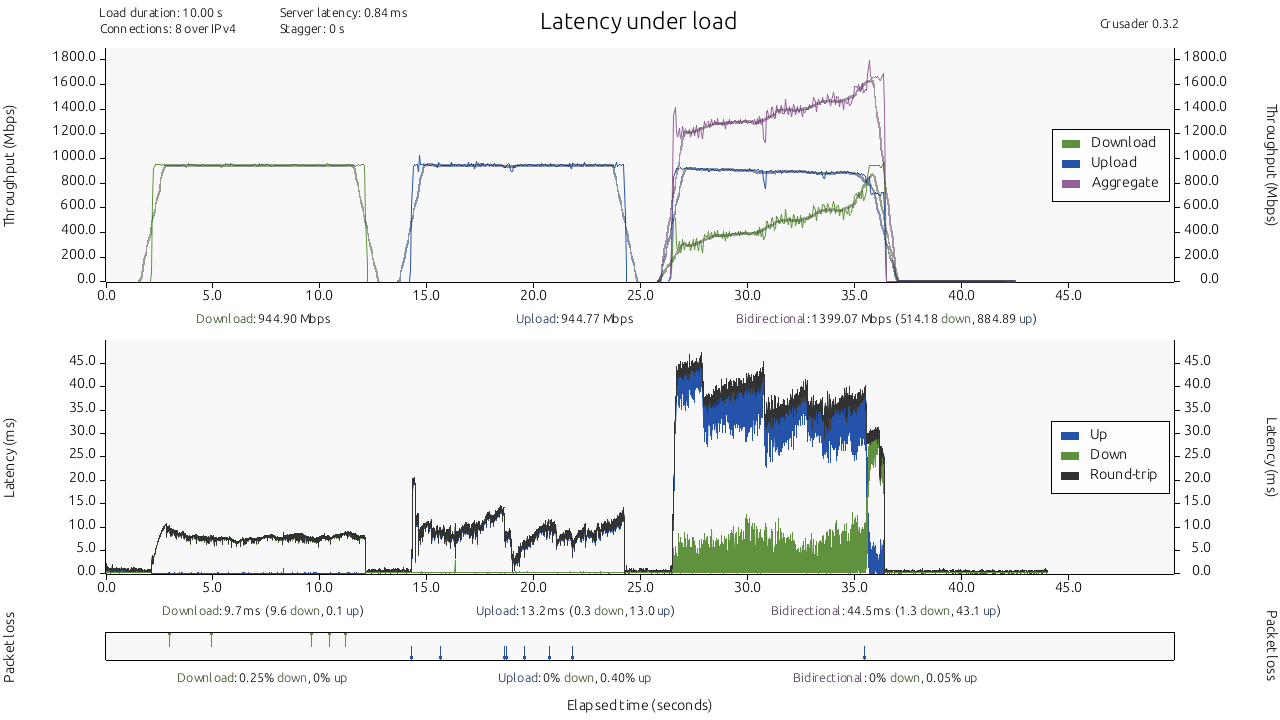
So I’ve been meaning to come back to this after letting IDS run for a while at another couple of sites. Memory usage seems about the same on those sites, but I decided to run some tests just to see how having IDS on affected performance to a VM on another VLAN. Just a warning, this post might be a bit long!
The path to the VM is a little convoluted, but typically 1Gbps is achievable when transferring a file over the network. Looks roughly likes this:
Windows PC 2.5Gb -->Mikrotik RB5009 10Gb → Switch 10Gb → S12 10Gb → Route10
This is just behavior at one particular site where I can run some tests like this so I can’t comment if I see similar behavior elsewhere. Also since I just gathered this data up I haven’t tried filing a support ticket or anything like that to really drill down into it. Just wanted to share what I thought were some interesting results with the rest of the class
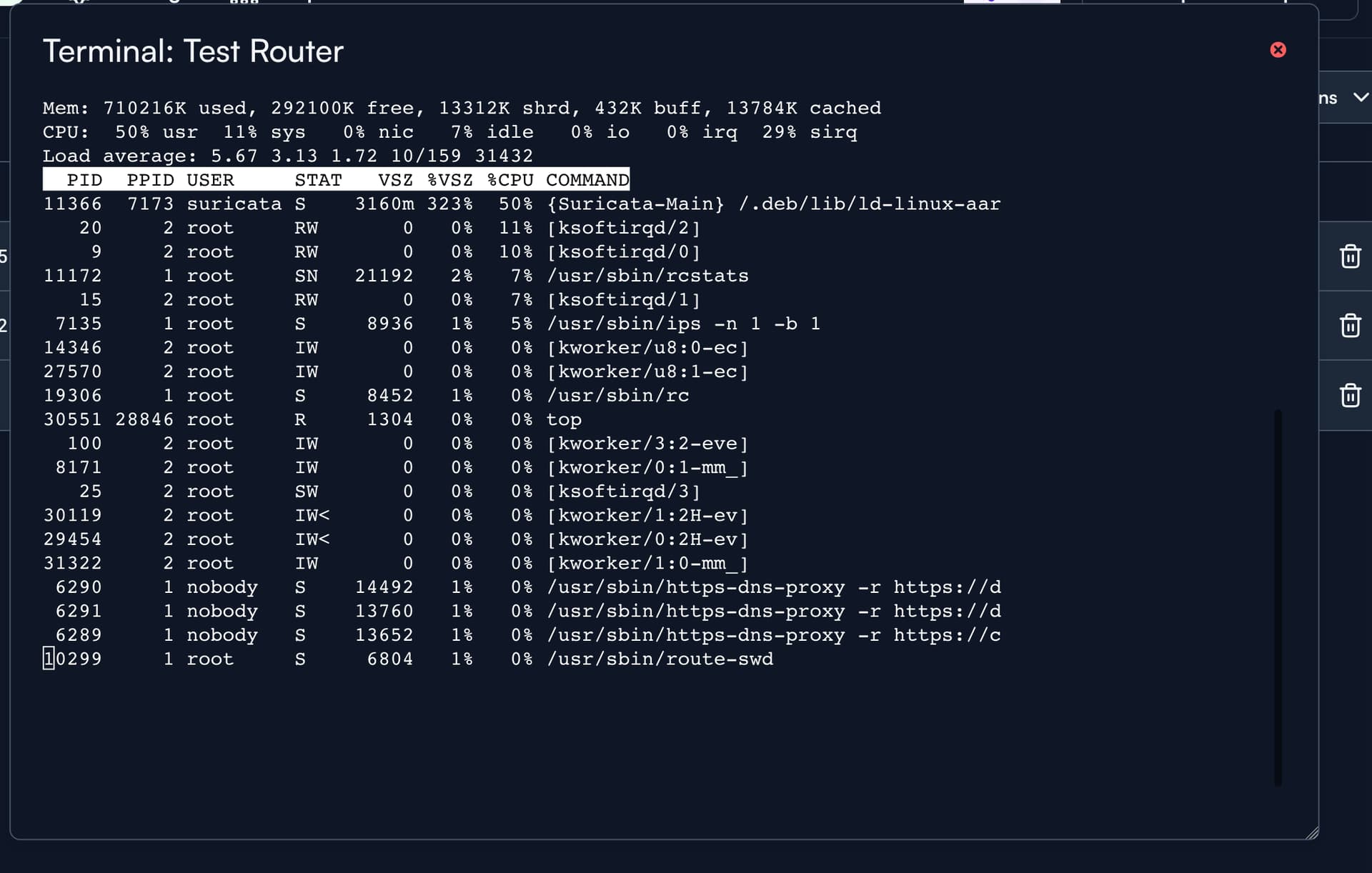
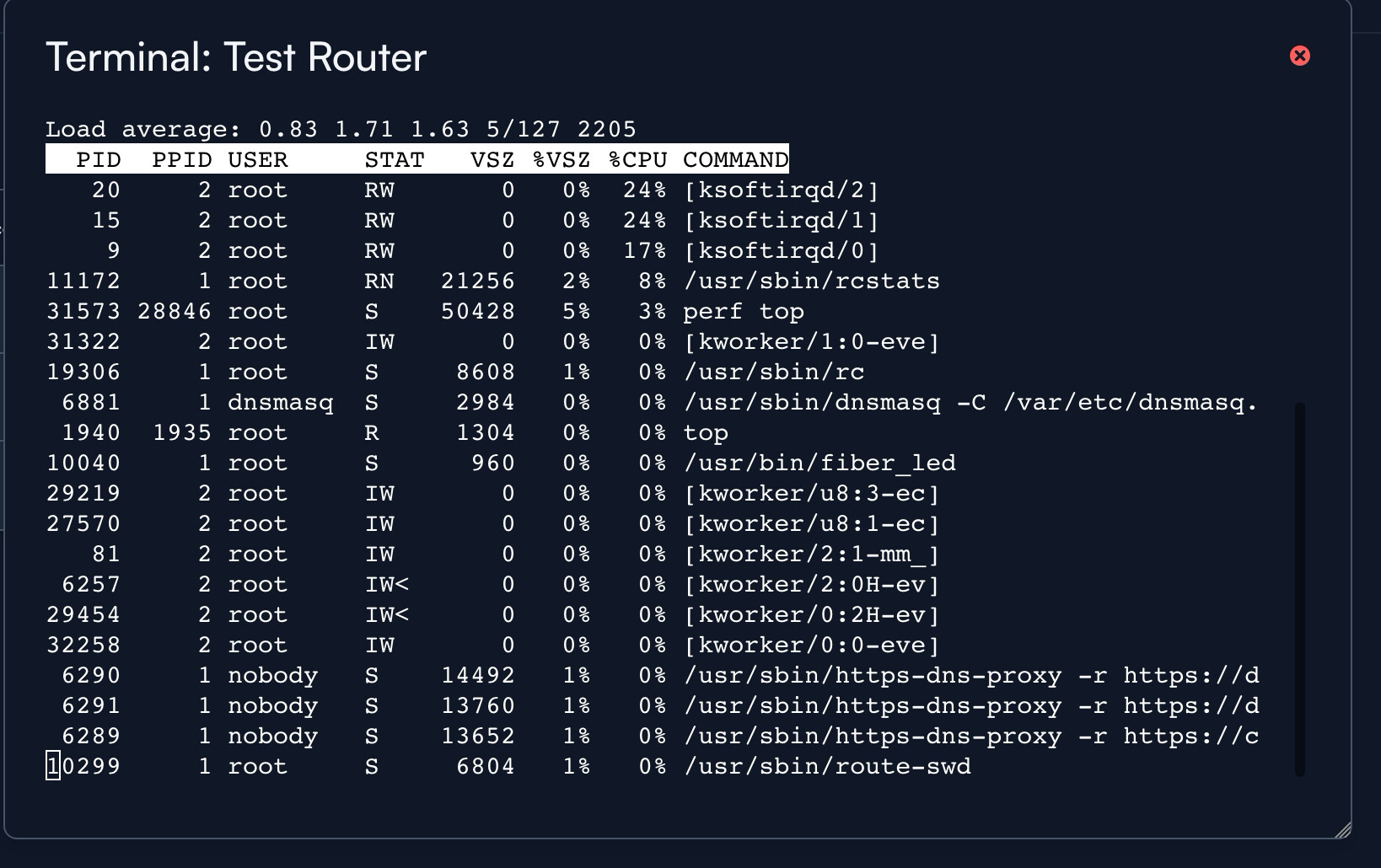
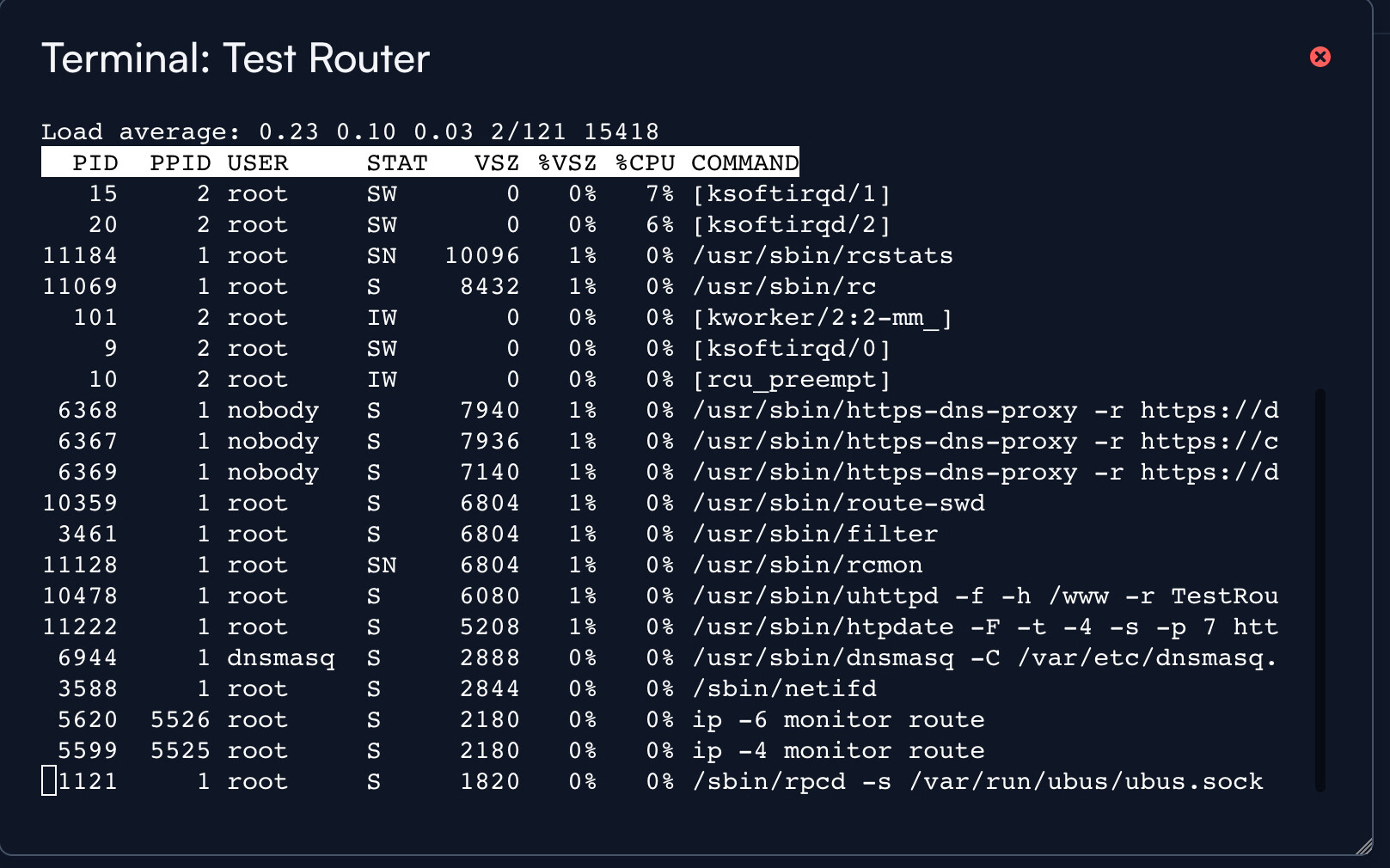
I did actually take some screenshots of how top was looking during those tests, although I didn’t take the time to really grab as much information as I could. I also didn’t want to make my post any longer than it already was! These would be during the second round of tests at this site:
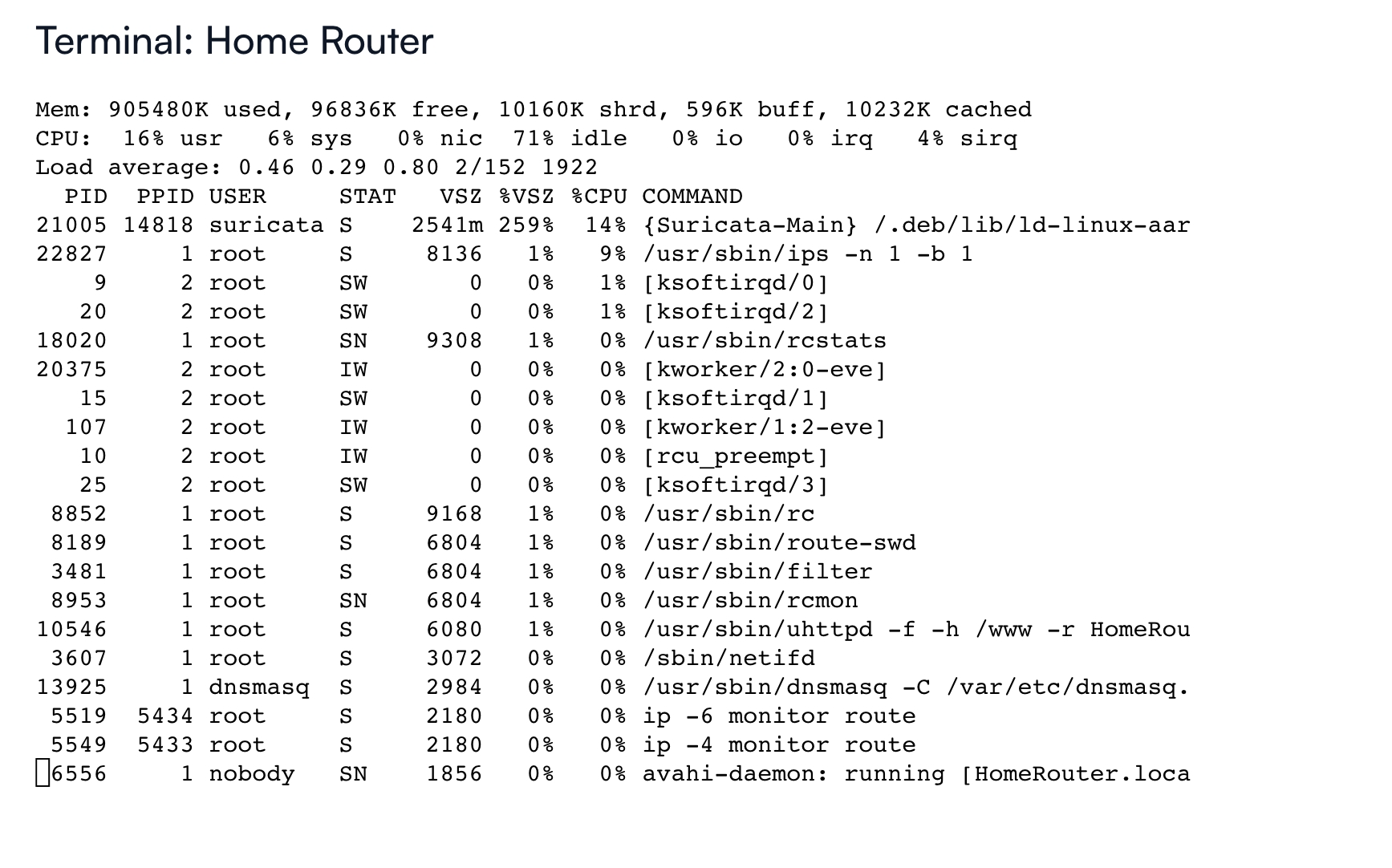
Top after Suricata had been running for ~24 hours or so
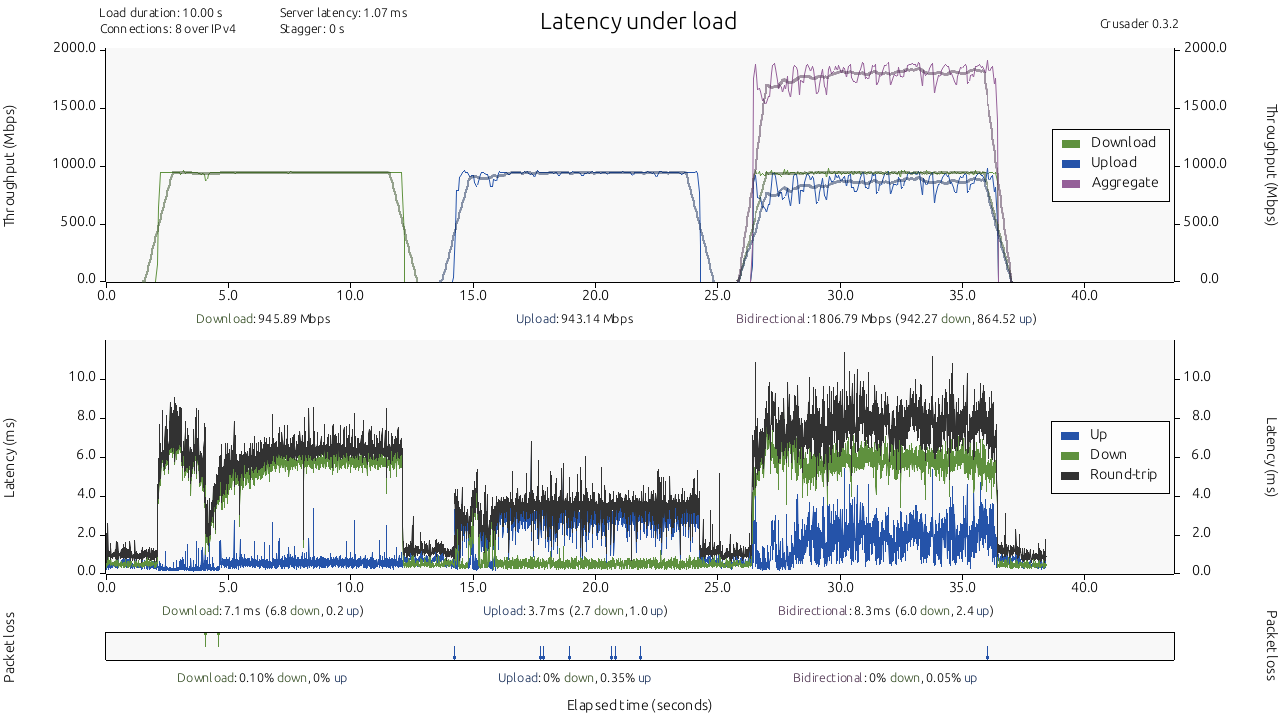
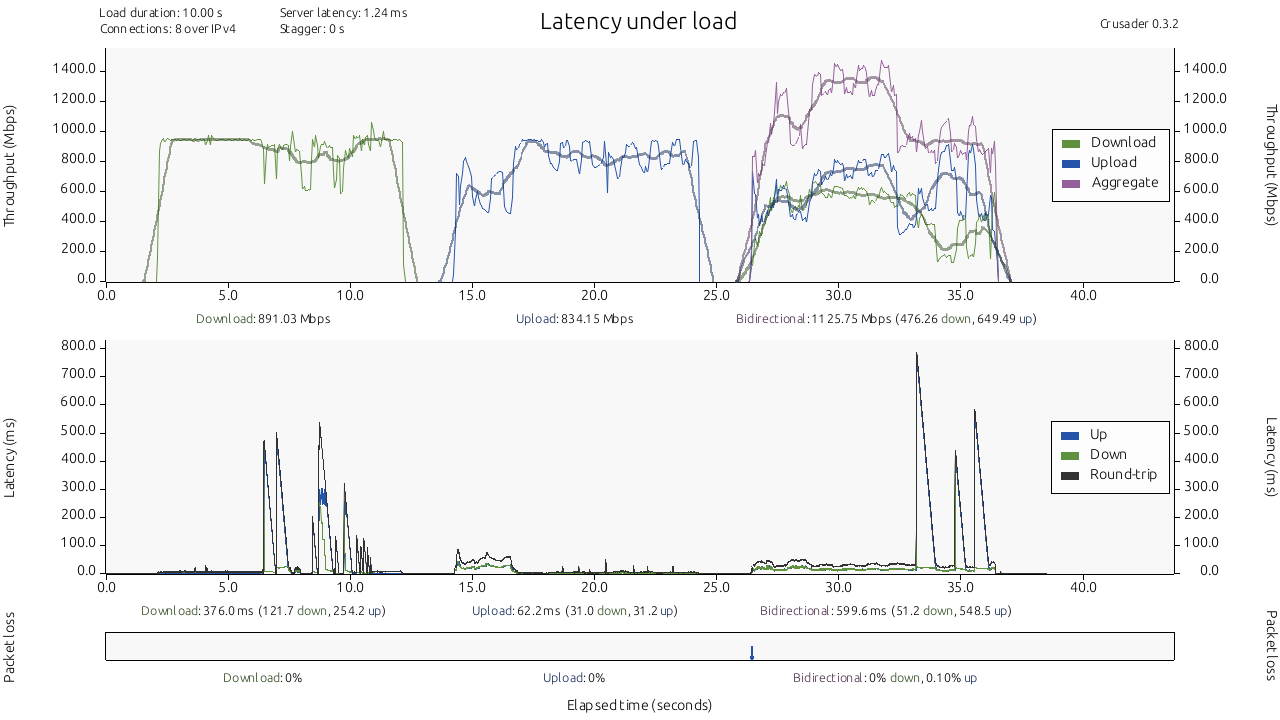
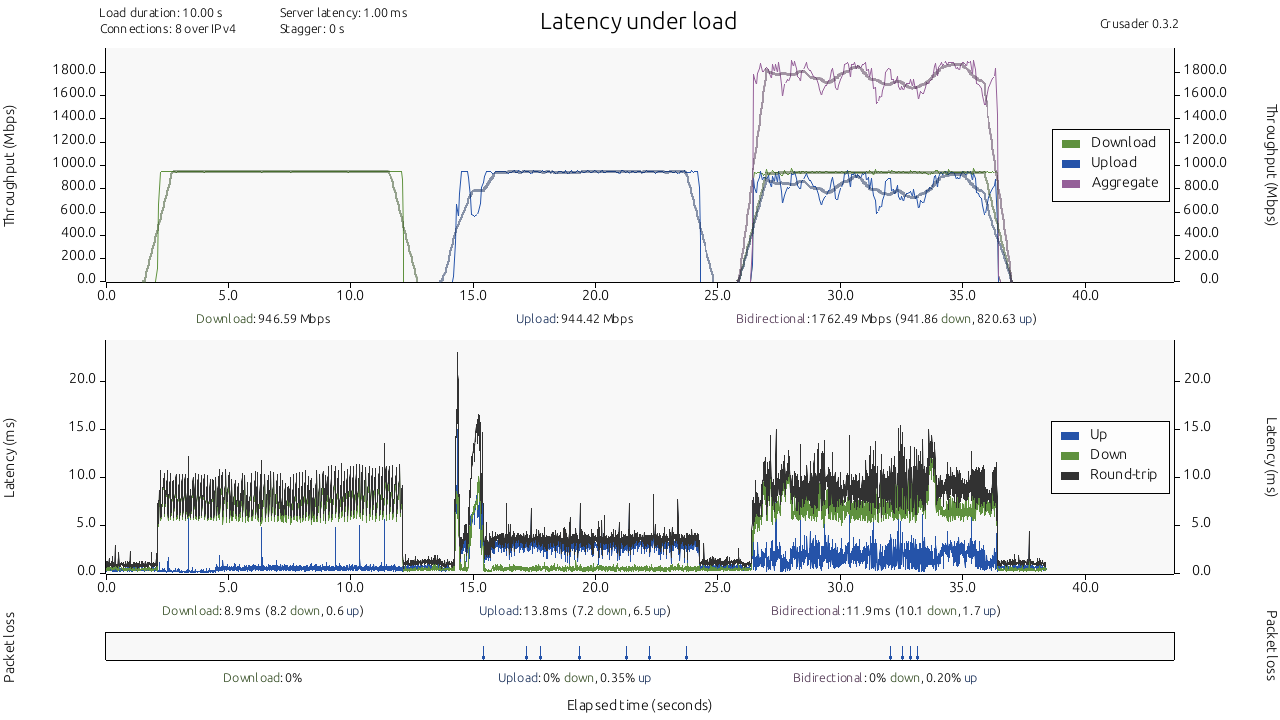
I was able to make a basic test environmet at another site that’s had IDS running for a bit and the performance definitely seems more in line with what I would hope for with Suricata turned on. Setup is basically like this:
Windows Client (VLAN1) 1Gb → Mikrotik RB5009 10Gb → Route10
Windows Server (VLAN 12) 1Gb → S8-POE 1Gb → Route10