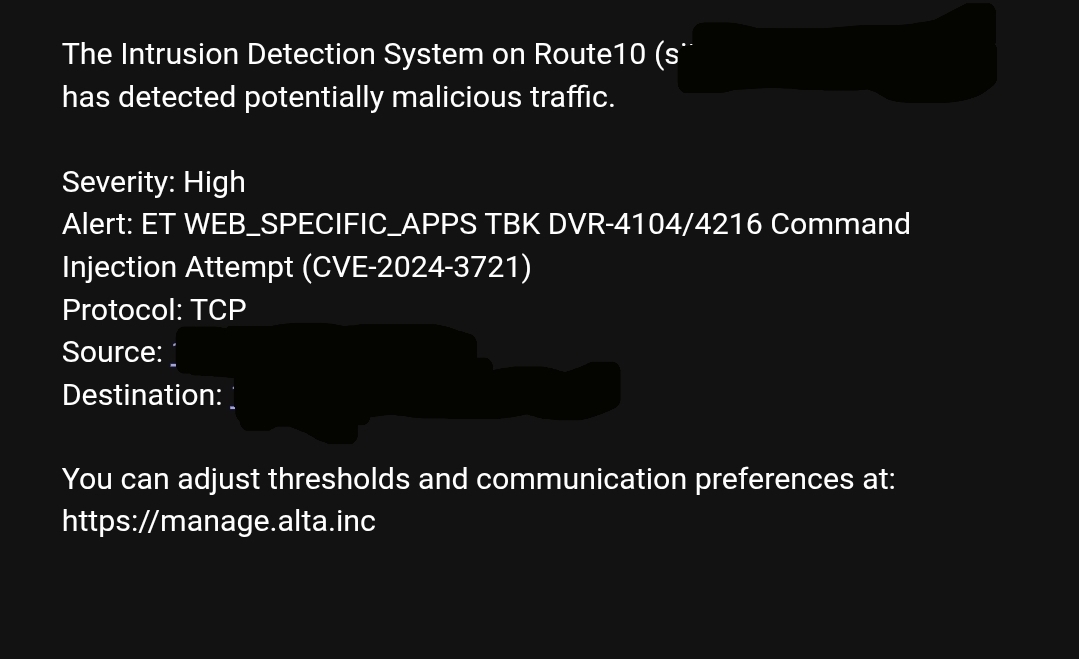
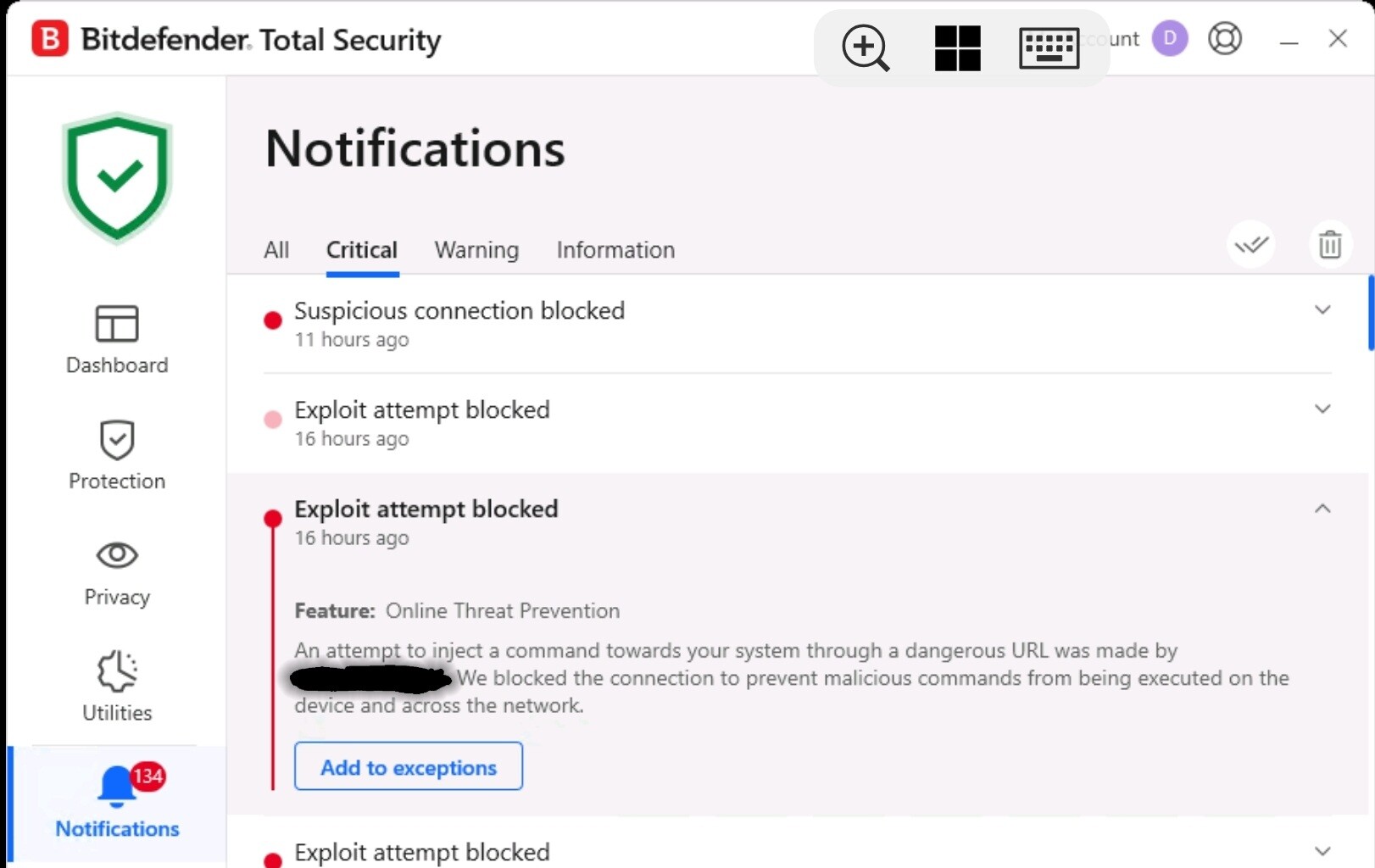
Aha, so Suricata is actually capable of dropping through the AF_PACKET capture mode.
Still, evidence that I have seen points towards IPS actually not being active, as none of the IPS specific configurations seems to be enabled, at least not on suricata.yaml level.
Has it been verified by anyone with Alta Labs that the Route 10 does not have any IPS capabilities, just IDS based alerting? The router is marketed as having both, although the analysis presented here seems to confirm that there is no IPS functionality. I would like to get a clear answer on this as this would be a huge oversight if the router does not actually do any preventative blocking.
The IPS functionality is handled by the deletion of the malicious TCP/UDP stream at the time of detection. You can see this happening by monitoring for a “conntrack -D …” system call right after a detection has occurred. Unfortunately, Suricata often detects malicious activity fairly late, so we are investigating ways to improve this so that future malicious activity (based on previously detected activity) is blocked as part of the IPS function.
Thank you Jeff for the response. A follow-up question to ensure I understand how this works on the Route 10. Suricata is not performing the IPS function, is this correct? Instead if a detection occurs, the Route 10 is calling conntract -D to remove the IP from the connection table, which would prevent additional traffic with the firewall dropping INVALID traffic. Am I understanding this correctly? If this is the case, is there a reason why this approach was chosen over using Suricata to perform the IPS function by dropping the traffic?
Is there supposed to be an alert associated with this activity? I’ve never seen anything other than IDS alerts, which dont mention anything about any action taken by the device regarding malicious traffic.
Suricata’s “inline” mode is far too resource intensive to do more than a few Gbps of throughput. We do employ conntrack -D for blocking as a direct call from Suricata, when Suricata detects a threat.
If you have blocking enabled, and the blocking level is the same or higher than than the notification level, then currently the alert serves as the notification that the specific TCP/UDP connection was blocked. As we are planning to implement improved blocking/IPS, there will likely be an icon next to IP<>IP connections that are currently blocked, which can be easily ignored/deleted if desired.
Im asking if there is an alert notifying of the block action being taken. This is the only type of alert Ive ever received from the device and it doesnt indicate anything other than there is an attack happening.
I suspect with the approach of calling ‘conntract -D’ the initial attack packet and possibly more would get through before conntract -D updates the connection table to allow the firewall to drop subsequent packets as INVALID.
Though, my conclusion is, like @DN3092 and @ecs-solutions, that it is or may be still slipping through and is not working as intended. Perhaps more guidance in how to prove that it actually works as intended is needed.
I did some further testing running curl http://testmyids.com/
from a downstream S8 Switch. If it would be working as intended, I assume the response would be blocked but it came out as OK/200.
I also modified the suricata.yaml to output the alerts to log file to get better insight into timing. The alert is timely issued. But, the connections doesn’t seem to be deleted in time. Or, at least that is my interpretation.
grep conntrack /var/log/messages and grep ips /var/log/messages
typically says
1_Route10 daemon.alert ips: too many events (2) when i force multiple and frequent calls to testmyids.com, like if some que is saturated and it can’t handle it anymore?!
I have also seen
ips: ctfail: conntrack v1.4.6 (conntrack-tools): 0 flow entries have been deleted.
in the very near vicinity of these repeated IDS triggers. Either the reactive deletion attempt is too slow or is misdirected?!
@ebuckland81 you do some impressive testing! It appears that the current IPS implementation lacks reliability and will require significant improvement. I had assumed the Route 10 hardware was quite robust, so I’m surprised it’s unable to handle inline Suricata filtering effectively. It would be useful to determine whether this limitation is due to CPU, memory, or a combination of both constraints.
It’s not a shortcoming of the Route10 itself, but rather because of the non-inline way we are required to use the open-source Suricata tool, which causes a delay in the detection. However, we are working to improve this to be more a meaningful blocking action. We appreciate your patience.
Maybe its worthwhile to have a dual approach. Give people the option for inline and noting that they will sacrifice bandwidth, while you guys come up with another option.
I’d like to get a clear answer to the following question: Does the Route 10 include an IPS system capable of fully preventing or blocking all threats identified by the Suricata IDS?
This should be a simple yes or no answer.
I want to emphasize that I’m not being argumentative — my goal is simply to understand the current capabilities of the Route 10. This clarification is especially important for environments with exposed services, such as Plex servers, Minecraft servers, or peer-to-peer gaming setups that require open ports.
To restate: Yes or no — does the Route 10 have an IPS system that can fully prevent or block all threats identified by the Suricata IDS?
Sorry to respond like a politician, but it’s really not 100% straightforward.
It depends. As I’ve already explained, IPS is definitely implemented in that the detected socket will get deleted from the router’s state machine once the threat is detected. In the case of many threats like testmyids.com, however, where Suricata detects it fairly late in the game, we’ve already admitted that this functionality is not ideal, and that we are actively working on improving it, so I once again ask for your patience. In a future release, it will block all communication between the source and destination IP once a threat is detected, for a configurable period of time.
Any possibility of enabling inline? I have bandwidth I can sacrifice as my connection doesn’t even hit a Gbps. I’m sure there are plenty of people in the same situation. Personally, I’d rather have more reactive threat prevention than extra bandwidth I’ll never be able to utilize.
One would of course have to choose between the high performance, but with the slight slack in the reactive deletion, or the lower performance, but possibly enough for many users, while improving the security a substantial notch.
Now, that I know more about the circumstances and understand better how it is implemented, I’m looking forward to future upgrades
I do appreciate the response, although it is not ideal to get a political answer to a technical question. How much more patience are you asking for this time? Is there an expectation on when a working IPS will be released?
As I’ve explained in detail before, we do have a working IPS, so I would ask that you please keep to the facts. It’s just not as effective as we would like it to be, and I’ve already explained exactly what we plan to do. Technical problems take time to solve, and if you’ve ever worked in a software engineering capacity, you know that it always takes longer than expected to come to a final solution that everyone is happy with. All I can say is any day now, but I have to continue to ask you to be patient.