Please tell me there is an option that I am just missing in the menu somewhere?
It woks the same as the APs. Go to the “Settings” tab for the switch, hold down shift. the “Restart” button will appear.
Legit didn’t know that was a thing thanks!
And now it is there as a proper Reboot-button in the Web UI under Network device settings for APs (at least my AP6 Pro), switches (at least my S8) and Route10.  The Android app is not yet there though.
For some reason I am not seeing this new Reboot button. I’ve looked under each device and under System as well and I don’t see it. The shift button is a nice tip. Thanks @anon77415413
It should be there for the Web UI at manage.alta.inc at least. See if you can find it as per below.
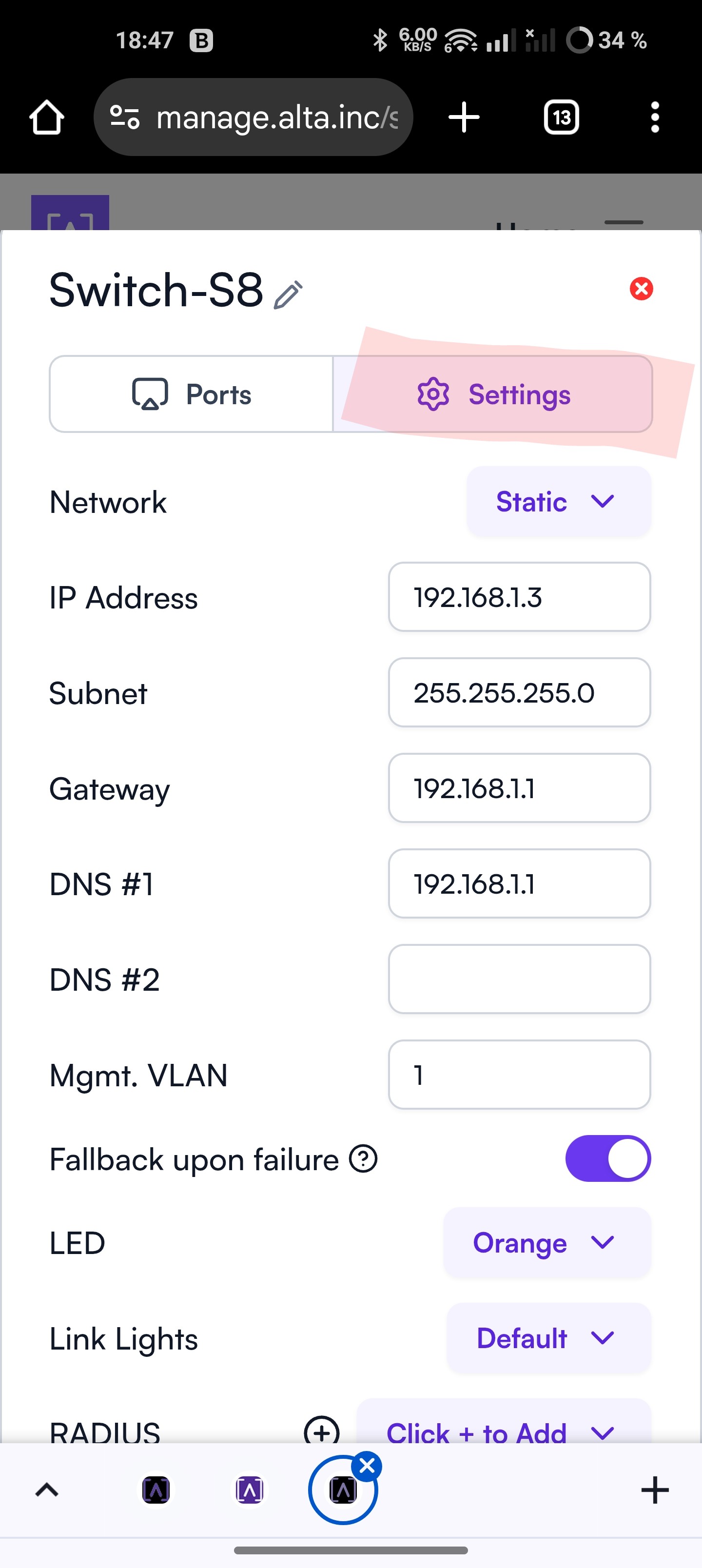
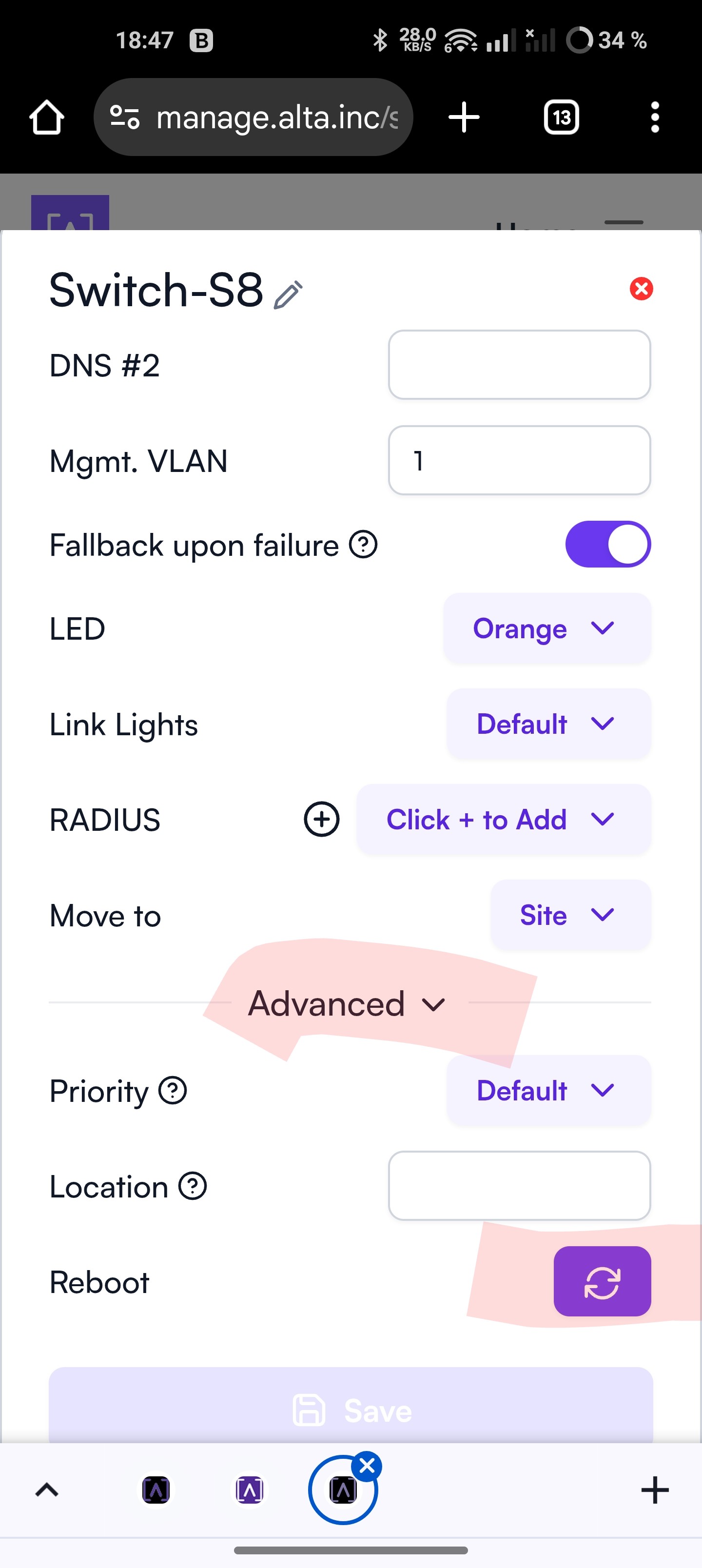
S8 Switch (and perhaps S16/S24 as well?!):
Network → S8 Switch device → Settings → Advanced (at the bottom) → Reboot (at the very bottom)
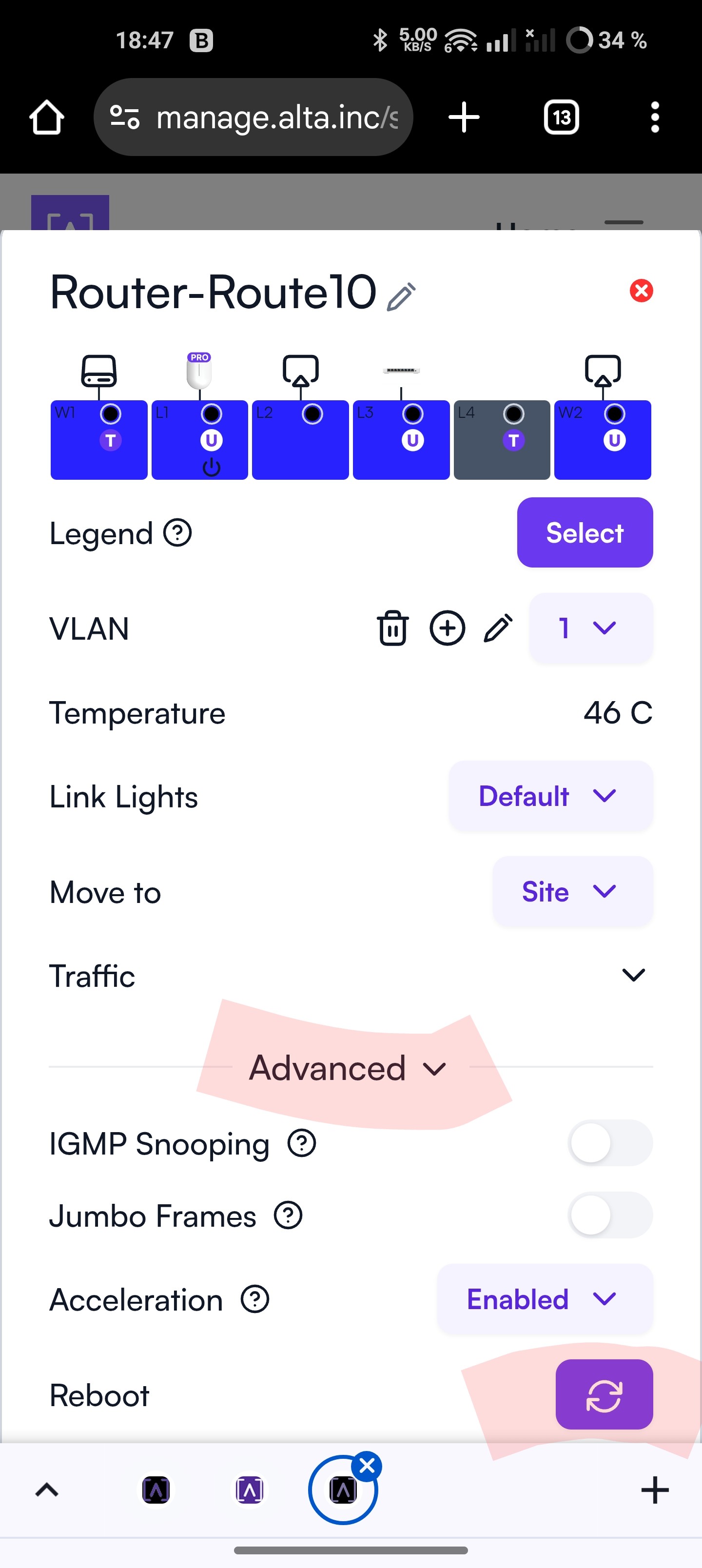
Route10:
Network → Route10 device → Advanced (at the bottom) → Reboot (at the very bottom)
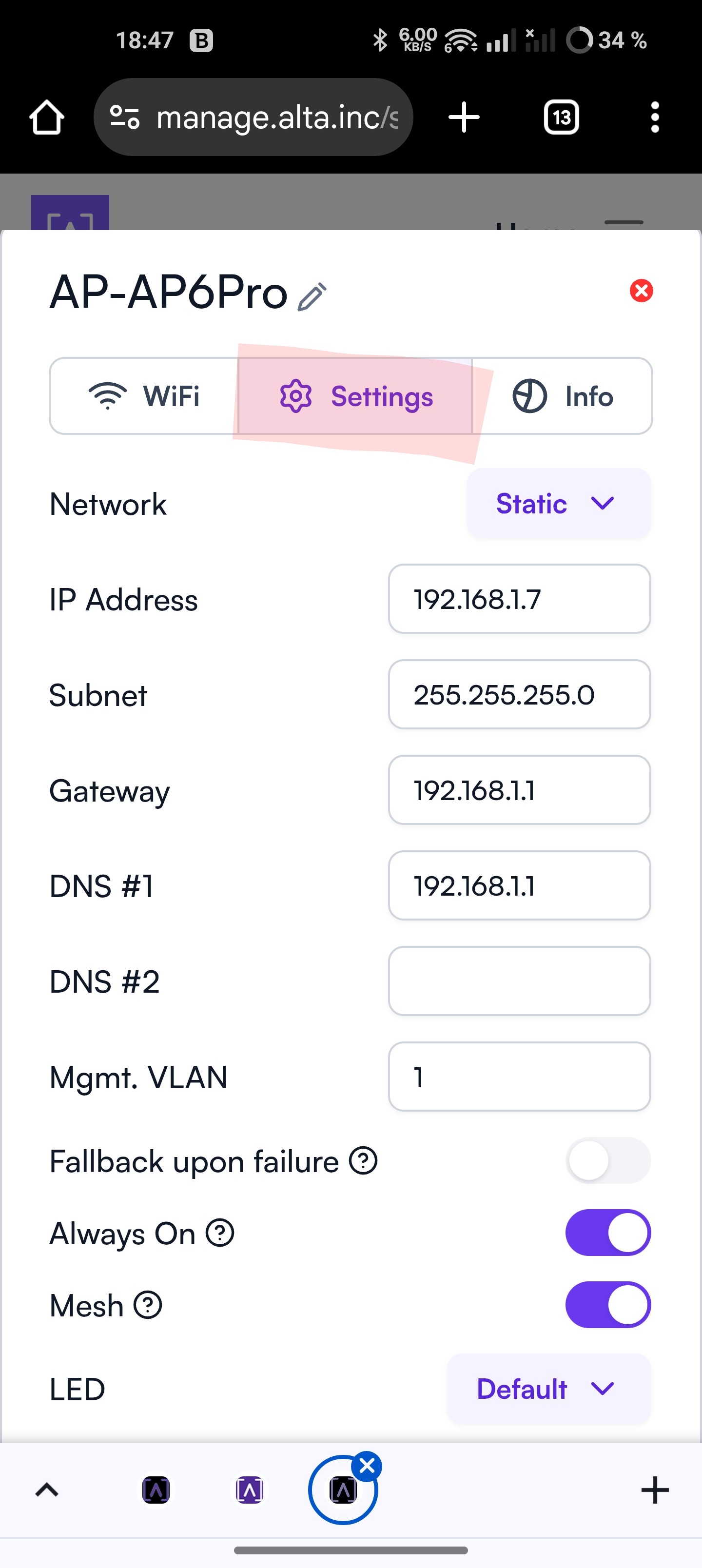
AP6 Pro:
Network → AP6 Pro device → Settings → Advanced (at the bottom) → Reboot (at the very bottom)
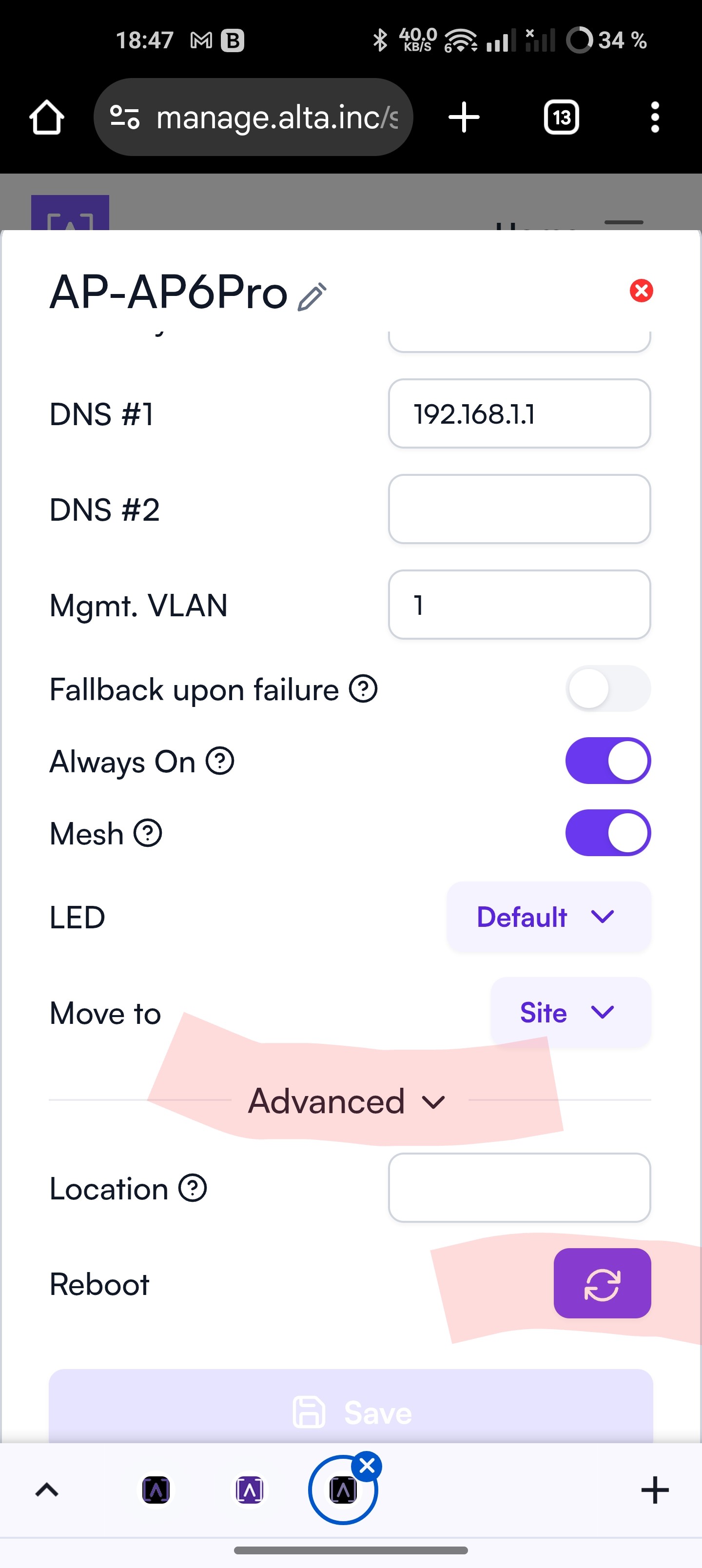
At least it’s not hidden anymore…!
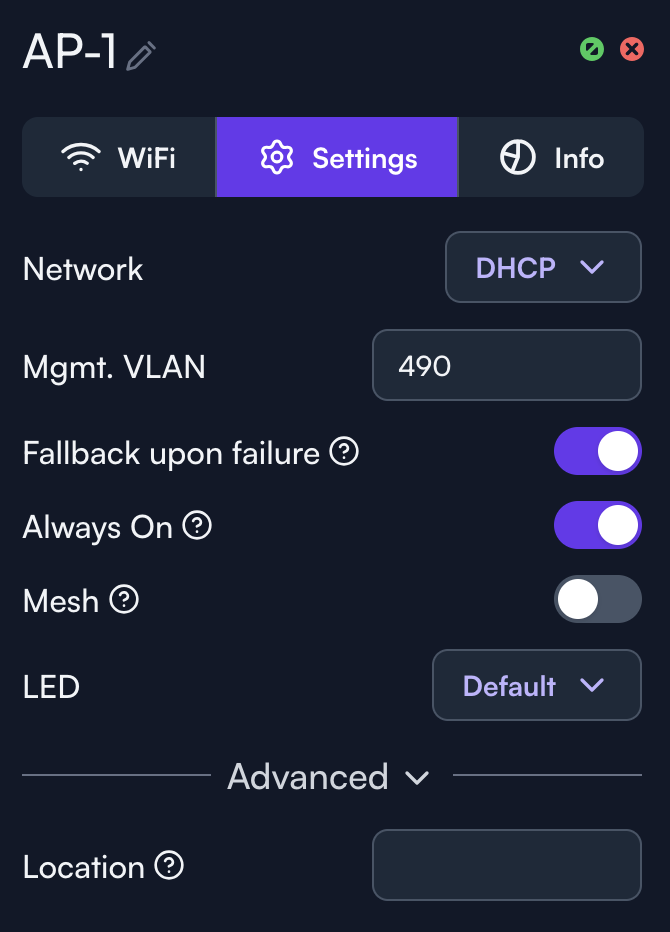
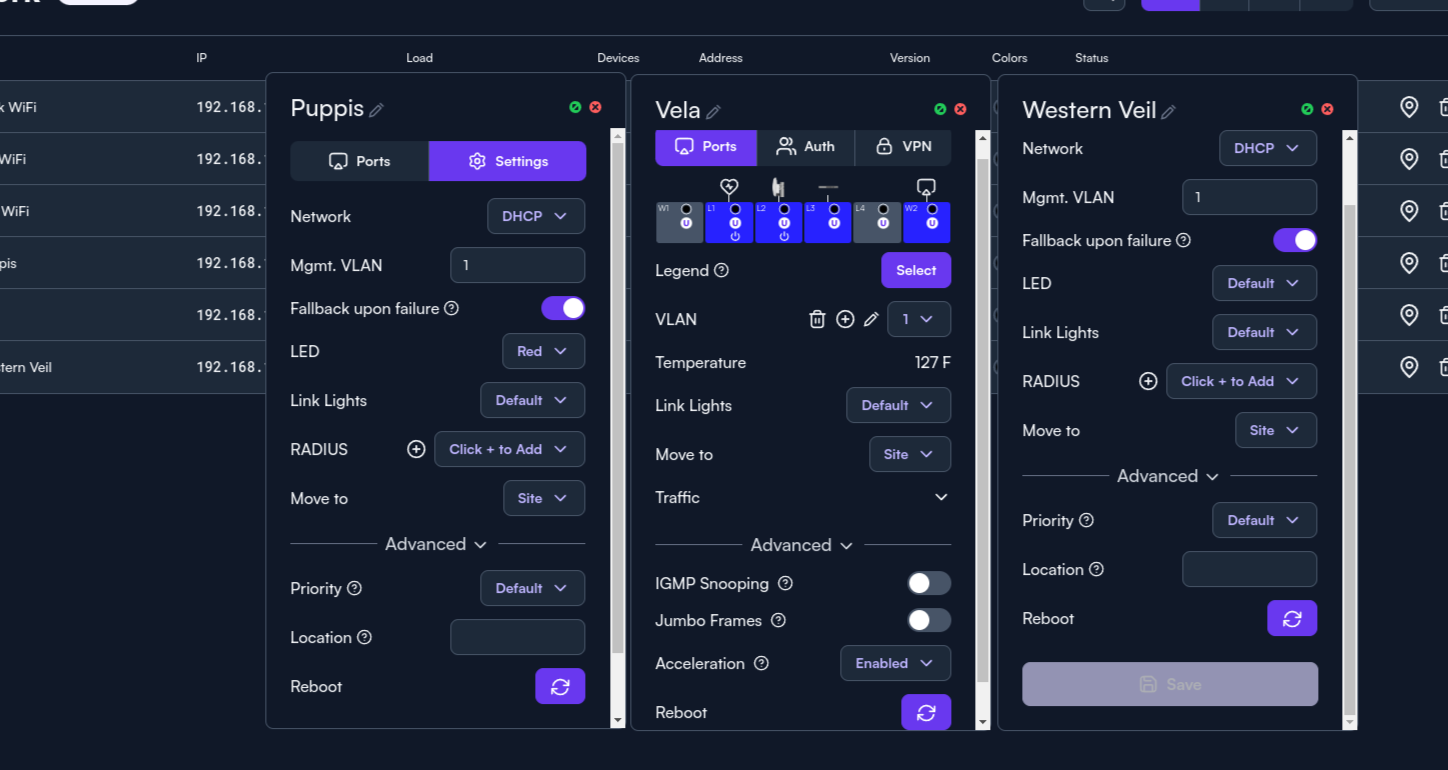
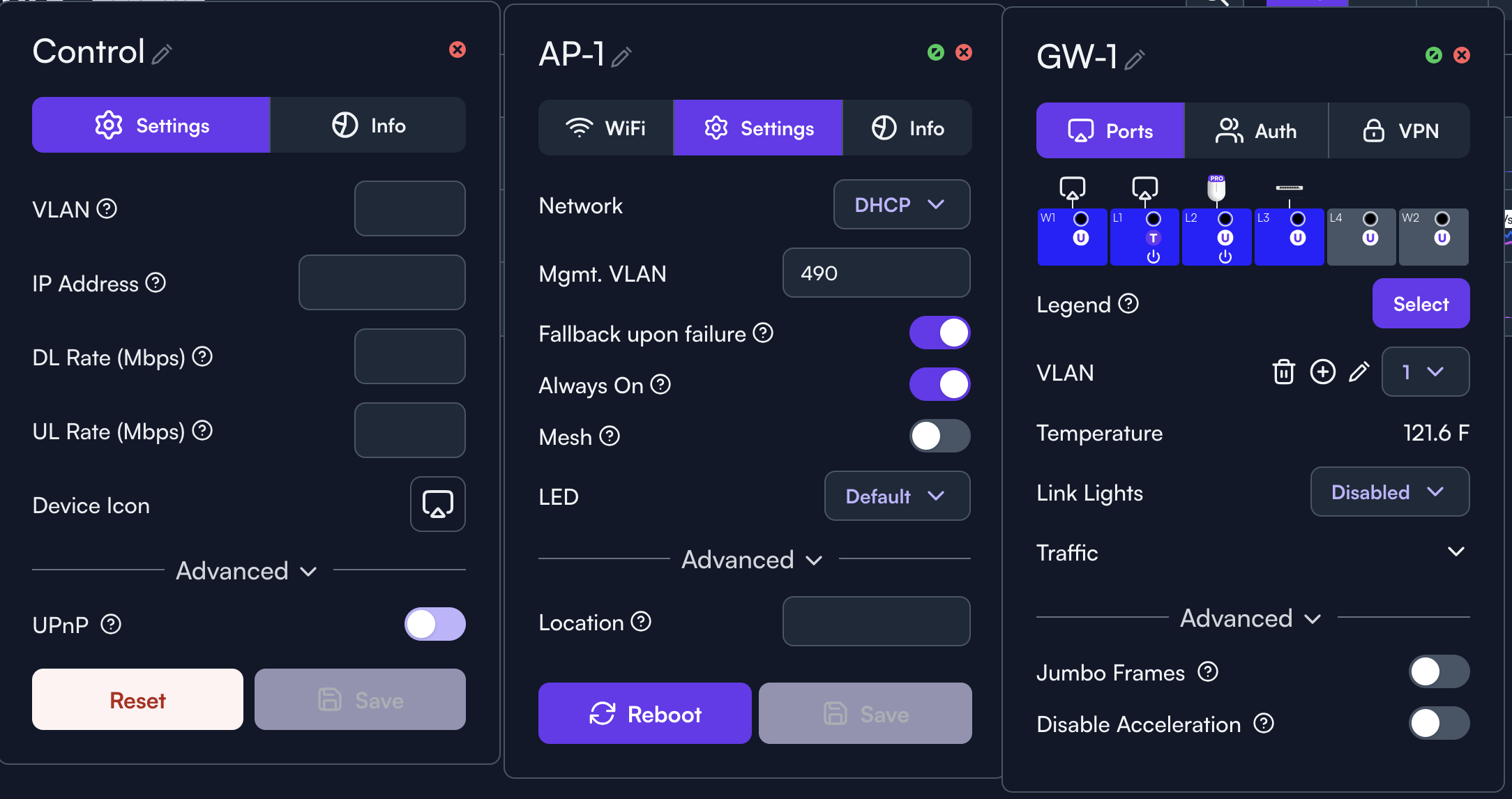
Can you confirm this from another browser?
Good call @Alta-Josh. Reboot button showed up in Safari. Went back into Firefox and disabled Enhanced Tracking Protection for this site and the Reboot button now shows for all hardware devices except the Control. Should there be a reboot for the Control somewhere? Didn’t see it in Safari or Firefox.