In testing I want to block ICMP Ping from happening against a linux node on my network.
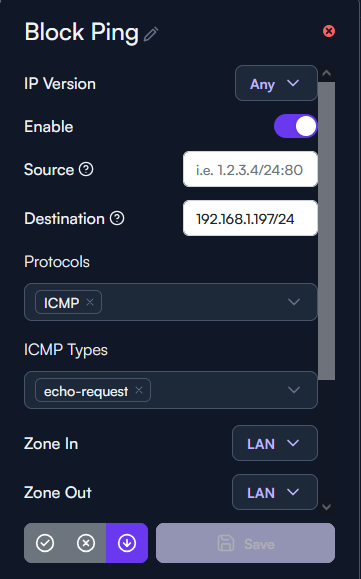
Here is how I have this FW rule configured, not matter if I change the zones or change to rule ‘deny’ or ‘drop’ I’m still able to ping this device on my network.
I’ve tried specifying a source to be either my default gateway or even leaving this blank and can still ping the device no matter what.
So, there might be two issues here.
You might have a default rule Allow Ping, for unrestricted pinging within the network, that might override your new rule. If so re-arrange so your tailored Ping Drop-rule precedes the default Allow Ping.
Also, the firewall rules, I assume, may not apply to traffic within the VLAN. So, if you haven’t done that already, you could break out that client to a separate VLAN and then slightly adapt the firewall rule.
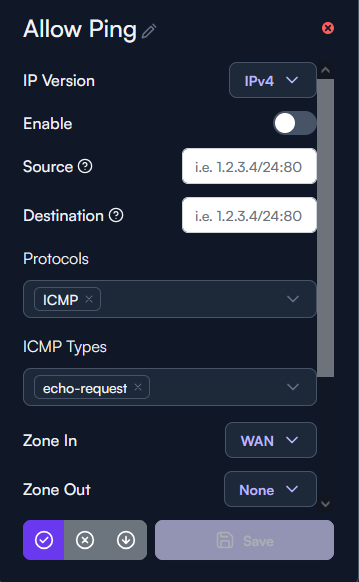
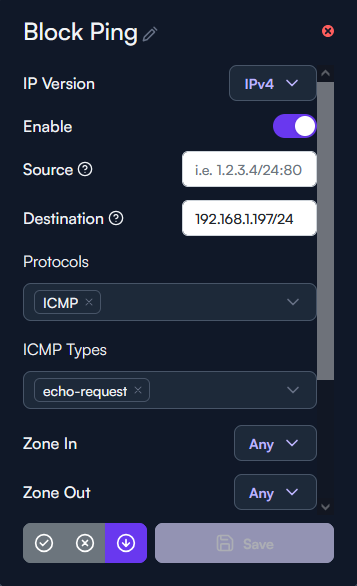
I’ve disabled the default allow ping rule and this Block Ping rule is order as the first rule in the list.
I can test moving the client and/or server to a different VLAN to check the firewall rule for now but shouldn’t I be able regardless to apply firewall rules to the default subnet/VLAN regardless?
Disabled Default Allow Ping Rule:
Current Block Ping Rule:
Hey,
Your prefix on the destination seems off.
is it supposed to be a host or a whole subnet?
if it’s just a single host, then try to change to a /32 instead.
if it’s the whole subnet then use x.x.x.0/24 as it will apply to the whole destination subnet.
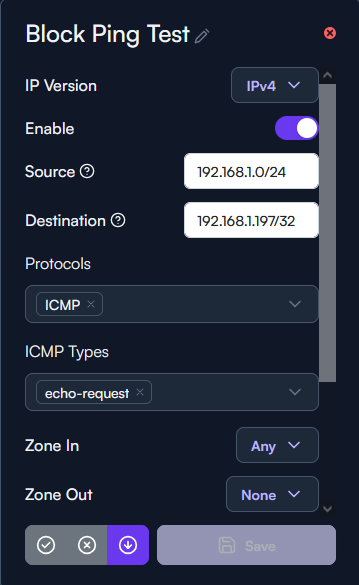
I’ve implemented your suggestion and I’m still able to ping the linux node (192.168.1.197/32)
Here is my adjustments:
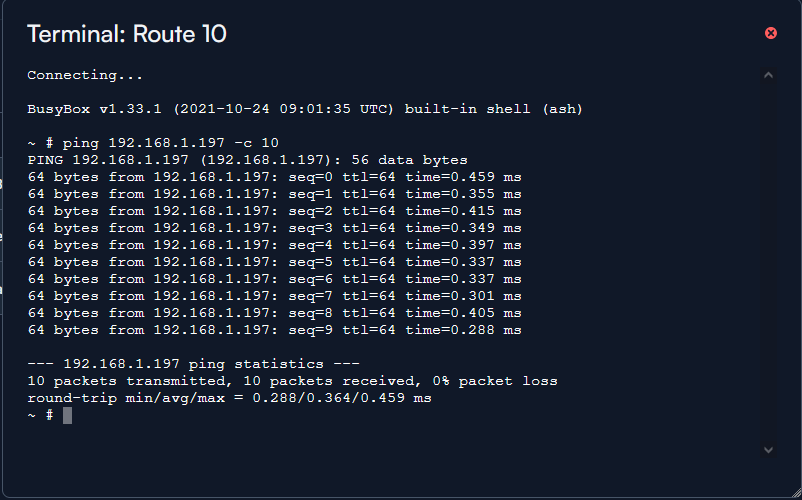
Here is a ping test from the Route 10 itself:
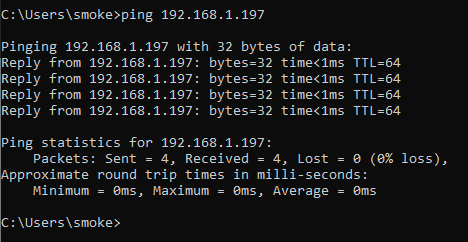
Here is another ping test from a client on the 192.168.1.X/24 subnet:
Even after the changes have been made the ICMP packets are not being dropped, I can probably create an iptables entry to handle this but isn’t the GUI suppose to achieve the same results?
Anyone else experienced this in there testing?
Can you provide a topology?
The ping from the Route10 itself will not apply to the rule since it comes from the GW itself.
If the traffic comes from the same port and a switch is connected there, then the traffic will never go through the FW since it’s in the same subnet.
For it to work the subnet must be isolated on a switch/ap level and be forced to go through the FW.
I see, turns out I had allow VLAN 100 to be tagged on this port at the Route 10 where my 8 port PoE switch is connected.
Current topology:
Route 10:
W1: ISP Circuit | Native VLAN 1
L1: Linux node | Native VLAN 1 (Default) | Allowed VLANS: 100
L2: Alta Labs AP6 Pro | Native VLAN 1 (Default) | Allowed VLANS: 100
L3: Alta Labs PoE Switch | Native VLAN 100 | Allowed VLANS: 1, 200 (Wifi Subnet)
This has more to do with my subnets and topology then it does the actually firewall itself, I caught my mistake.
Perfect time to take down the internet and work on better segmentation while my wife is at work 
Just me being curious but did you get it to work as expected?