- Proposed feature: AI Troubleshooting
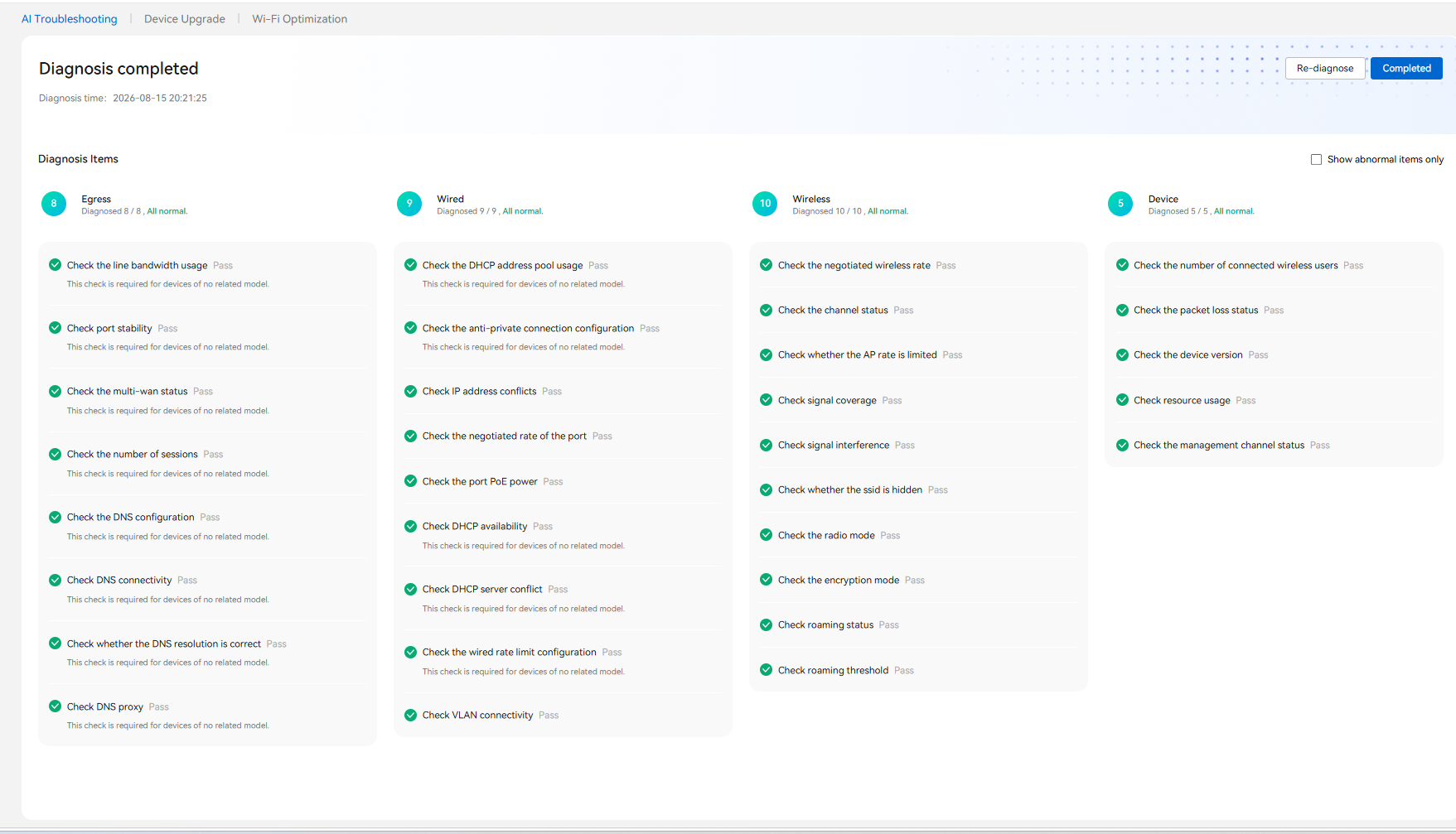
A one-click “Diagnose” function in Alta Cloud that automatically scans a site/network and reports the health of each area. A reference screenshot is attached showing the type of experience we have in mind. Suggested diagnosis categories:
- Egress / WAN: line bandwidth usage, port stability, multi-WAN status, session count, DNS configuration, DNS connectivity and resolution
- Wired / LAN: DHCP pool usage, DHCP availability and server conflicts, IP address conflicts, negotiated port rate, PoE power, VLAN connectivity, rate-limit configuration
- Wireless: negotiated wireless rate, channel status and interference, signal coverage, AP rate limits, SSID visibility, radio mode, encryption mode, roaming status and threshold
- Device: connected client count, packet loss, firmware version, CPU/memory usage, management channel status
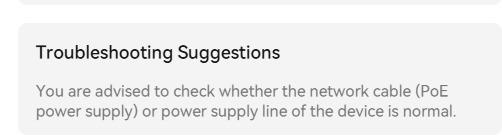
- AI-driven results and troubleshooting tips
For every check, the result should be clearly marked Pass / Warning / Fail, with:
- A plain-language explanation of the root cause
- Recommended corrective actions (for example: change channel, adjust transmit power, upgrade firmware, resolve IP conflict)
- Where possible, a one-click “Apply fix” or a direct link to the relevant configuration page
- A “Show abnormal items only” filter and a “Re-diagnose” option
- Downloadable scan report
An option to export the diagnosis as a PDF (and optionally CSV), including:
- Site name, date/time of scan, and devices scanned
- Summary of passed vs. abnormal items
- Detailed findings with recommended actions
- Optional white-label branding (partner/customer logo) for partners and integrators
- Why this matters
-
Reduces support tickets and speeds up first-line troubleshooting for partners
-
Lets resellers and MSPs deliver professional site-health and handover reports to end customers
-
Brings Alta Cloud in line with the AI diagnosis tools offered by competing cloud-managed Wi-Fi platforms