Hi, I have just upgraded to 10gbps service and replaced my router with the Alta Route10. So far the IPv4 routing is working fine, and my network lives inside the CGNAT space so it does not have a public IP footprint. If I want to connect via IPv6, do I have to enable both the IPv6 in the router’s VLAN 1 and the port WAN2 (SFP)? Do I also need to power cycle? When I check “ifconfig eth4” I still only get private IP addresses, does that mean my ISP is unable to service IPv6? Sorry if these are newbie questions.
Yeah, to the best of my knowledge, if the goal is IPv6 out to the Internet for your network devices then it would need to be enabled on both your WAN and VLAN settings.
It might be worth double checking if your ISP officially supports IPv6 addresses though and providing them to their customers equipment. I’ve certainly run into some that don’t. If they do, then they may have specific settings that need to be used. A specific prefix delegation size, for example.
- Check IPv6 Support from Your ISP
Before enabling IPv6, make sure your ISP provides IPv6 connectivity and confirm how they deliver it (e.g., DHCPv6, static assignment, PPPoE). Also, find out which prefix length (usually /48, /56, or /64) you will receive.
- Configure IPv6 on Your Router
- Go to:Settings → Network → WANs → [Your WAN Interface, e.g., WAN1]
- In the IPv6 section, select the appropriate mode (e.g., DHCPv6 or AUTO).
- In the Prefix Delegation (PD) field, enter the prefix block provided by your ISP (commonly /48, /56, or /64).
- Save the settings and restart the WAN connection.
- Verify IPv6 Assignment
- Access your router’s controller/interface.
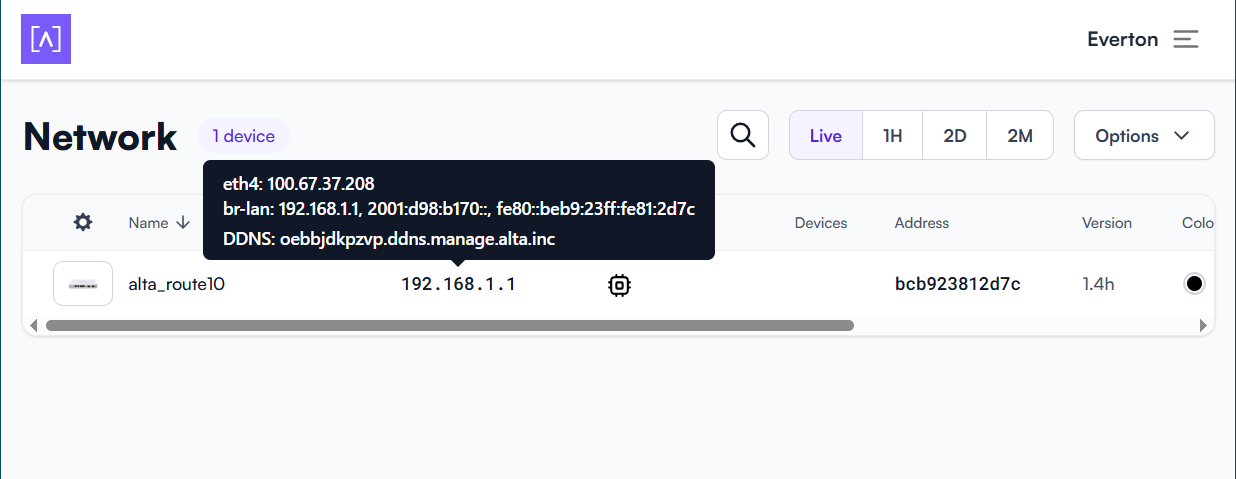
- Click on the local IP address of your router.
- In the pop-up window, you should see the assigned IPv6 address.
- Enable IPv6 on VLANs
- Go to:Settings → Networks → VLAN
- Select the VLAN you want to enable IPv6 for.
- In the configuration window, ensure that IPv6 is enabled for this VLAN.
- This is sufficient for basic IPv6 connectivity on the VLAN.
- For best results, restart your router and make sure that client devices have IPv6 enabled.
- Firewall Configuration for IPv6 Reachability
If you want devices on your network to be accessible from the internet via IPv6, you must configure your firewall to allow bidirectional IPv6 traffic. Otherwise, devices will receive IPv6 addresses but will not be reachable from outside.
- Add firewall rules to permit inbound and outbound IPv6 traffic as needed.
I am having problems getting the IPv6 settings to work. There may be some bug in the user interface.
Using the web interface:
- I set VLAN 1 to ipv6 and set the LAN address here (I have a /56). This is correctly set in the pop-up in the IP column.
- I set the right-most SFP slot to WAN2, and set that subdialog to the static WAN address (/64) and the gateway address. But this does not get saved into the pop-up in the IP column.
I ssh to the Route10 box and checked:
- uci show network.wan26 has correct parameters stored.
- ifconfig eth4 shows that IPv6 address is not updated.
- ip -6 route shows that gateway address is not updated.
I don’t know how I am supposed to correct the problem – whatever changes I make to the CLI do not get saved when the box is reset. Is this a software bug in the current UI?
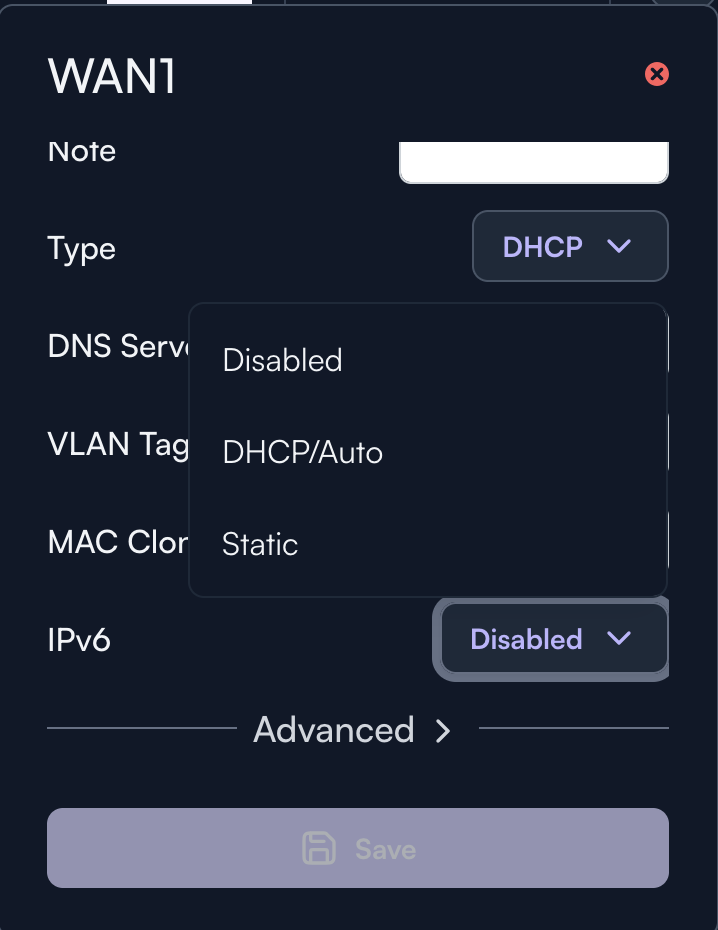
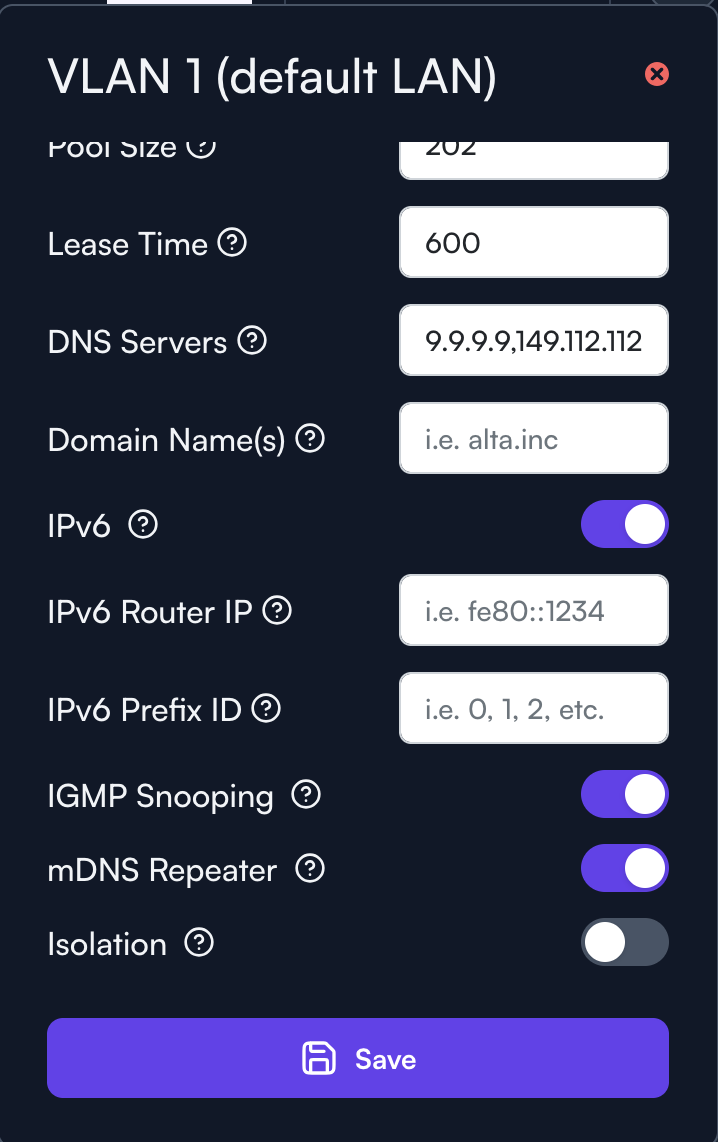
Yes I saw these options in the Control UI, and they are all correctly set and saved.
The problem is that after the Save button is pressed, none of these IPv6 values are actually correctly set at the eth4 (WAN2) device level.
To verify my ISP has correctly enabled my IPv6 service, I have to SSH to the Route10 and use “ip -6 add” and “ip -6 route” commands to configure the IPv6 static routes.
But this is not a viable permanent solution as the script has to be executed everytime the box is reset or powered up.
can you reproduce this from a blank unconfigured site with a factory default router?
I have only one router, but when I power cycle the box and used the reset switch, I still get the current behaviour. This firmware is 1.4g (openwrt 21.02.1). Is this forum the official way to file an issue for bug reporting?
After upgrading to 1.4h, my problem with IPv6 onfiguration is still not resolved.
After power cycling, the control ui shows this, notice eth4 has only IPv4:
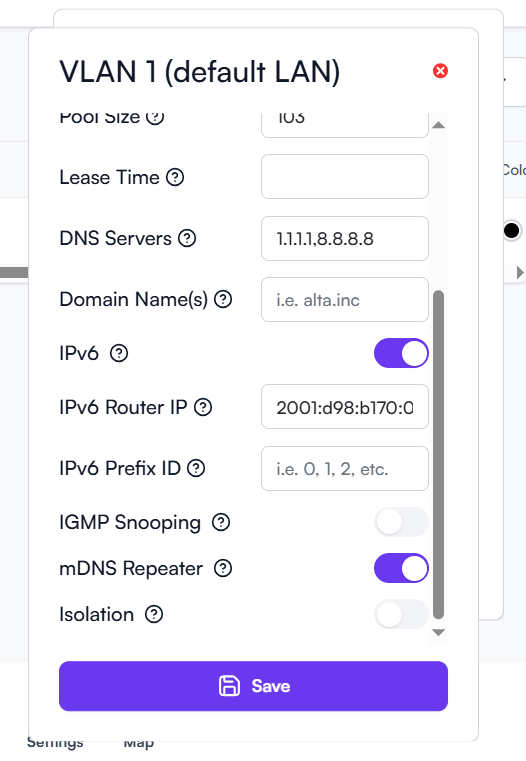
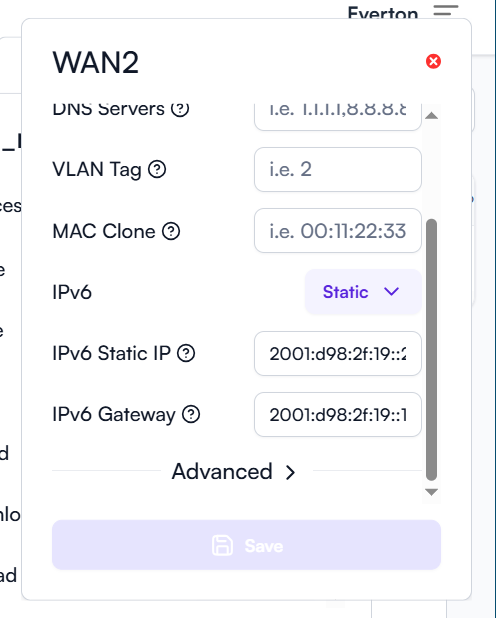
Drill down from the control UI shows IPv6 settings are all correct:
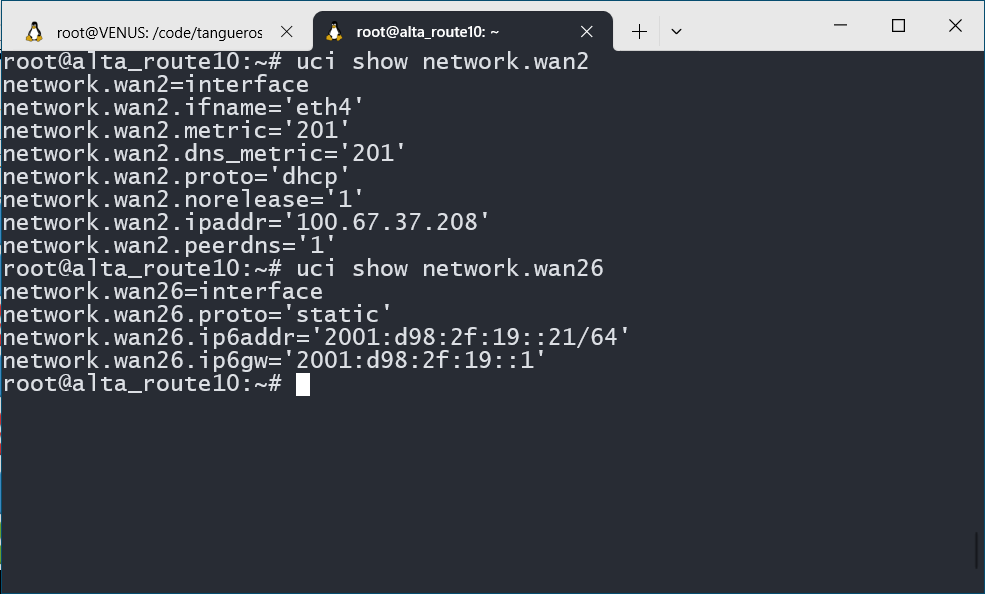
SSH to the Route10 and check with CLI commands:
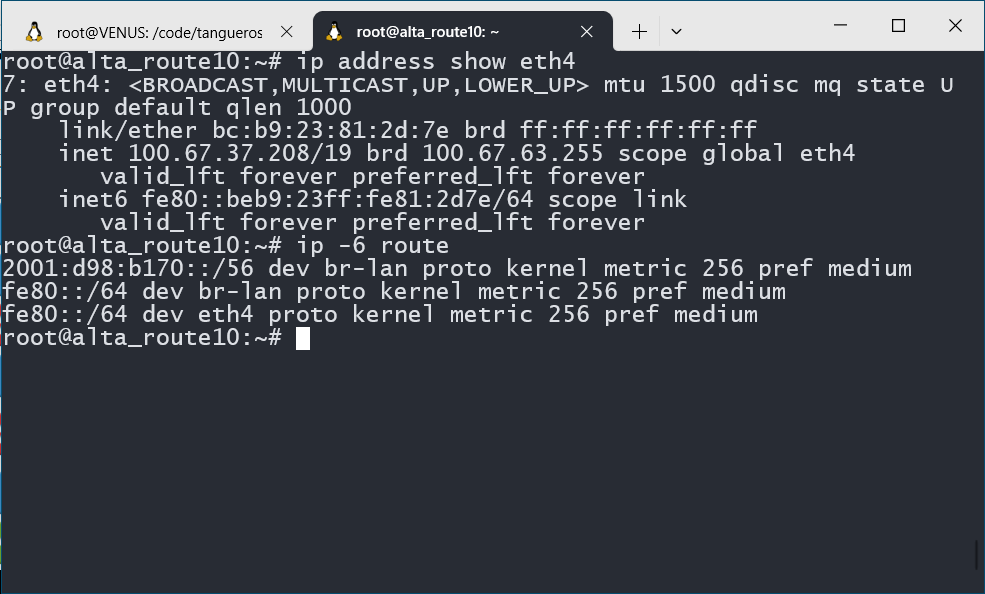
IPv6 fails
So the problem is very obvious: whatever the user enters into the control UI is saved, but did not set the WAN2 (eth4) interface correctly.
Since the Route10 is based on the OpenWRT system, I believe there is a misconfiguration between the web user interface and the underlying control files.
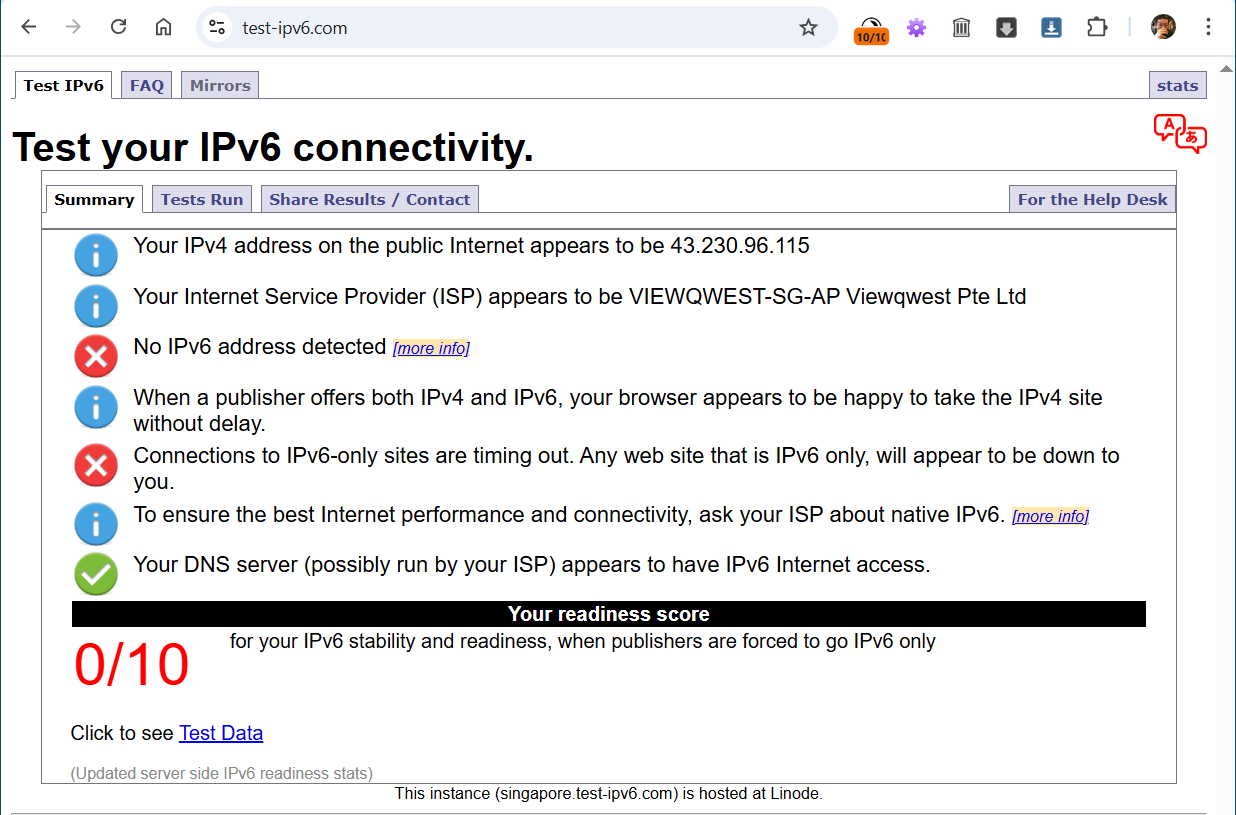
Not surprisingly the web test on IPv6 fails:
Manual Overrides
I have to SSH to the Route10 and configure manually. These changes do not persist across power cycles and so are not a true solution.
ip -6 addr add 2001:d98:2f:19::21/64 dev eth4
ip -6 route add default via 2001:d98:2f:19::1 dev eth4
ip -6 route show
After modifying in the CLI, everything is normal:
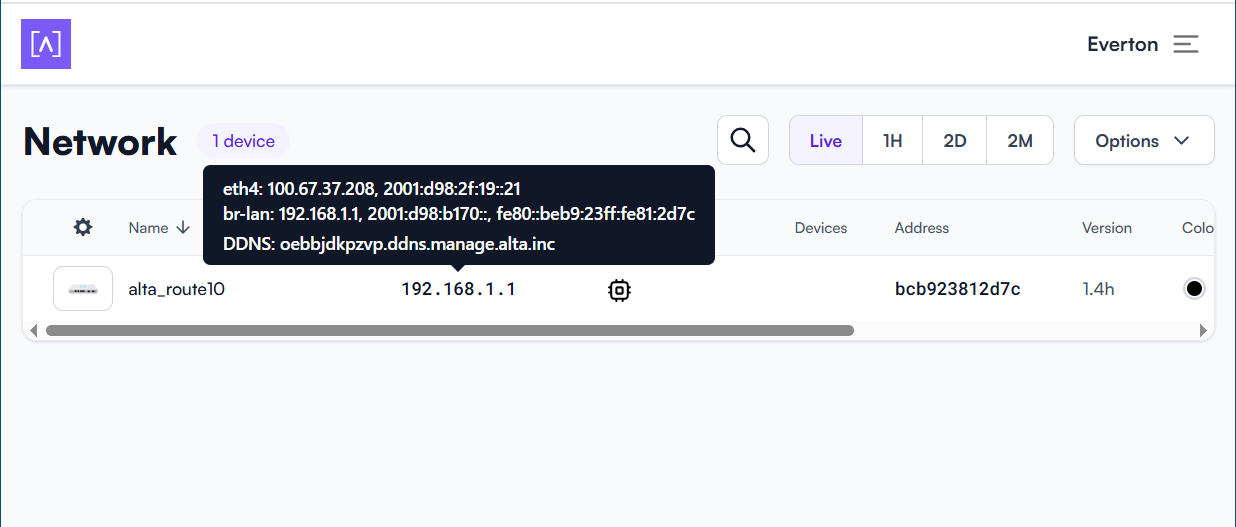
Web test passes:
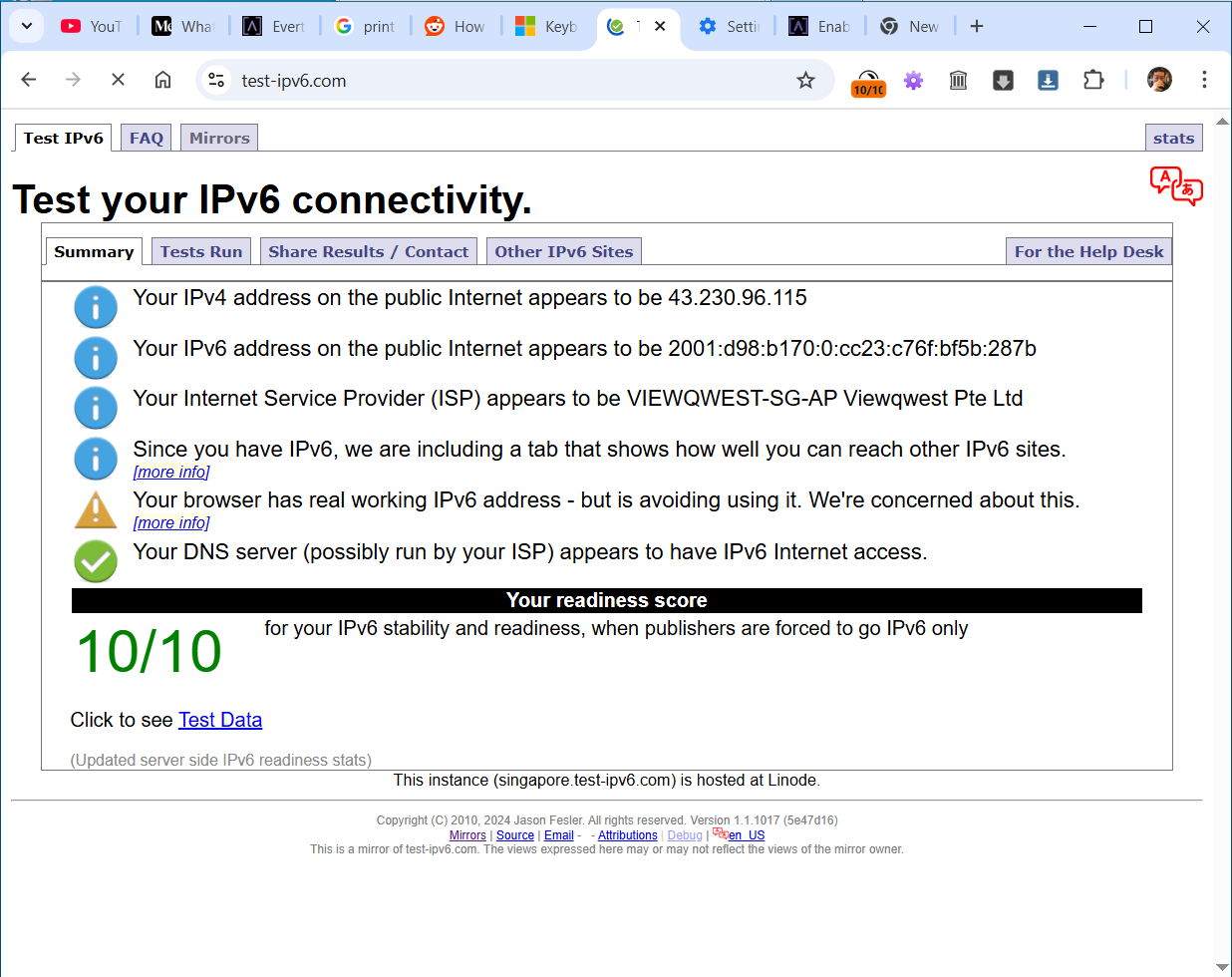
Please take note of this bug report and provide remedy.
You have an extremely unusual edge case there that wasn’t properly accounted for. For virtually every ISP in the world, if you have DHCPv4, you have DHCPv6. If you have static IPv6, you have static IPv4. If you have PPPoE, you have DHCPv6. Those are all correctly handled. But DHCPv4 + static IPv6 is missing the associated interface name for IPv6 (normally it’s already handled by static IPv4), hence there is nothing to apply it to.
I fixed that for the next firmware release. This is a Route10 with DHCPv4 and static IPv6 which indeed didn’t work previously:
# ping6 google.com
PING google.com (2607:f8b0:4023:100b::71): 56 data bytes
64 bytes from 2607:f8b0:4023:100b::71: seq=0 ttl=113 time=9.258 ms
64 bytes from 2607:f8b0:4023:100b::71: seq=1 ttl=113 time=8.492 ms
Thanks for the report!