Pretty much what the title says I just purchased a Route10 I’m a basic user not doing have much configured other than VPN. I change the LAN subnet to 10.x.x.x just to keep some of my static IPs without having to change them. I use a Eero wireless router but its in AP mode. Since switching to the Route 10 any new device is having issues trying to get on wireless and im not sure why. I would assume the Alta APs would be better but to save money I would rather keep these for now. I also have some Ubuqiti APs just dont feel like swapping at the moment. Any suggestions would be appreciated.
Welcome to the forum!
Are wired devices working correctly?
Are any wireless devices working correctly?
I’m not too familiar with Eero, but I would confirm that it’s in bridge mode. It looks like you need to set both DHCP and NAT from Automatic → Bridge. (Might be referred to as AP mode, but Eero docs call it bridge mode)
If you are still not having any luck, please feel free to reach out to us directly. We can review your config and possibly help narrow things down.
Wired and wireless are working if they were previously connected before the swap. Its all new devices I work from home so im always imaging laptops, desktops, ipads etc and the few I have tried to connect struggle they take a very long time to connect then fail or maybe connect after a long period.
I could try going directly to a port on the Route 10 right now Im in bridge (AP) mode but Im setup like this
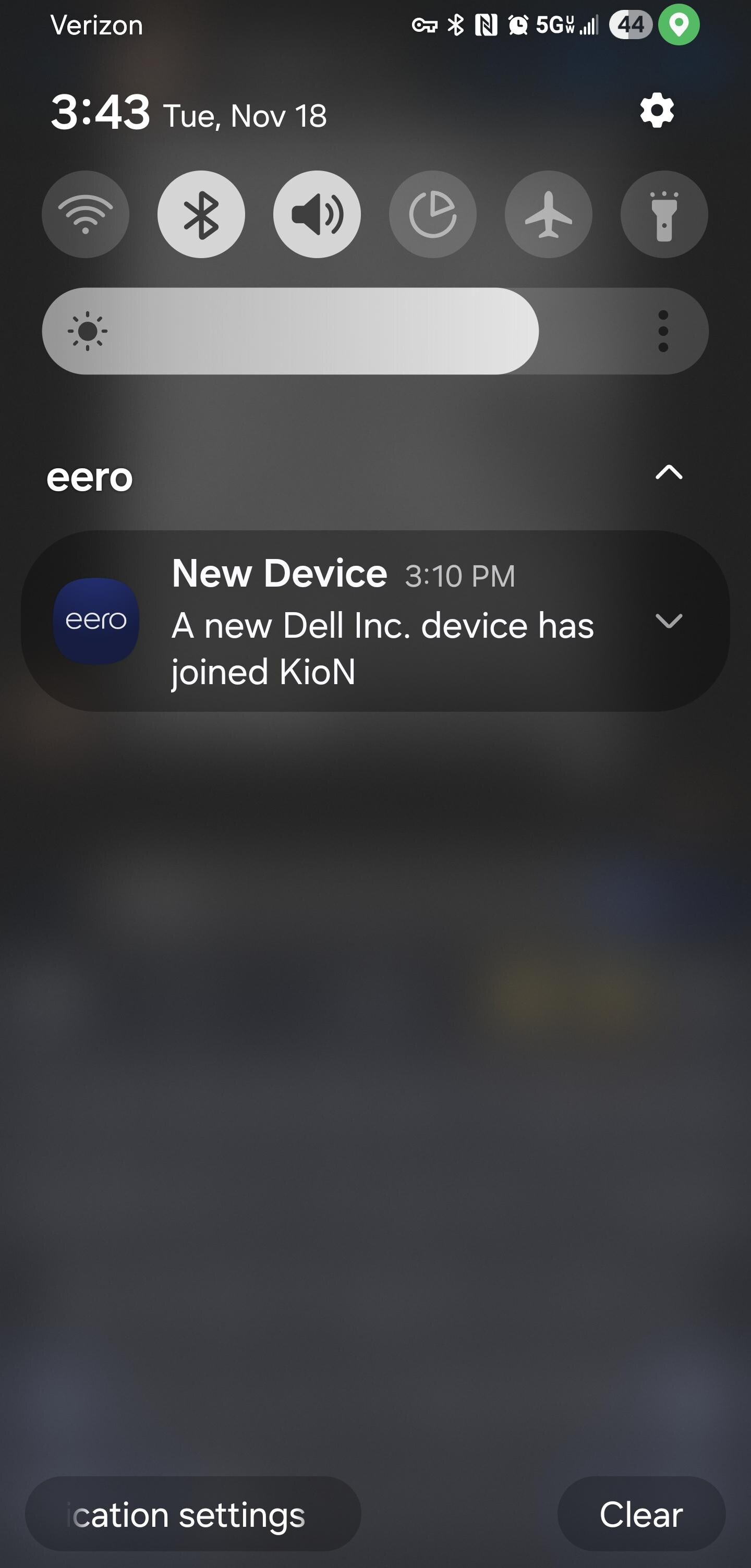
ISP- Route 10 - Cisco switch ( unmanged) - then multiple devices connected to that Cisco including the Eero AP. Desktop, PS5, ect that are hard wired are fine its only devices on the AP. Eero sends a notification to me when a new device joins and im getting the notification so password is not an issue its getting an IP that seems to be the hang up
Would it be possible to share a screenshot of your DHCP server settings (Settings → Networks → VLANs →Click on the VLAN)?
You can also check that devices are pulling leases from the R10 on the info tab of the same info panel.
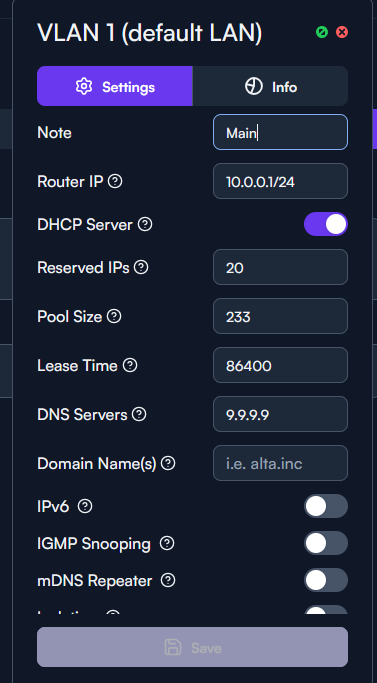
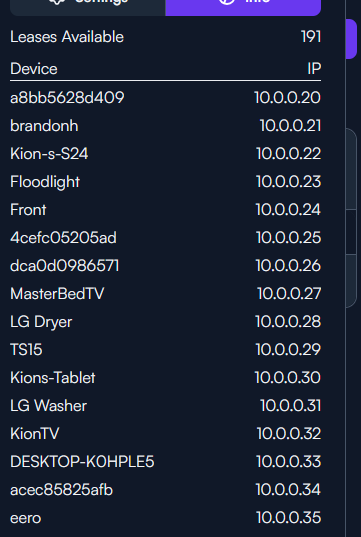
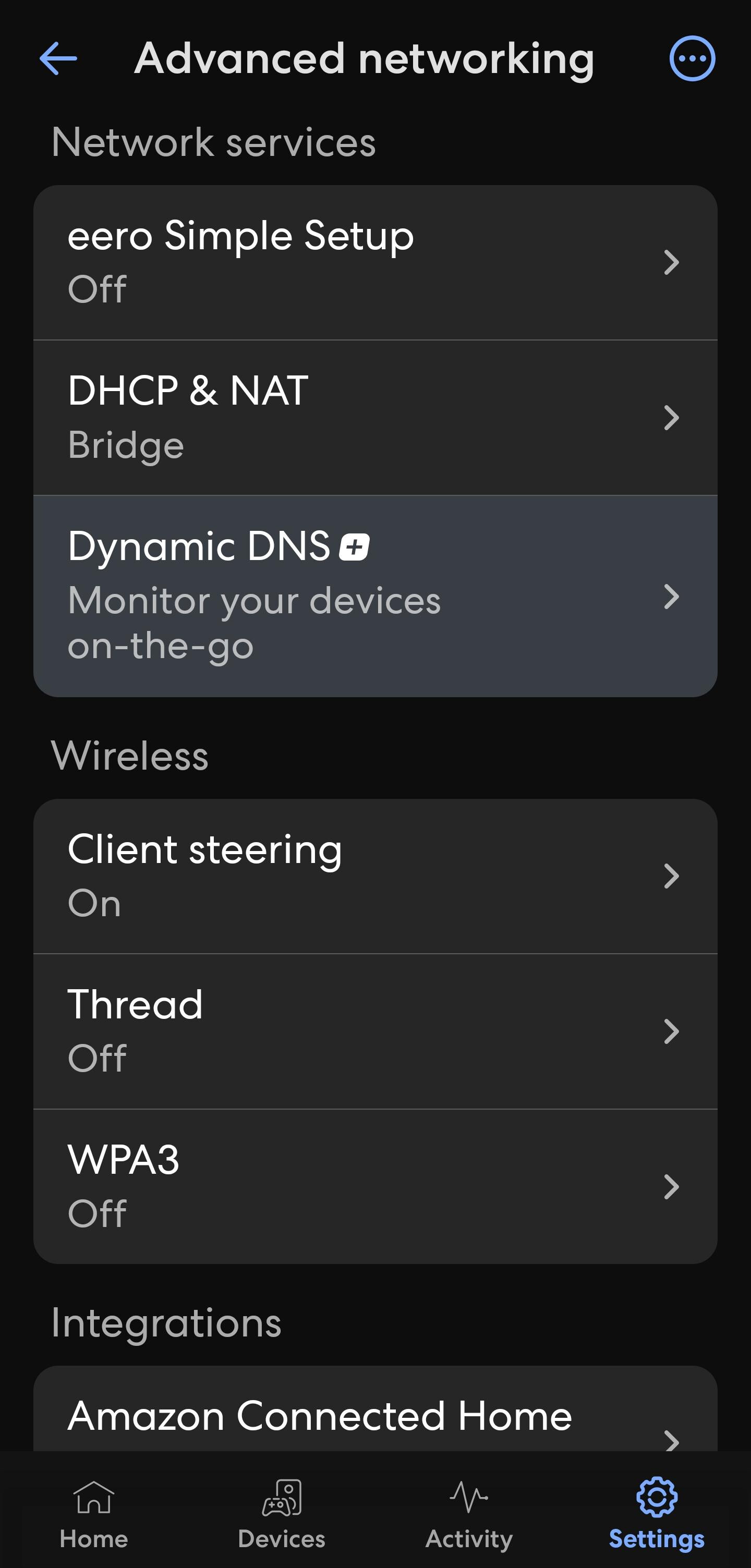
I did also move the the Eero AP to the first port just to get it off the switch before attempting to join the tv to the wireless
Thanks for the update.
Your settings all look good, Eero included, from what I can see.
If you move the AP back to the switch, it would be good to reboot the switch (if you haven’t already).
Ill give it a shot - I also noticed if I take the Eero out of bridge mode and essentially double NAT there is no issue connecting to it all devices connect fine its only when getting an IP from Route10 do I see this
I’ll pop in real quick just to say something to try is having the system log open while connecting a device to the WiFi. That should confirm if the router sees that it’s receiving a DHCP request when the device connects initially or not
Edit:
Also, I did have an Eero in bridge mode combined with a Route10 myself for a little while and don’t recall any DHCP issues at the time. Although that was several months ago 
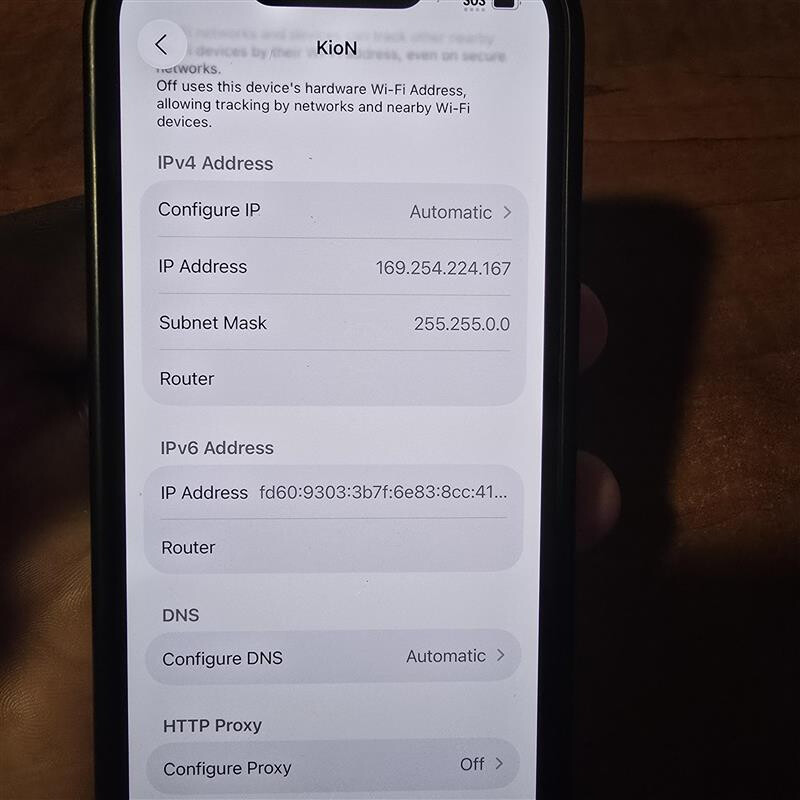
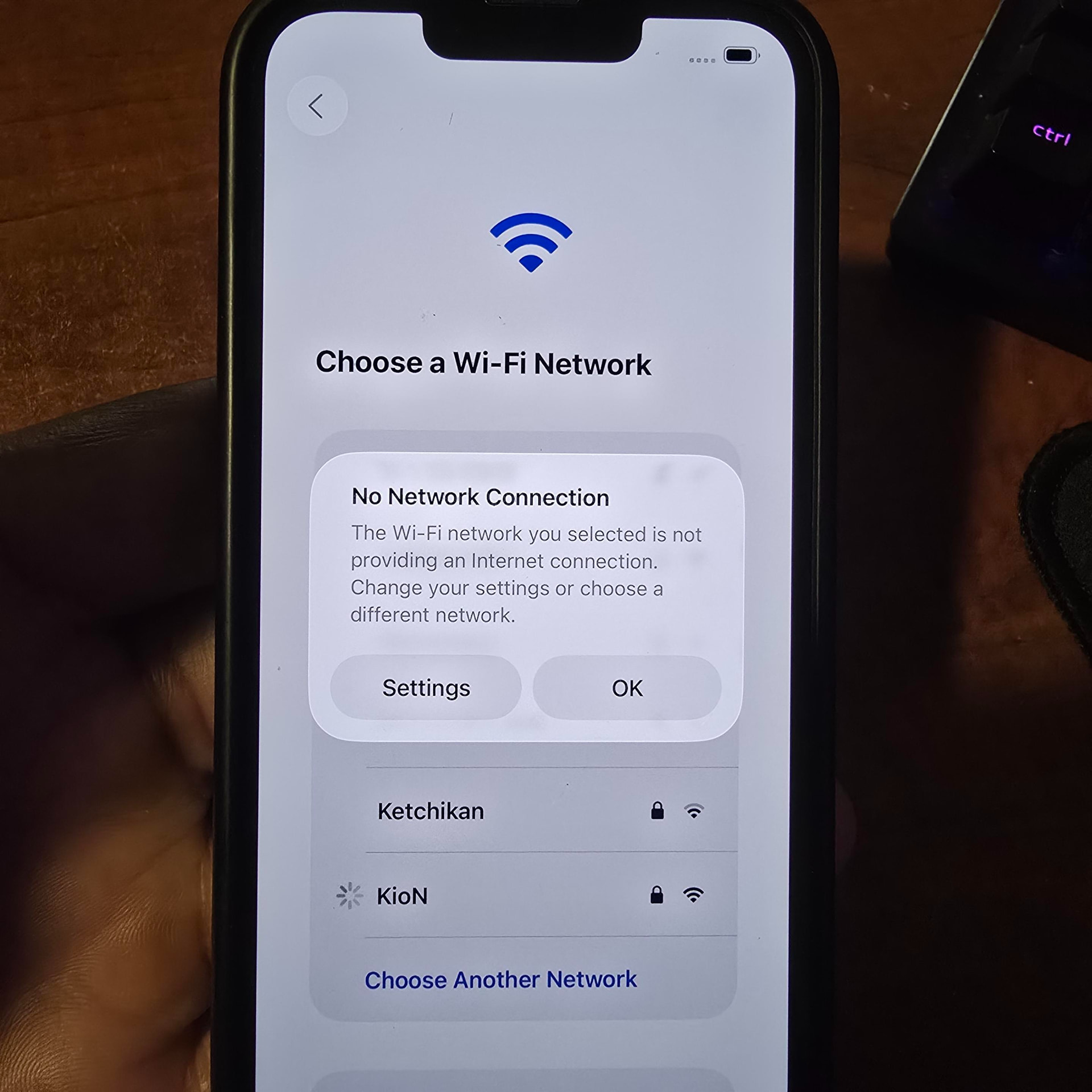
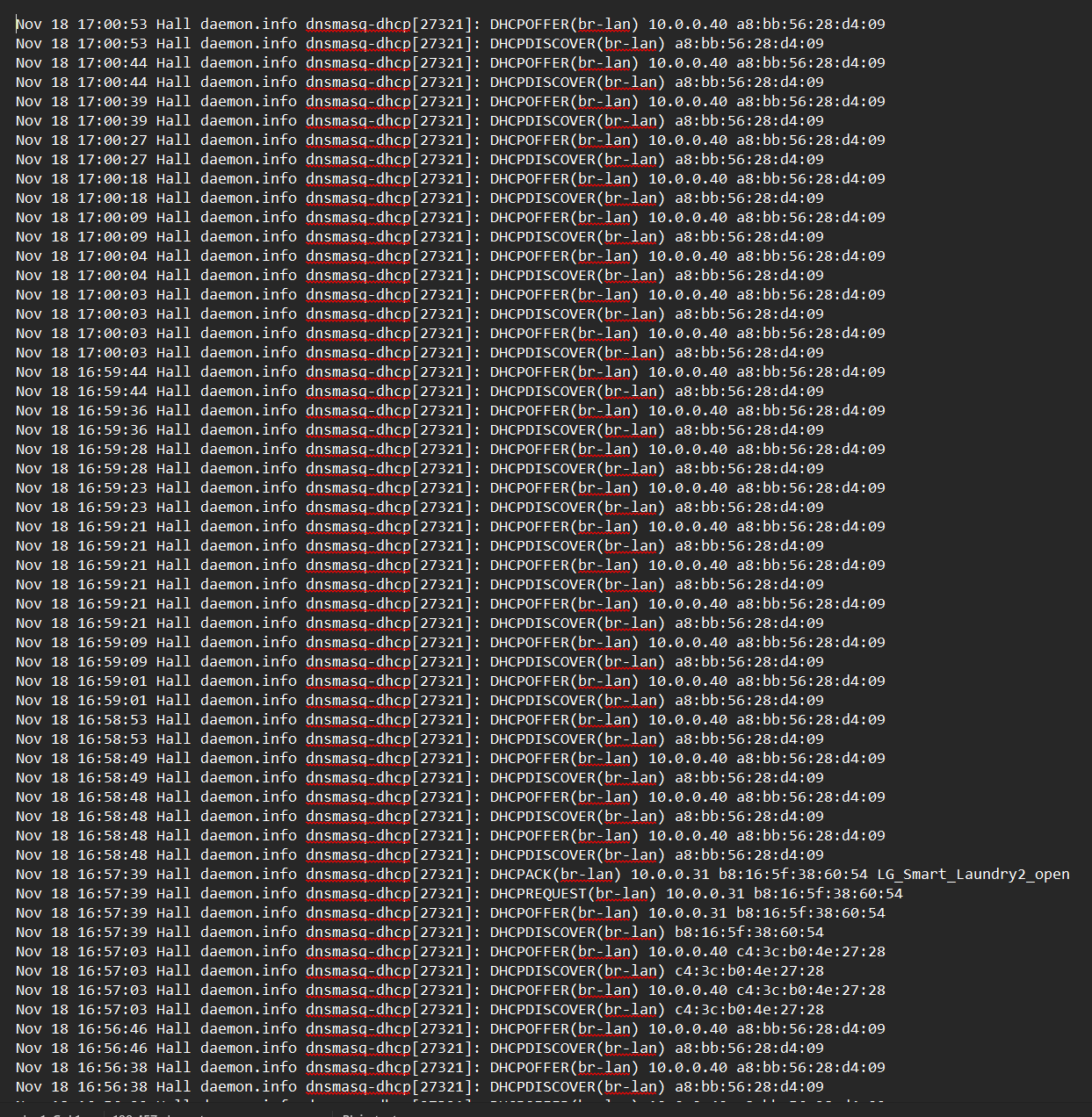
Sorry for the silly question, but are you sure this is an “unmanaged” switch? You have the DO of a DORA looping rapidly, so given that there is no request or ACK, it seems like it’s getting eaten on the return path to the client. That often indicates DHCP snooping misconfiguration, or DHCP guarding, or the (uplink) interface to the Route10 is considered “untrusted” from the Cisco perspective, or possibly both.
Which model number do you have?
EDIT: Slight rewording
I say unmanaged but it is a managed switch I however have not done any changes other than password and IP.
I kinda debunked the switch theory cause now I’m going straight to the Route10 second port for the AP though. Happens going through switch also going through Route10.
It’s only a few days old so nothing has been setup. I just factory reset it and re-setup everything still occuring 
Starting to think its cause I changed the IP of the default VLAN. I wanted to keep a 10.0.x.x cause I have some static devices and didnt want to mess with them. I know I know I should probably reserve them but anyway. I’ve had an older Unifi Nano and decided lets trouble shoot this and see if its just the Eero. In my setup its pulling 192.168.1.x which was the Alta default. Starting to think its holding on to that default VLAN subnet no matter what I put.
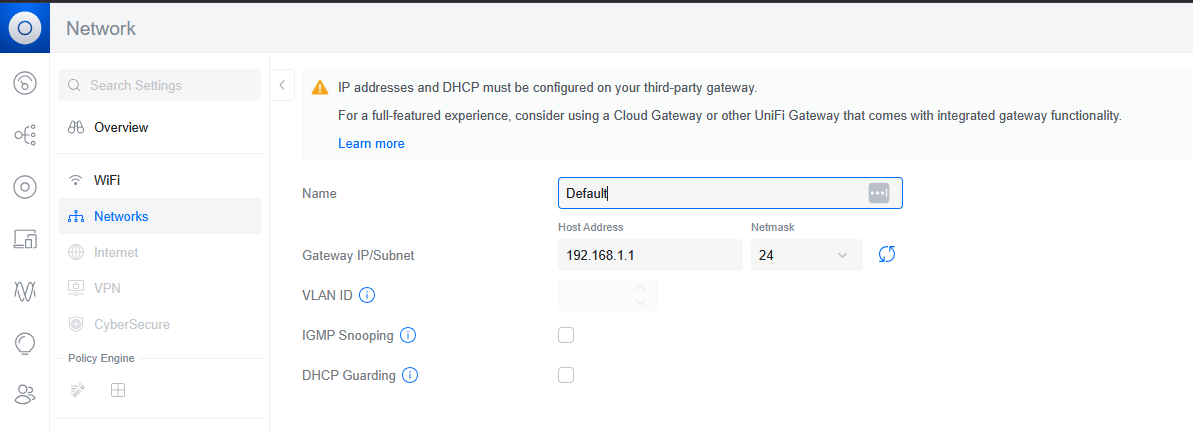
If you are still having trouble, I’d recommend sending us an email (support@alta.inc) and referencing this thread. That way, we can take a deeper look at your configuration and rule out anything on the Alta side.
Configuring a network in UniFi shouldn’t have any effect on your network unless you are using one of their gateways.
No worries I was just posting to update. I sadly will be returning it, I had hopes of it working out but its not panning out. I understand the Unifi AP shouldn’t have any affect on my network. What i’m saying is the AP is pulling the 192.168.1.1 from somewhere. It thinks that’s the default which its not. After struggling to get my Govee wireless lights to connect they finally connected and also pulled a 192.168.x.x which doest exist anywhere
Are you sure the Eero is actually provisioned as expected? there is a very simple way to see where that 192.168.1.x address is coming from. You’ll need to use a real computer, not a mobile device, and Wireshark would need to be pre-installed. If you do that, connect wirelessly, and capture that traffic, you can tell with 100% certainty where that 192.168.1.0/24 subnet is coming from.
For what it’s worth, Cisco switches by default, at least enterprise lines, set all ports as untrusted. The ORA of a DORA will NOT pass on any untrusted port. Ever. The interface with the DHCP server connected needs marked as trusted, and this has to be configured after setup. So the switch can’t technically be ruled out, but something still doesn’t add up.
I was only asking the model of the Cisco switch so I could give you guidance on the configuration. I wasn’t going to send you to their support.
Unfortunately at the end of the day there sin’t enough information here for us to help you with. Packet captures tell us with certainty. If you wish to debug at all, that would be the next step. Software is free, no special drivers required for this level of capture.
EDIT: I just feel like looking at other layers at this point isn’t going to tell us what is or isn’t happening. we saw the DO at the router side, so what happens client side? taht will be telling. If we don’t see the ORA hitting the wireless client STA then you’d have to move up the chain, so wire to the switch, check again. If still nothing, go to the Route10 and check. I realize it’s not fun, but the DORA of a DHCP is something that happens in seconds, and with that data it would be telling to know where it’s failing.
another option would be to configure a mirror port to have a literal in-line TAP to see everything going over either switch port.. but I think the testing at different pints of the network probably would tell us what’s need, without having to rely on a TAP
EDIT2: to clarify, if it was of question, our offer to help stands if you change your mind. I do believe you have an issue, we just don’t have the right data to tell you what is or isn’t happening