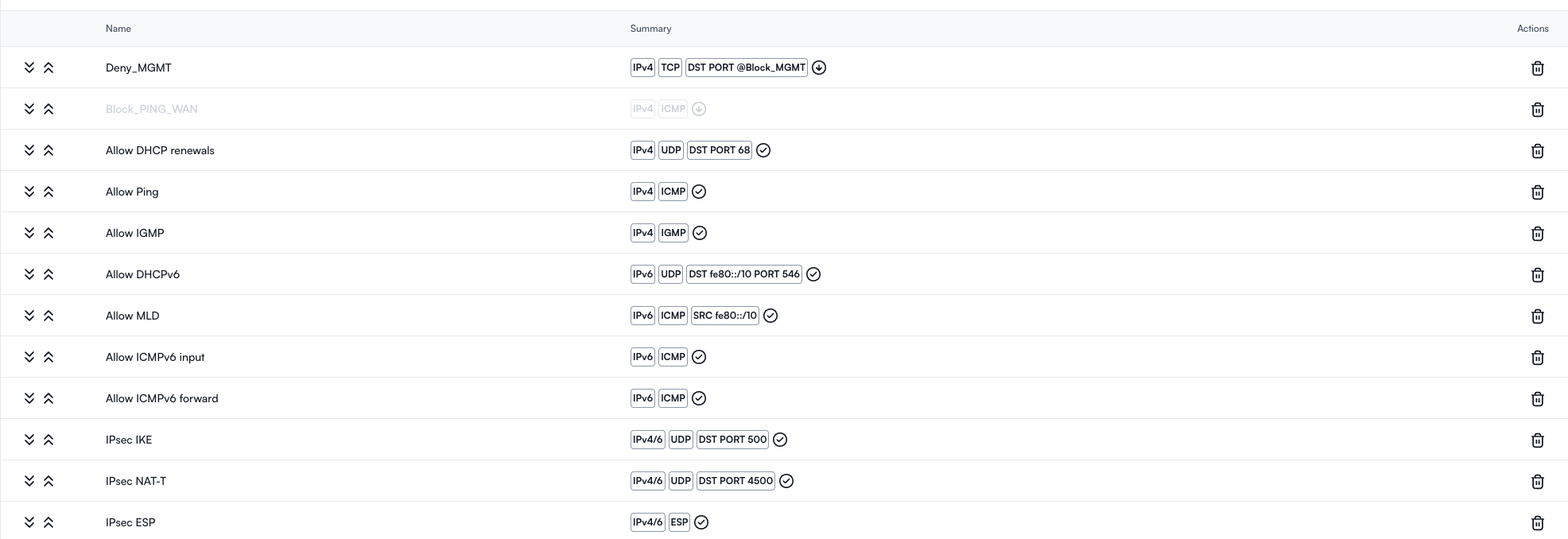
Alta should have a default rule that is set on all of their WAN facing devices (route10) that limits ssh, http and https to alta only IP ranges.
currently im able to hit the IP my WAN gave me and I see the alta message, which is not great if someone wants to do a DDOS or figures out issues with the device itself and attacks.
limiting the mgmt to specific Alta’s IPs locks things down further.
potentially someone might want to open that traffic to specific IPs out there but should default be denied.
over the weekend I was able to hit from outside my route10 both https and ssh to it.
now I cannot.
would love to see in read only mode the rules that are applied to the device to be in the known.
I just now tested my cradlepoint real-routable IP and was prompted with Manged by Cloud by Alta. Never like to see a vendor name for obvious reasons. Had to create a add-group and Policy to block 443/80 to Zone:WAN Zone: None
Suggestion: Per INTERFACE, allow a TICK box for Management Access (Similar to Fortinet)
Sure, so my RV has the Router10 + AP poe-powered. I’ve configured the Router10 w/ 3 internet legs. TMobile-5G, Verizon 5G & Starlink – all ethernet.
While at home, RV sitting in drive-way, connected to the CradlePoint which is bridged.
For the heck of it - connected to the bridged IP and was a little surprised it responded with the “Managed by Alta” paraphrasing. I have since created a FW rule to disallow 443 & 80. Was a little worried it would block Cloud Management but thus far, all is good.
The default firewall rules won’t permit that. If you had to add a block rule to block that traffic, that means you have a firewall rule configured which is permitting way more than it should, probably allowing everything in zone WAN with no out zone. I’d fix the overly-permissive rule rather than adding explicit block rules.
You may be right here, and jumped the gun per se. There was one rule, I removed that singled out ICMP ? and now tested; no connection. Still learning this firewall…
Nothing in that list would allow TCP 80/443 traffic, which makes me think it has to be a port forward. Or maybe your rules page has multiple pages and that’s not all of your rules.