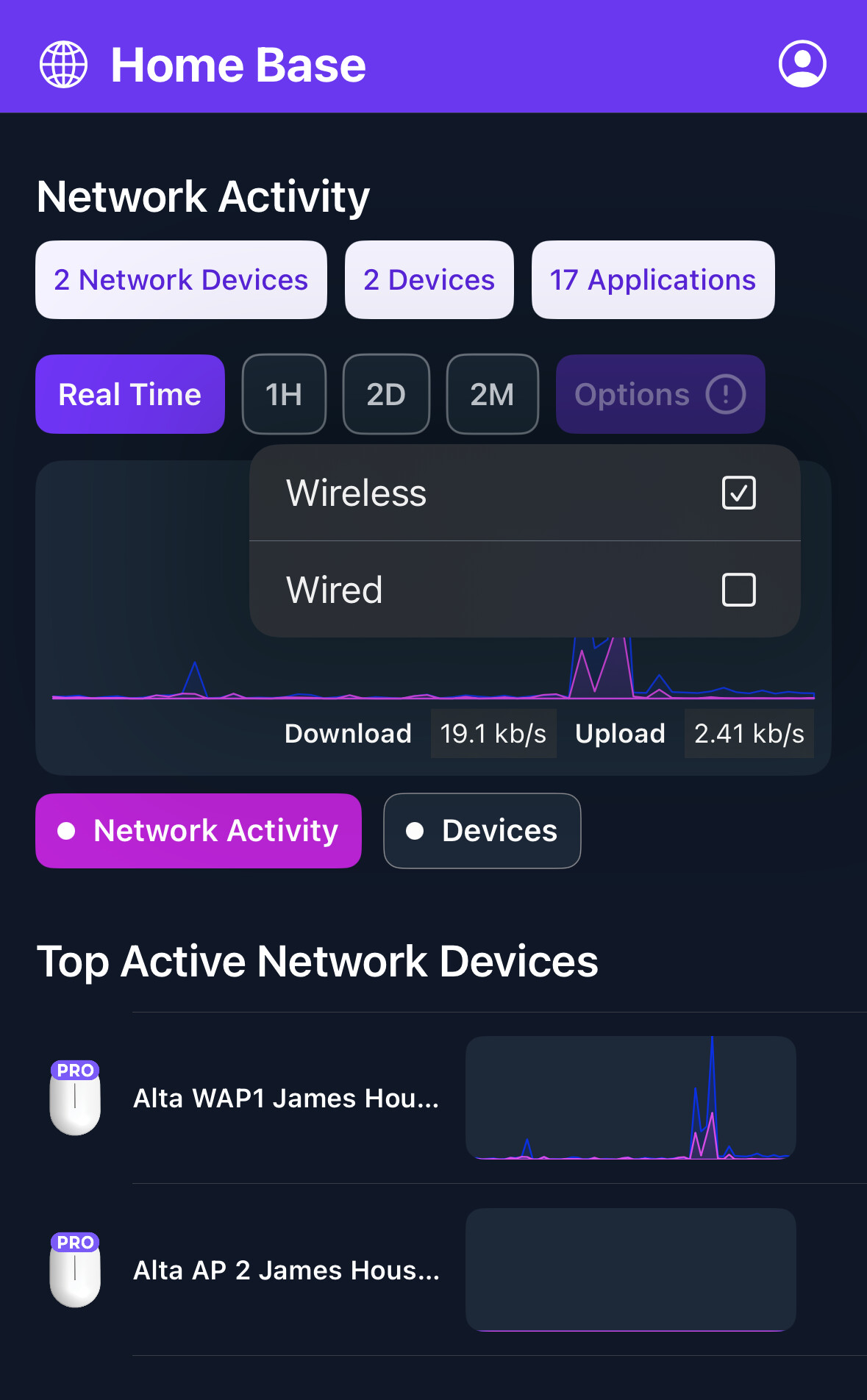
Hello im seeking some help understanding the issues with my ap6 pro..
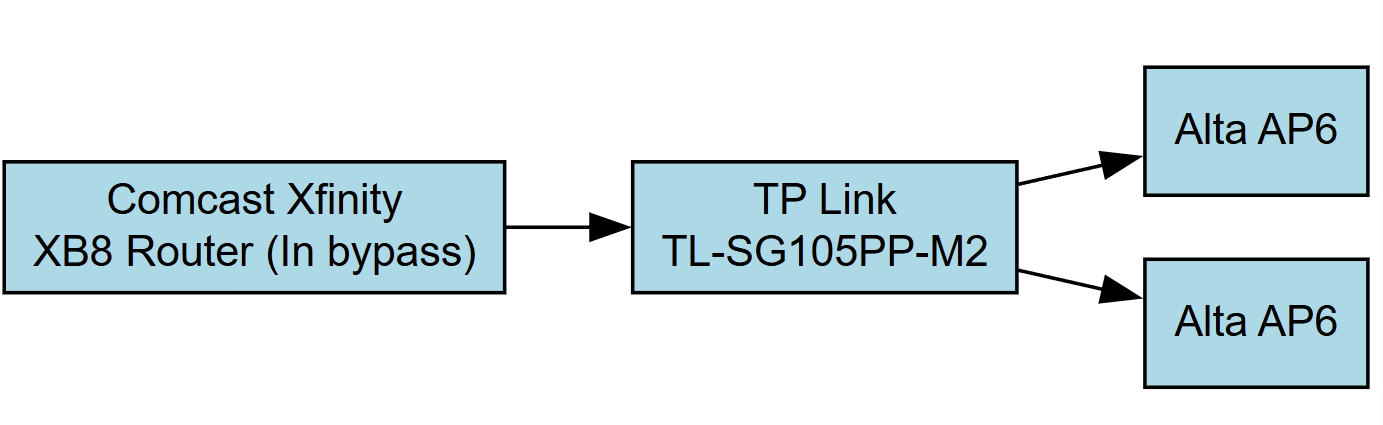
I have two ap6 pro connected to TP link TL-SG105PP-M2. The AP6 are only broadcasting speeds of 200-350mbps max.. My internet speeds are 2 gig and using the xb8 router/modem combo. i have tried to troubleshoot with low luck. It also shows up as wireless devices when i would have expected it be wired devices.. I also have the mesh turned off, bit have tried turning ON with not much difference.. what am I missing?
^ this, for starters. You’re also going to want to look at ridding yourself of the Xfinity “modem” as it’s not truly a modem. Xfinity will broadcast 2 SSIDs on both 2.4GHz and 5GHz at the maximum channel width supported by the hardware itself; 40MHz for 2.4GHz and either 80MHz or 160MHz. Per Xfinity, these cannot be disabled, even if the device is bridged.
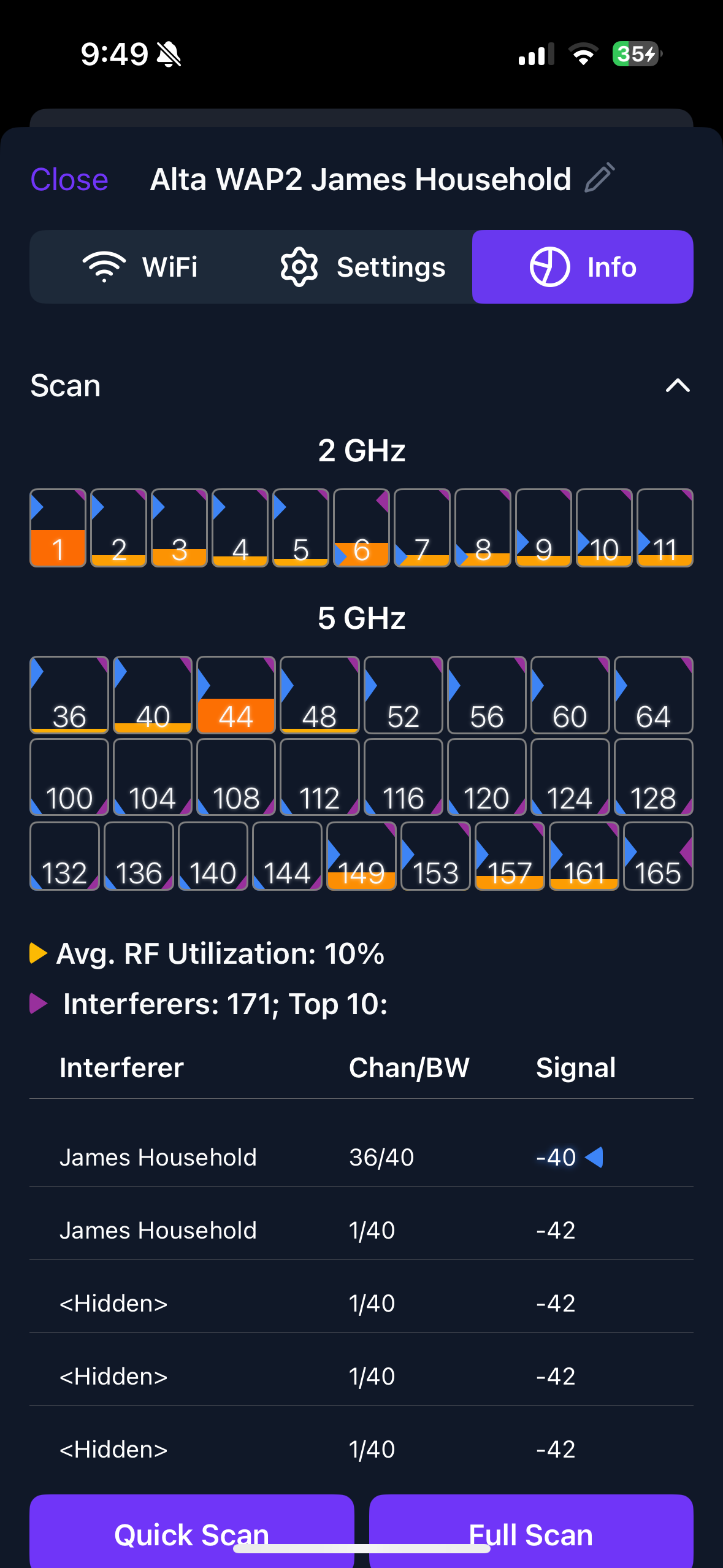
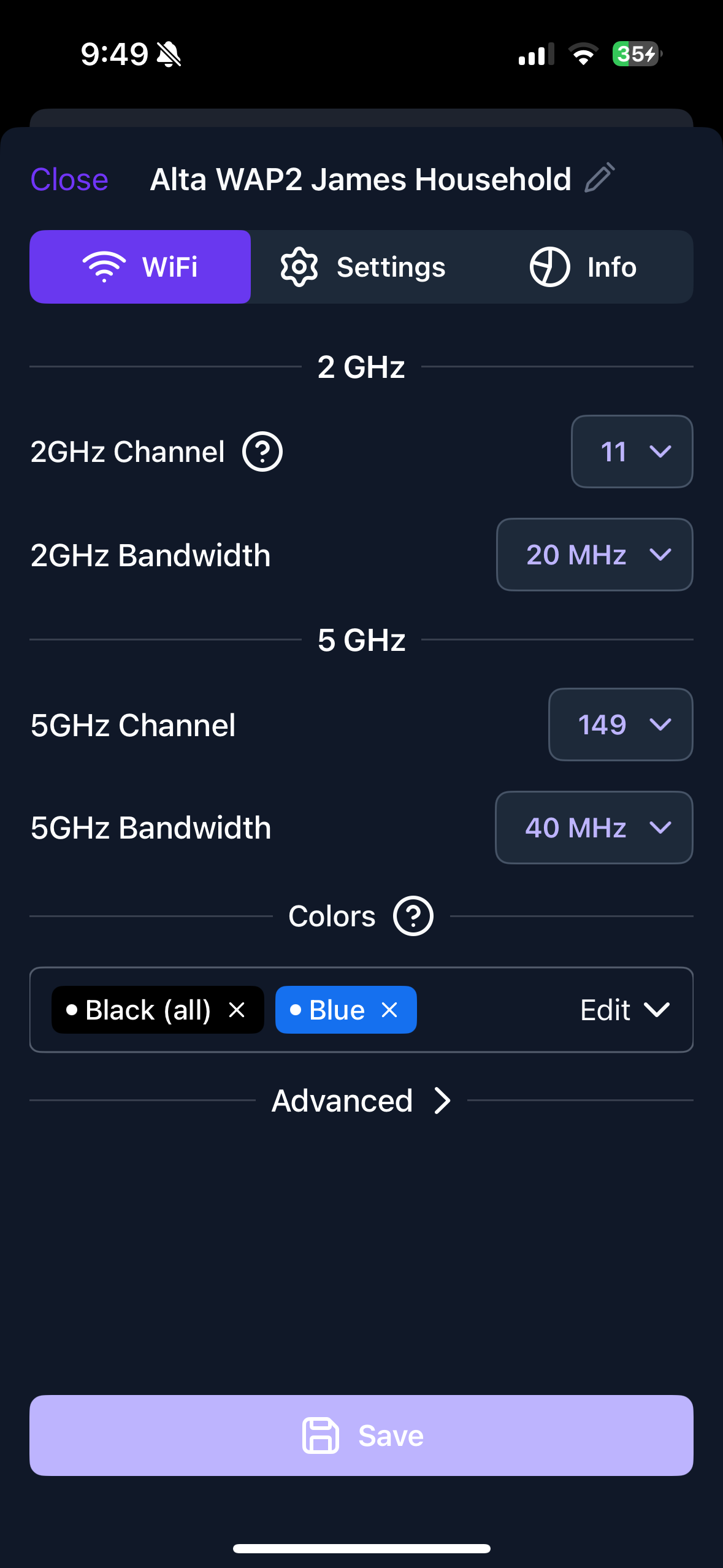
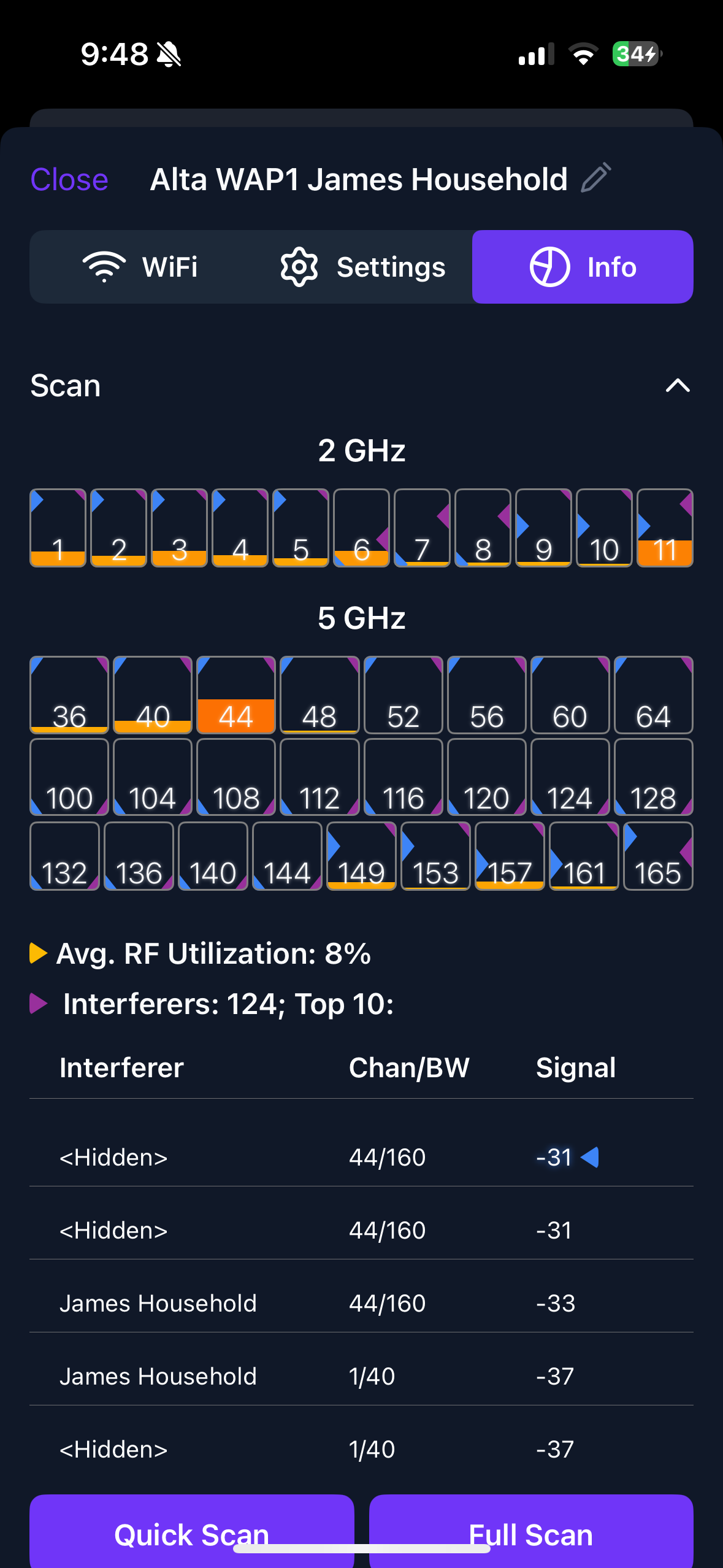
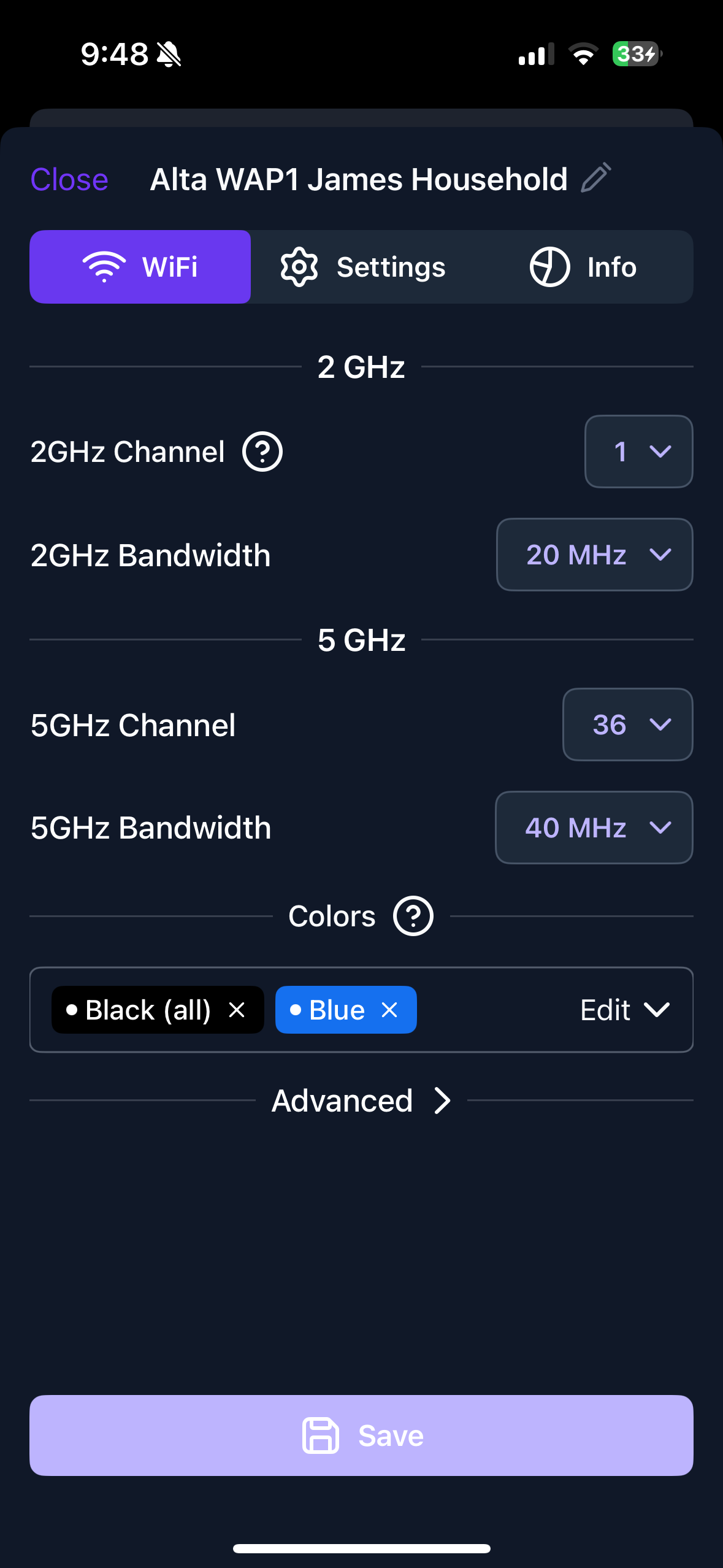
This leaves you with only 1 usable 20MHz wide channel on 2.4GHz and that’s only assuming if their device is broadcasting on channels 1, 6, or 11. If they’re outside of that, they’re burning the entire 2.4GHz spectrum for you. Your scans confirm this (seen the SSID on channel 1 @ 40MHz wide. Your only choice for the Alta APs is channel 11 and only on one AP unless there’s enough distance between them to not self-interfere, which is unlikely. Each box under the 2.4GHz section represents 5MHz of spectrum per channel.
For 5GHz, based on your channel scans, they’re using channel 44 @ 160MHz wide. This is burning 1/3rd of the 5GHz spectrum, so you can use 480MHz wide channels or 2160MHz wide channels. Each box under the 5GHz section represents 20MHz of spectrum per channel.
There’s a Hitron modem that I can personally vouch for when I was an Xfinity customer, they can be purchased on Amazon for a bit over $100; this should also lower your monthly bill because you won’t be renting their equipment. The drawback is that it’s solely a modem so if you’re using the Xfinity device as a router, you’ll need to get a router as well.
You can try to work around the Xfinity interference, but the bad news is those channels are not fixed. Every reboot, every power loss, you have to endure the fun of redoing your WiFi channels around their equipement.
My recommendations are:
Get rid of the Xfinity equipment
Set all channels and channel widths on the APs to Auto
Go to Settings > System > Advanced > WiFi Default Bandwidth
Set 2.4GHz to 20MHz
Set 5GHz to 80MHz
A bit further down from these settings is a “Quick Replan” button. Hold the Shift key on your keyboard and it will change to “Full Replan”, click the button while holding shift
This should result in the most optimized WiFi that will work with the loud Xfinity box right there.
Definitely try bridge mode too. I set up a system on xfinity where bridge mode did disable the wifi. Not sure if it was xb8 for sure, but looks pretty identical.
I have only had xfinity xb8 for a week now. The alta lab has been severly underperforming with my previous modem (motorolla surf) and router (netgear orbi) combo 1.5gig plan. The new plan is 2.0gig.. im not sure if there is something fundamentally wrong with my setup. Both my APs show up as wireless devices. Shouldn’t it show up as wired uplink? I thought it could be the cat cable! But looks like everything checks out there… i can’t seem to understand..
I have been experimenting with channels and frequency for some time here with not much luck..
I will look into different modem/router combo but i feel like a noob doing something very wrong and not noticing…
Enabled bridge and now my ap wouldn’t connect to internet… ssid not working. Completely without internet! Im going to disable the bridge! Surely i did something dumb and my ap’s are effed
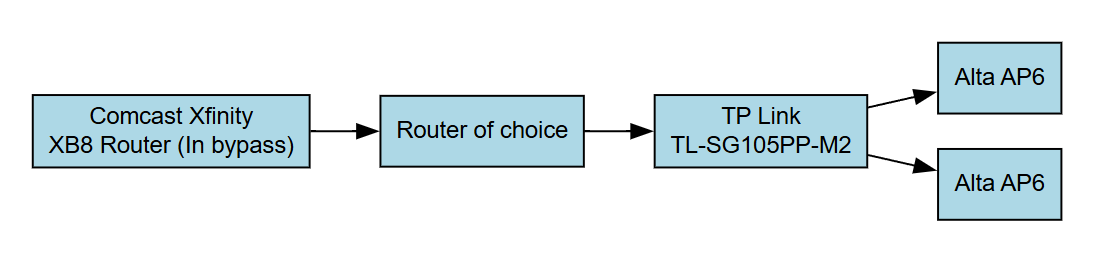
I everyone might have put the cart before the horse a little here Bridge mode can be good but only if you have a router to take over the router functions from the XB8.
I’m kinda curious since I don’t think I saw it in your original post; what kind of speeds are you getting when wired into the XB8? Or when running off the wireless network being broadcast by the XB8? Just to establish speeds are good generally since it sounds like this is an entirely new setup coming from your previous Motorola/Netgear setup.
Edit:
And not to rain on anyone’s parade but just to set expectations, I have to note that in terms of raw throughput for a single device out to the Internet, the most that can be hoped for is up to 1Gbps with the AP6 Pro. That being because it’s uplink port runs up to 1Gbps. There is a faster WiFi 7 AP coming down the pipe but I believe that’s a little ways off yet.
I’m was logging close 1750mbps with xb8 wireless only. So i’m at very good speeds. With the Motorola/netgear setup too, i was at very good speeds for my plan, but the ap’s never was anywhere close and about the same always. Good to know that ap6 pro won’t hit above 1gig.. still if i got 1 gig speed, i would have been thrilled.. I’m only getting less than 350mbps which is nowhere close what i was expecting..
I soon realized that bridge mode wouldn’t work and flipped back… im running out of ideas! I still don’t understand why these ap’s show up as wireless devices and not wired, any chance that these are acting as satellite wireless routers and not receiving data from the ethernet cables? I don’t know how to diagnose that
Well yeah, bridge mode won’t work because that in essence would be forwarding to what is expected to be a customer ran and operated router which you don’t have (Hence why it works when you reverted since your XB8 is handling the routing)
This can be done, you just don’t have the right equipment at the moment.
I think the suggestions @Beaker mentioned are definitely good, although I want to focus back on the AP for a second. I double checked the mobile app and I think what you’re noticing there is just how it allows you to filter out devices on the dashboard. Viewing access points vs switches or seeing everything together. So I don’t think we need to focus on that part.
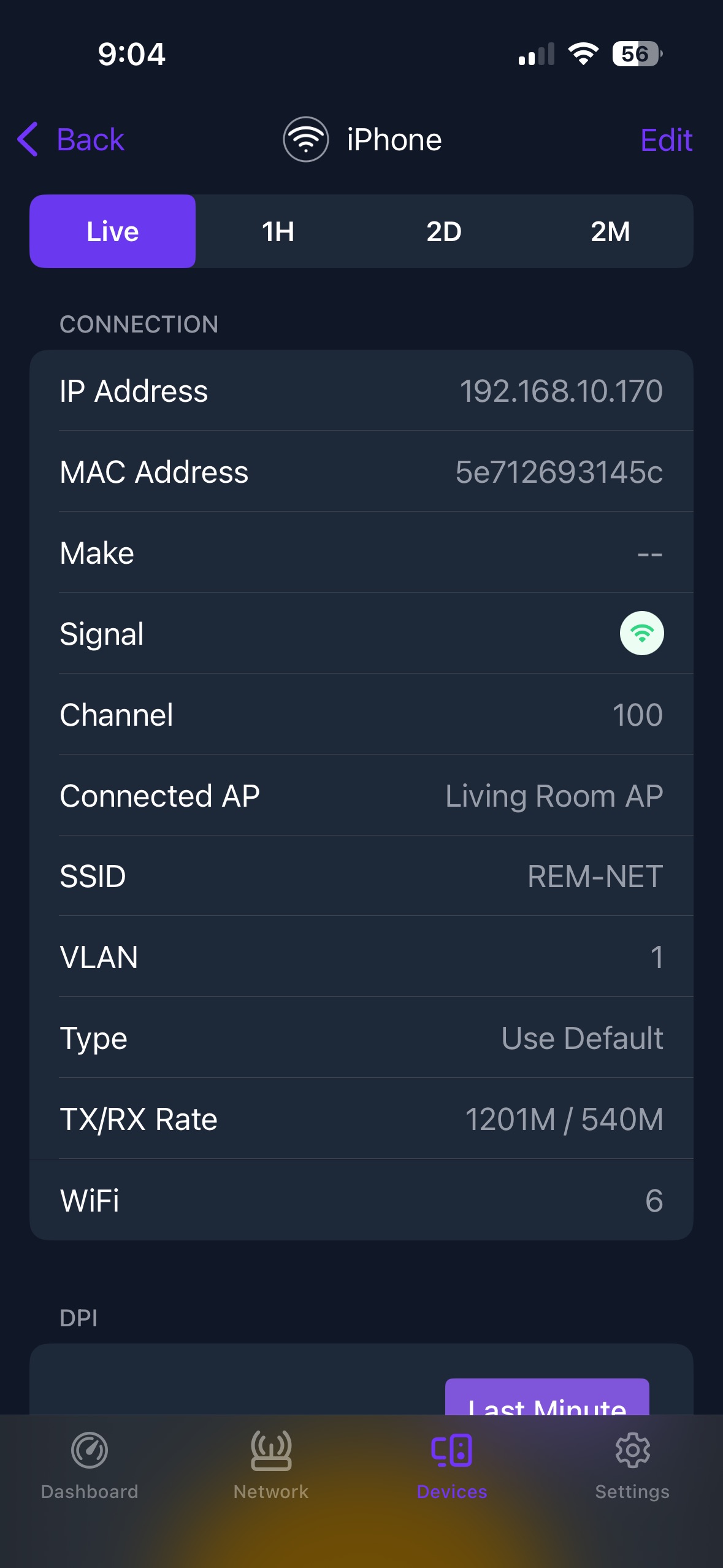
Something I’m curious about is the speed the devices you’re running speedtests on are getting from the AP. For instance, here’s how an iPhone shows up on my home site in the devices tab:
I can see at that moment that the transmit rate is currently at 1201Mbps and the receive rate is 540Mbps. That can vary depending on how active the device is at the moment but I’d expect to see that rate be kinda low based on the speed you’re reporting. Are you typically testing from your phone? A laptop? All of the above? Using something like speedtest.net or it’s app? Just trying to narrow things down a bit
My apologies, I should’ve emphasized the “you would need a router” portion of my reply.
Yes, you can disable the WiFi that you would normally connect to on the Xfinity device. However, that accomplishes nothing in the context of freeing up some spectrum. They do the 40MHz wide Hidden SSID for their security system and the widest channel available (typically 80MHz or 160MHz depending on the capabilities of the hardware) to allow other Xfinity customers with the app installed to use your modem as a point of internet access. Per Xfinity, these cannot be turned off.
This is the major underlying factor that plays in to my recommendation to rid yourself of their equipment. As many have pointed out, it’s not just your modem but also your router. So to accomplish this, you would need to install a router after the modem and before the rest of your network.
Edit: Further clarification. This information is from approximately 18 months ago, but I was explicitly informed that this pair of SSIDs are embedded in the firmware of their router/modem combos as justification as to why they can’t be disabled.
 Bridge mode can be good but only if you have a router to take over the router functions from the XB8.