So I have been using the route 10 for over 2 weeks constantly and I have ironed out most of the problems I have but I’ve encountered a rather large one that I want to see if other community members are encountering. I ask this because Alta Support tells me this is expected behavior and I’m insisting it is not.
Situation: I have a server that runs a wireguard client to a commercial VPN provider and is doing transfers in the background. Whenever a transfer occurs and I am playing anything that requires low latency I can immediately notice massive lag spikes. This is the most evident on using “Geforce now” as I have an ultimate subscription to it.
My argument is that Alta route 10 is not routing the wireguard traffic over the hardware acceleration system instead routing it over the CPU. It also does this on OpenVPN traffic as well but honestly I’ve not tested as much on it as I don’t use OpenVPN as much and I am not familiar with the performance I should receive from my VPN host.
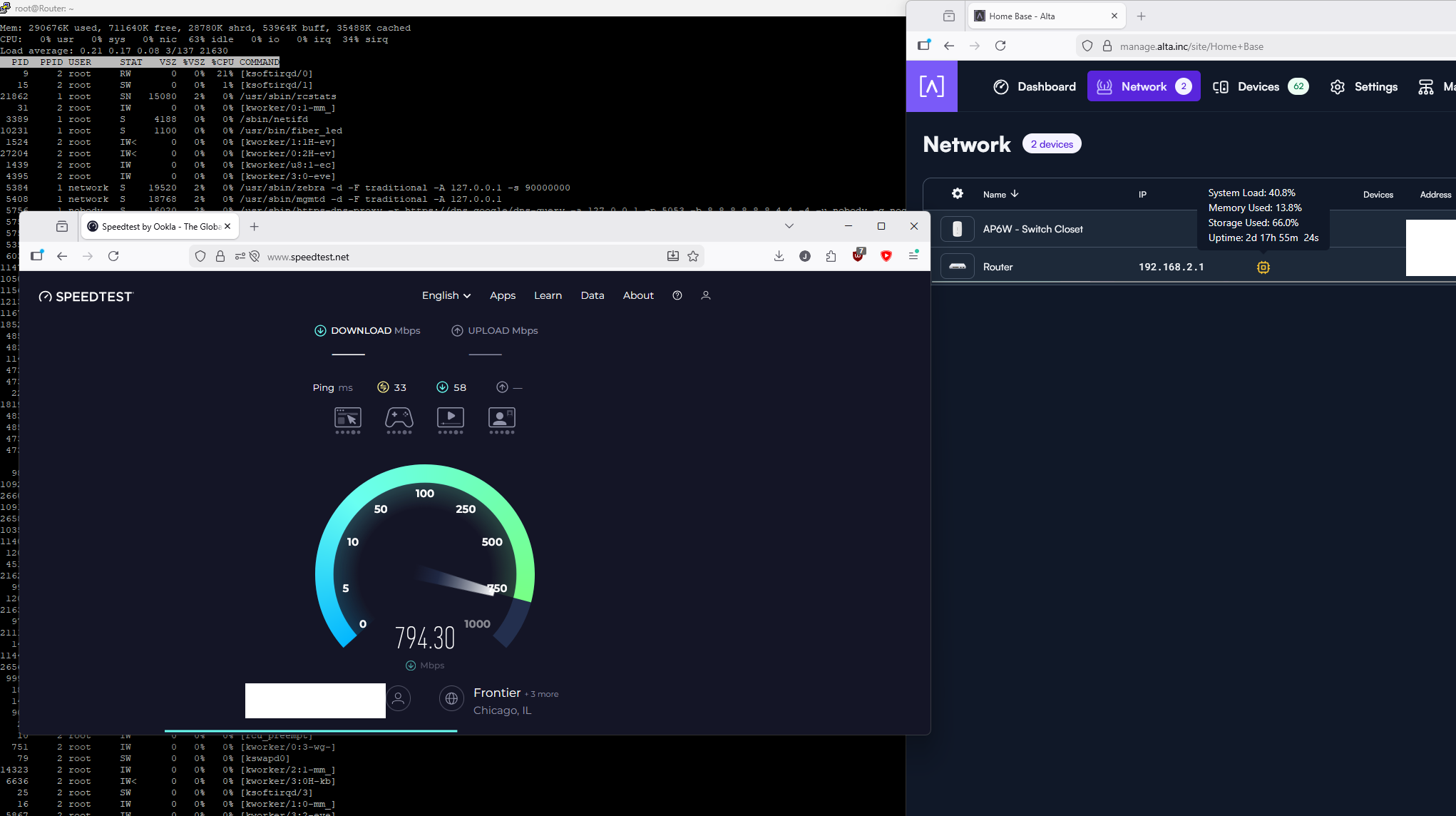
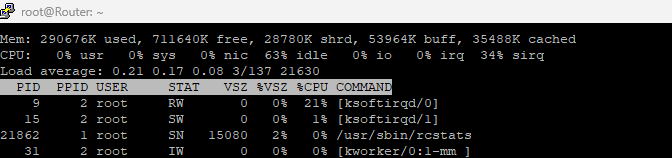
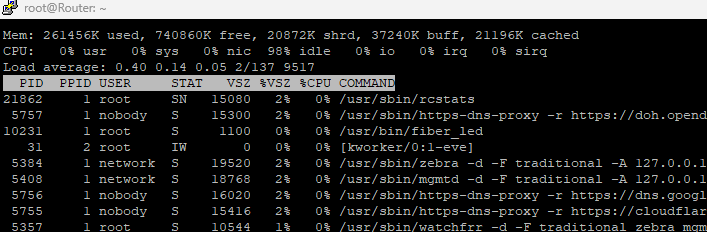
You will notice on pictures #1 & #2 KSOFTIRQD/0 process is not even showing any real usage.
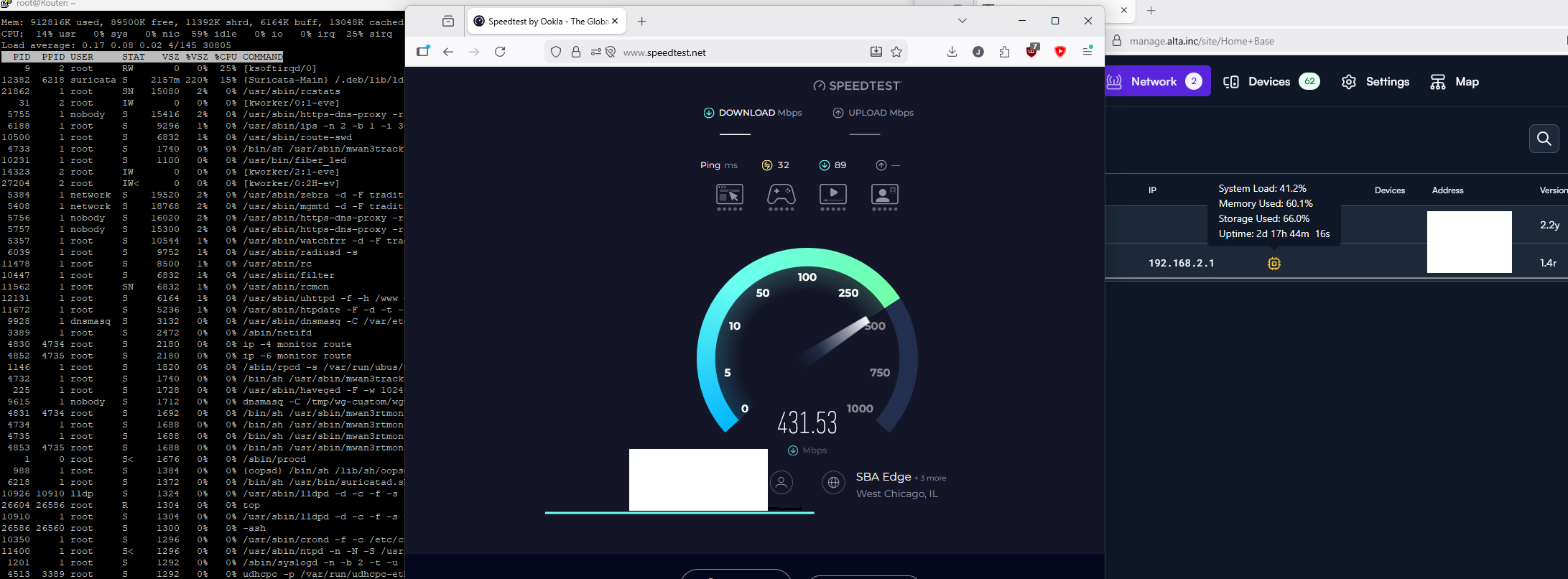
You will notice on pictures #3 & #4 KSOFTIRQD/0 process is maxing a single core.
Picture #4 has higher transfer rate as suricate isn’t running but also it seems like less CPU usage. Still KSOFTIRQD is there at 21%+ and I assume it was higher as the # doesn’t add up on the right screen with the system load %.
I cannot replicate this on anything else. Fast.com gets 1.6+ Gbps a second down and 1.6+ Gbps up and the CPU load doesn’t increase either. It seems it only does this on wireguard and I have seen it a little on openVPN traffic but not as bad.(OpenVPN is not as fast either)
Do you all see the same thing? Am I just crazy thinking the wireguard load should be hardware accelerated? I acknowledge IPS can have a fight in this but with it disabled it removes it from the picture leaving only the KSOFTIRQD/0 process maxing and causing performance issues. This morning for some reason it was at 25% and wireguard was only going at about 18 megabytes a second.
On my old router this was also a problem and I had to do the commands below which told the router to make sure it routes the ports for wireguard over the hardware acceleration.
nano /jffs/scripts/wgclient-start


#!/bin/sh

if [ "$1" -eq "2" ]; then # only for wgc2
   echo "del 1337 either" >> /proc/blog/skip_wireguard_port
   logger -t $(basename $0) "Port 1337 removed from blog bypass"
fi

if [ "$1" -eq "3" ]; then # only for wgc3
   echo "del 1443 either" >> /proc/blog/skip_wireguard_port
   logger -t $(basename $0) "Port 1443 removed from blog bypass"
fi


chmod +x /jffs/scripts/wgclient-start
Picture #1 Speed test with IPS enabled

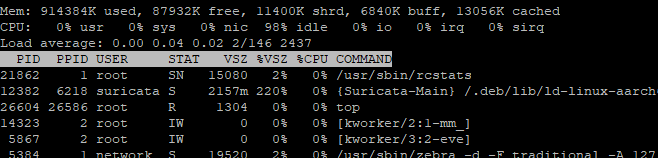
Picture #2 Speed Test with IPS disabled
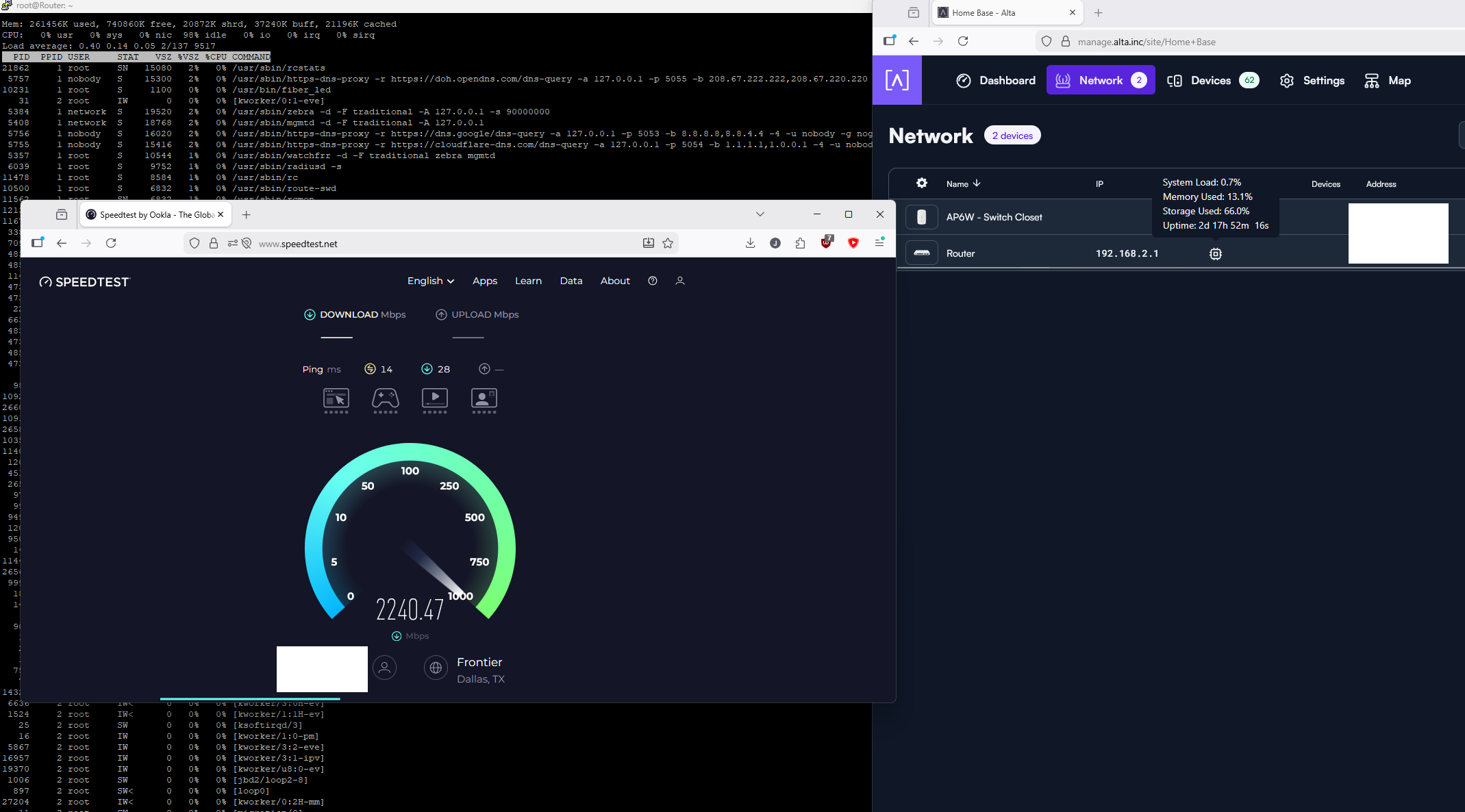
Picture #3 Wireguard client running on machine doing speed test IPS Enabled
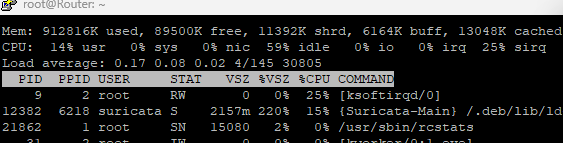
Picture #4 Wireguard client running on machine doing speed test IPS DISABLED