First off, I want to say that we as Alta Labs love Mathy and his teams’ work, and appreciate the efforts he puts into improving Wireless security for everyone. We also want to emphasize the importance of using hybrid Wireless security combined with industry-standard TLS 1.2/1.3 protocols, as most browsers and applications already do today, especially for anything that is mission critical.
Much of this work hinges on an attacker knowing an easy-to-guess or publicly available guest password. It also assumes that critical and non-critical traffic is potentially handled on the same VLAN.
Now, I’ll dig in to specific parts of the paper:
GTK abuse:
This gets to the heart of a core concept of Wi-Fi security, the Group Temporal Key. Since this key is shared and known by all authenticated clients, it is easy for an attacker to spoof broadcast traffic, and in most cases today, even unicast traffic.
Based on the popularity of this paper, it’s very possible that we will soon see client vendors deny L2 unicast frames that were accepted via GTK frame decryption. Since these frames are sent without AP’s knowledge, there isn’t much AP vendors can do, other than work with standards bodies to improve WiFi encryption in general. For Alta Labs’ part, we will be looking into enforcing GTK rekeying more aggressively.
When using separate VLANs for security, Alta Labs APs do mitigate much of this GTK abuse risk by ensuring a separate GTK per VLAN. Based on the conclusions of this paper, and honestly coming from common sense, critical unencrypted traffic absolutely should not be allowed on VLANs that have easy public access, regardless of AP vendor.
Gateway bouncing: We are looking into improving Route10’s handling of forwarding Layer-3 frames unnecessarily, making gateway bouncing possible. As stated in the paper, nearly all other router manufacturer’s are in the same boat here, but we will make efforts to improve forwarding handling to lead the way in closing this hole.
Port-stealing: This can be mitigated by using a separate VLANs for non-critical passwords/SSIDs, especially for open WiFi networks. This is no more straightforward and easier to implement than in Alta Labs’ management platform.
Client isolation: Alta Labs employs client isolation in a scalable manner, i.e. not on a per-AP basis. This is done through AltaPass’ Network Types, and when a non-Standard network type is used, Alta Labs proprietary Client Isolation is automatically enabled, which offers the best client isolation that is available today, acknowledging that GTK abuse is something that the entire industry needs to take seriously.
As a summary, some of the the easiest and best steps to protect your WiFi network (and network infrastructure) today are:
- Always use good, hard-to-guess WiFi passphrases
- Always segment network traffic using VLANs
- Stop ignoring browser security warnings
Even in the IT security industry, we are bombarded with equipment that requires accepting self-signed certificates, not just for initial install but for long-term use, and we at Alta Labs believe we can do better than that!
We appreciate your feedback, and thanks for being Alta Labs fans!

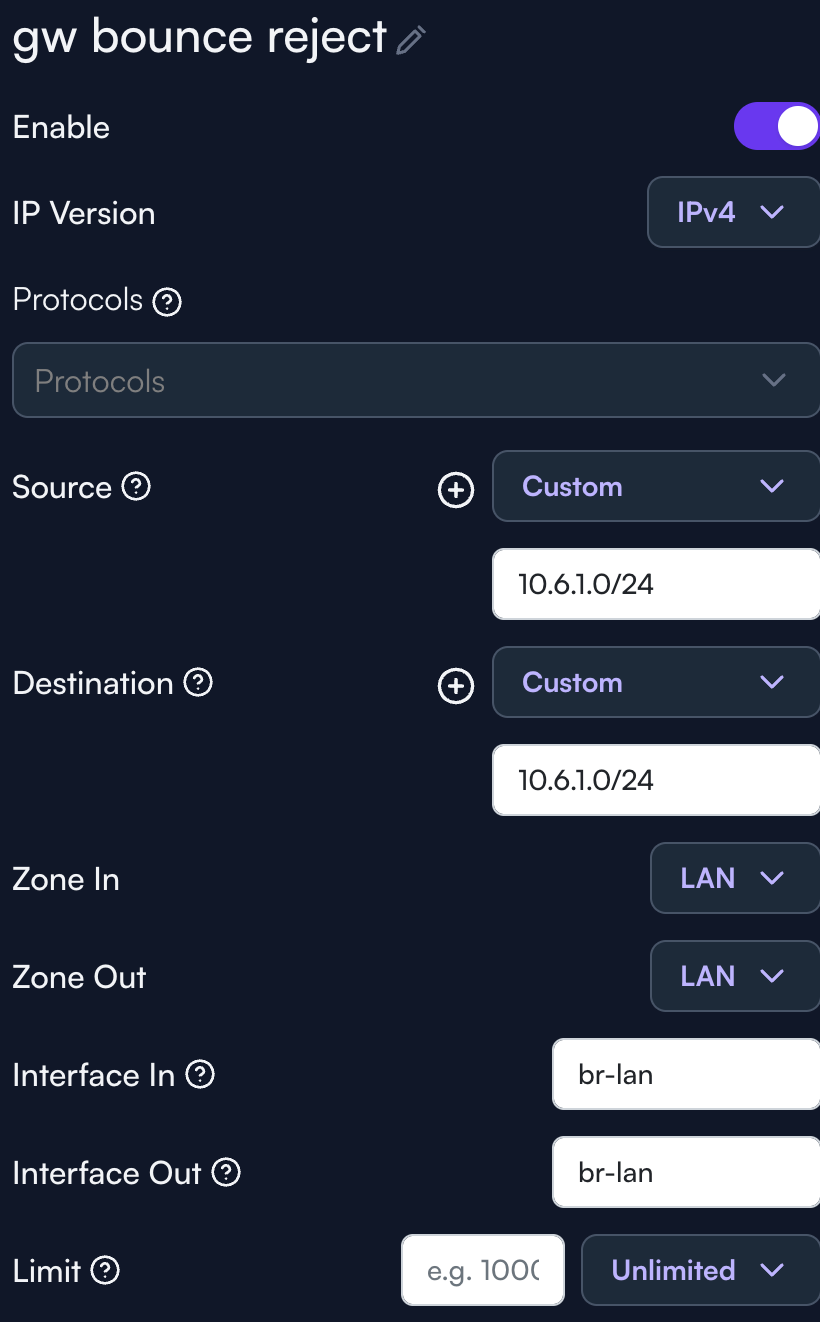
 If anything like the more aggressive GTK rekeying or gateway bouncing mitigation gets implemented in a firmware update, I think it’d be great to call it out in the release notes in relation to this so people know the what and why for the change.